
DeepSeek balance
DeepSeek official balance as a Paseo usage source, with managed API keys, peak/off-peak pricing, bilingual UI, and an optional budget percentage.

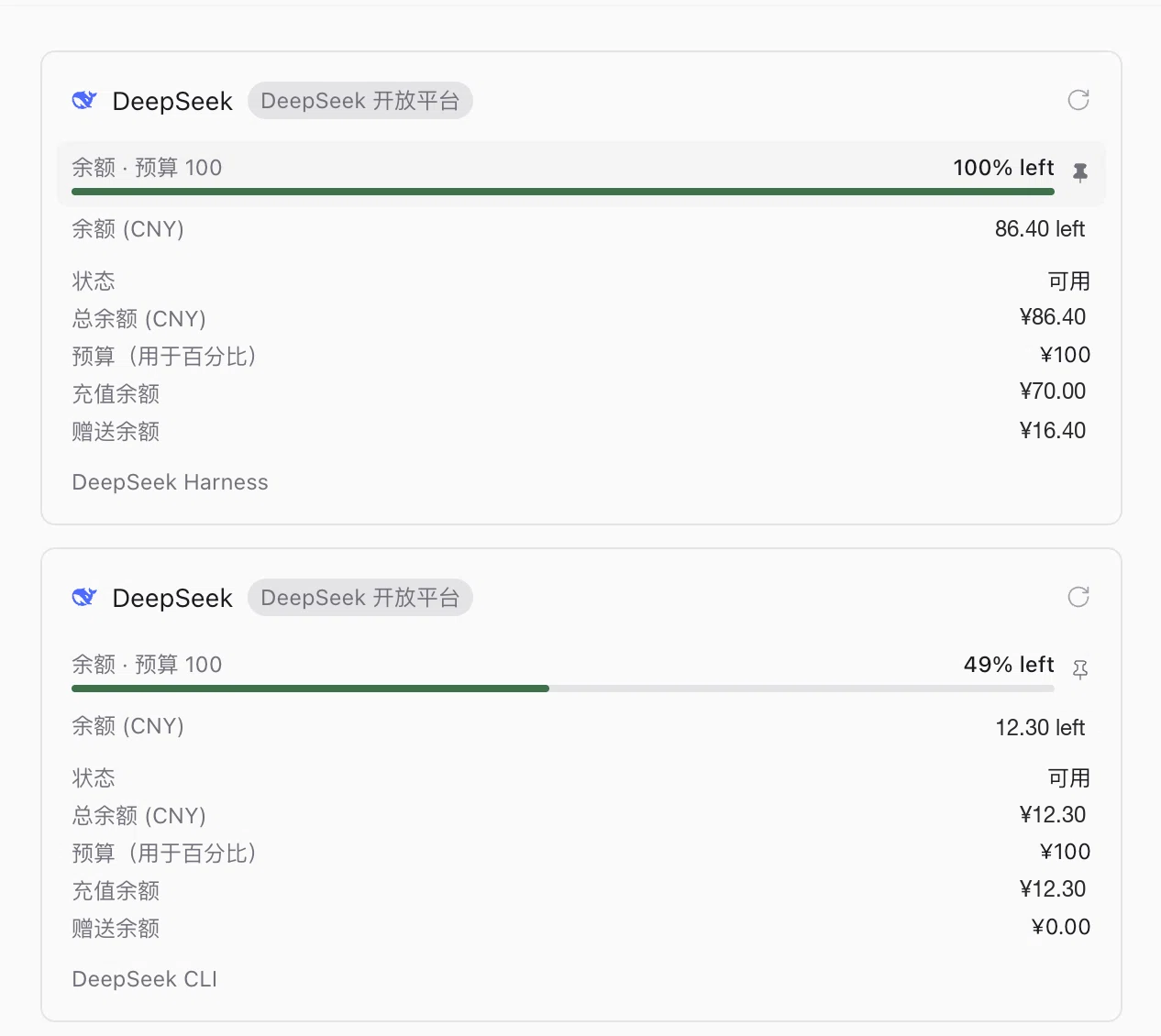
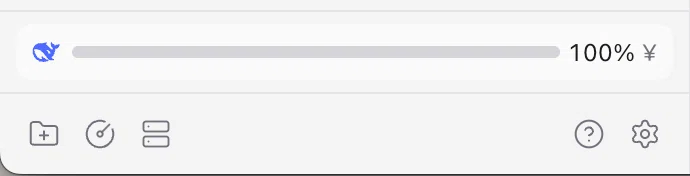
Shows what is left on your official DeepSeek account inside Paseo's usage surfaces, so you can see the balance next to the quotas Paseo already tracks for Claude, Codex and the rest. The plugin UI and usage-report labels follow the Paseo app language (English or Simplified Chinese).
What it reads
The plugin reads an existing DeepSeek API key from the stores a DeepSeek tool on the same machine already wrote, and calls GET https://api.deepseek.com/user/balance with it. It never writes to those tool stores. Sources, in preference order:
- a key added in Settings, Plugins, DeepSeek (stored in the plugin's own file on the daemon)
DEEPSEEK_API_KEYin the daemon's environment~/.dsh/.credentials.yaml, the DeepSeek Harness credential file~/.config/opencode/opencode.json, the OpenCode provider entry fordeepseek~/.deepseek/config.toml, the older DeepSeek CLI config
A store pointed at a host other than api.deepseek.com is skipped, because a gateway that speaks the chat API has no balance contract. The same rule applies to a key added by hand.
Each key becomes one account card. The same key found in two stores is one account, so nothing is double counted. A card is identified by a hash of its key, never by the key itself. The key is sent only to api.deepseek.com, as the authorization header of the balance request, and is never part of a report or of anything Paseo sends back to a client.
Setup
Install the plugin and open Usage in Paseo. If no key is found, add one under Settings, Plugins, DeepSeek, or export DEEPSEEK_API_KEY for the daemon, or sign in once with one of the tools above. The plugin UI follows the app language; usage-report labels update on the next report after a language change.
Keys you add by hand are kept on the daemon under the Paseo home (by default ~/.paseo/deepseek-usage/accounts.json) with owner-only permissions. The settings screen shows only a masked hint; the key never returns to the app. The plugin's settings documents are not used for credentials.
The budget percentage
The balance endpoint reports money, not a quota, so it has no percentage of its own. Paseo's sidebar summary only shows windows that carry a percentage, which is why the plugin offers a gauge measured against a budget you set.
Set the denominator in Settings, Plugins, DeepSeek, in the budget section: one field for CNY and one for USD. The denominator applies to every monitored account. Leave a field empty to skip the gauge for that currency, in which case the exact balance still appears. The gauge turns yellow at 70 percent used and red above 90 percent, using the same thresholds Paseo applies to provider quotas.
The percentage is always relative to your own number, never presented as a provider limit. Change it and the card picks it up within five minutes, or immediately after pressing Refresh on the card.
To keep the gauge in the sidebar footer, turn on Summary in sidebar in the Usage screen and pin the window.
Peak and off-peak pricing
DeepSeek bills half price outside peak hours, and the usage card always says which side of that boundary you are on: a pricing row shows the current phase and a relative countdown to the next change, with the schedule (01:00 to 04:00 and 06:00 to 10:00 UTC, Monday to Friday) on the row below. The countdown is independent of the daemon's time zone; the sidebar row and its popover format their own local time. Those rows travel with the usage report, so they are at most five minutes stale, or current right after pressing Refresh on the card.
Turning on the sidebar row in Settings, Plugins, DeepSeek adds a footer row as well: an off-peak row with a moon icon and minus 50 percent, or a peak row with a sun icon and the time until off-peak returns. Pressing it opens the schedule and the price per million tokens for both tiers. The sidebar row updates every 30 seconds and never touches the network.
Chinese public holidays come from a table in shared/pricing.ts that currently holds the 2026 State Council schedule, so a holiday added after that date is treated as an ordinary weekday until the table is extended. Nothing here reads your token usage.
Limits
- Balance only. DeepSeek does not expose per-request spend through this endpoint, so there is no usage history or burn rate.
- Two accounts on one machine show as two cards. Pins are stored per source and window, so each account has its own window and can be pinned separately.
- A key added by hand appears in the global Usage surface only. It cannot be attributed to an agent session, because the session scope only knows the harness that launched it.
- Changing the API key changes the account hash, which retires the old card and its pins.