
JSON Render
Render agent output as interactive forms and dashboards

该插件的概览尚未翻译为你的语言,因此以英文显示。
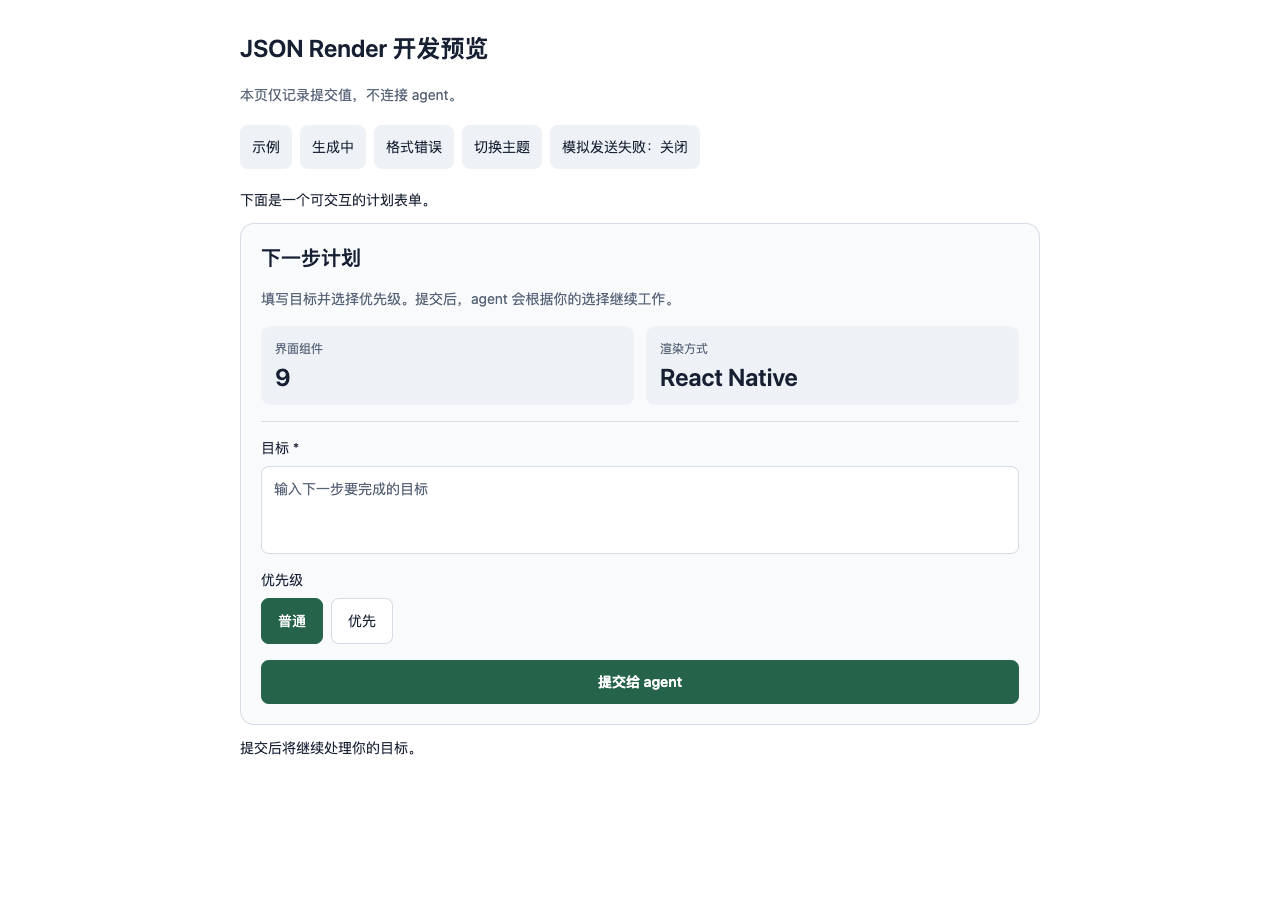
JSON Render turns agent output into interactive forms and dashboards inside Paseo conversations. When you submit a form, the plugin sends its values to the same agent so it can continue the task.
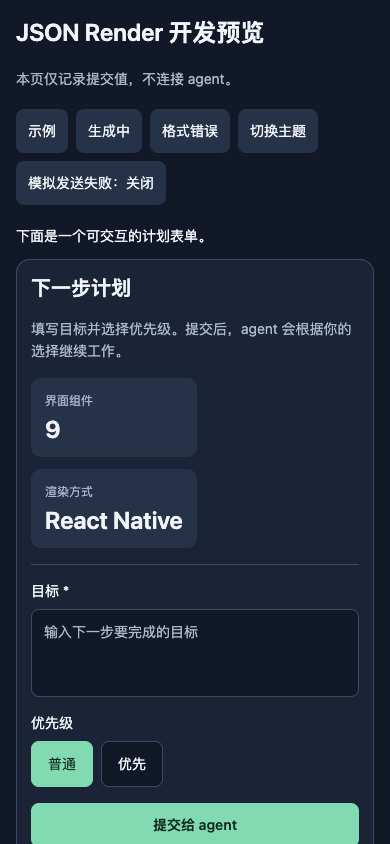
The plugin uses json-render's React Native renderer. Interfaces can contain cards, metrics, tables, step lists, progress indicators, text inputs, single and multiple choices, and checkboxes. They follow the Paseo theme; narrow screens show tables as labeled records.
Agents describe interfaces in paseo-ui or paseo-ui-stream code blocks. As JSON patches arrive, the plugin displays complete elements progressively. Forms become interactive when generation finishes. Invalid specifications show an error and their source text.
Setup and use
The Paseo app and daemon must both be version 0.11.2 or later. Git, Node.js, and npm must be available on the daemon host for Git installation.
New agents receive the UI instructions by default. Existing agents can receive them through /ui with an optional task. /ui-demo inserts a sample form; /ui-demo stream demonstrates progressive rendering. /ui-settings opens the settings.
The Command Center also opens a preview panel where you can edit source text and simulate submissions without sending messages to an agent.
Forms and settings
Required fields, valid choices, and text length are checked before submission. Failed sends preserve the values and allow a retry. A successful send disables the form. Reset restores its initial values without sending a message.
By default, the plugin saves drafts and submission status for the most recent 200 forms in ordinary JSON settings on the daemon. Records are read again when a form loads. Authorized clients connected to that daemon share the settings and records.
Settings can disable automatic instructions for new agents, disable reading and saving forms on the current client, or clear the installation's saved records. Disabling saving does not delete existing records. Clearing records allows historical forms to be submitted again when loaded later.
Submissions use the current agent's provider and account through the existing Paseo connection. The plugin does not connect to a separate model service. Saved form records are not a credential vault.
Limits
Only catalog components and submit or reset actions are supported. Concurrent submissions from multiple clients are not guaranteed to send only once, and already open forms do not receive live record updates from another client.
Providers without stable message IDs depend on consistent historical timestamps for form restoration. Demo rows disappear when the daemon restarts.
Built-in controls, settings, and demos currently use Chinese labels. Agent-generated labels follow the user's language. iOS and Android have not been verified on physical devices.