
Shell Yeah
Type /sh and a command to run it as you, in the agent's folder, with live output in the chat. The agent sees it only if you send it.



该插件的概览尚未翻译为你的语言,因此以英文显示。
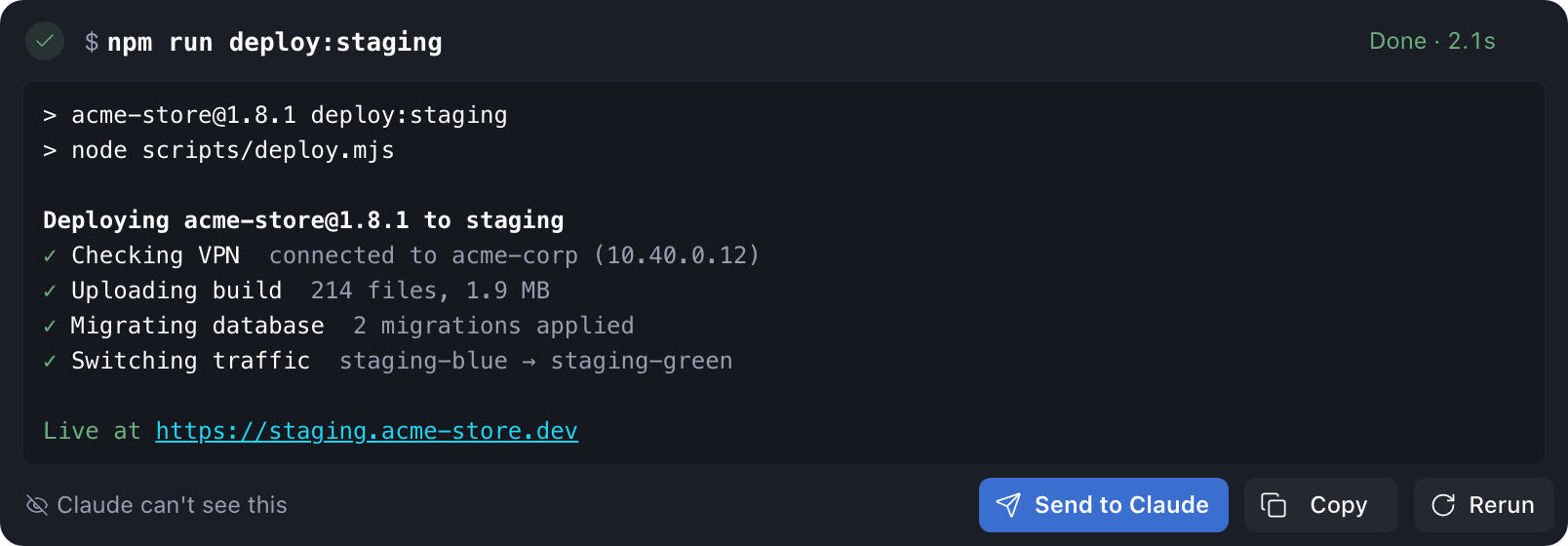
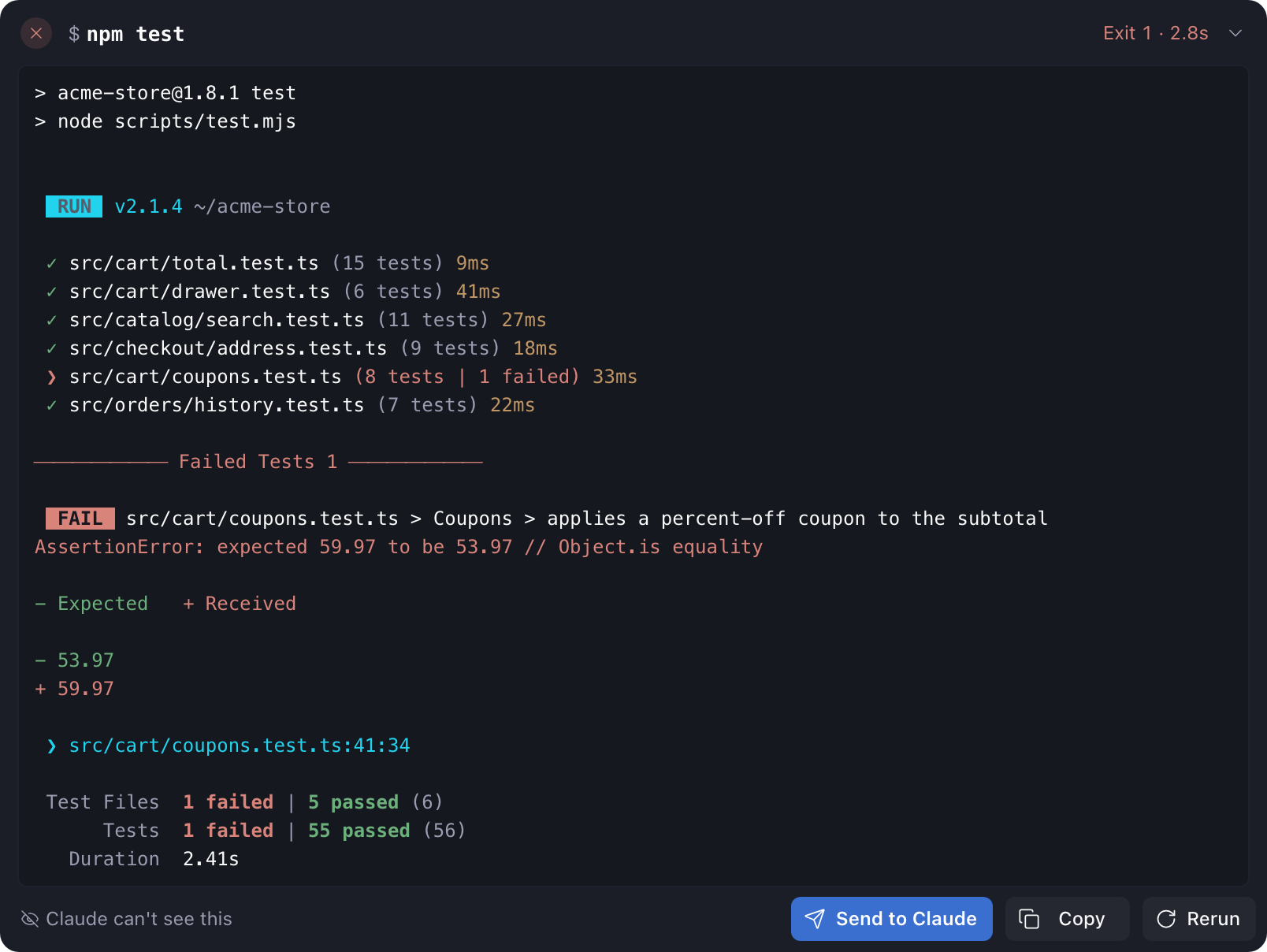
Shell Yeah runs a shell command from the chat. Type /sh and a command, like /sh npm test. It runs as you, in the agent's folder, and the output streams into a card in the chat. The agent sees the output only if you press Send. It's Paseo's version of Claude Code's ! mode. Needs Paseo 0.11 or later, and Node.js 22.18 or later on the computer running the Paseo daemon.
It's also how an agent hands you a command it can't run itself: a login that needs your browser, a deploy behind your VPN, a publish that needs your 2FA code. The plugin tells each new agent to put such a command in a sh run code block, under a one-line comment that says what it does. When the reply ends, a card appears under it with the comment as its title, the command, and Run, Copy and Dismiss. Nothing runs until you press Run. The card warns you when a command runs as administrator, deletes files, throws away uncommitted changes, force-pushes, or runs a script from the internet.
Claude, Codex, OpenCode, Pi and Oh My Pi agents get the instruction. Agents Paseo runs over ACP, such as Copilot and Cursor, don't. Neither do chats that started before you installed the plugin. In those, type /sh on its own and the plugin turns the shell code blocks in the last reply into cards.
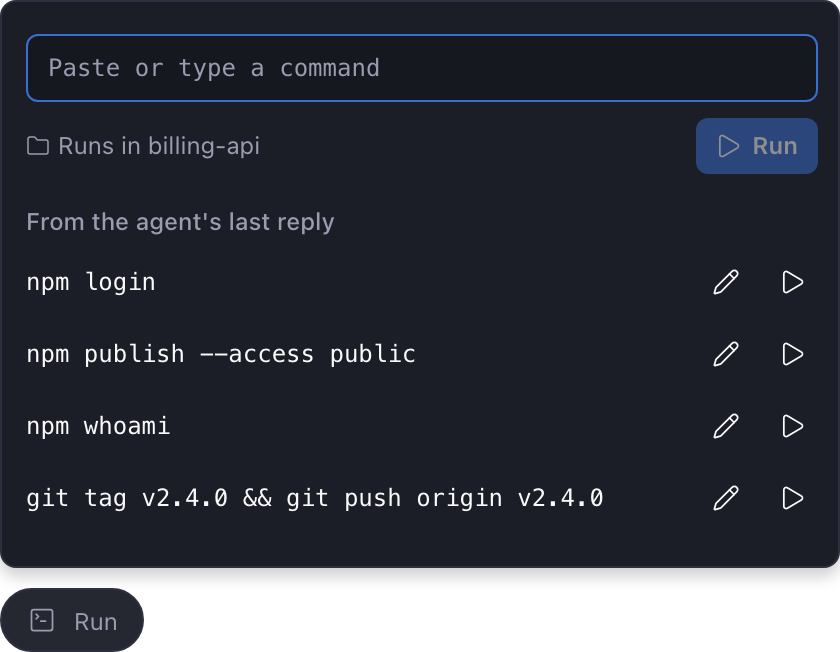
When a command is stuck in a sentence instead, use the Run pill above the message box. It lists the commands in the agent's last reply, up to eight, including inline code like npm login that starts with a program on your PATH. Press one to run it as a card, or press the pencil to change it first. You can also paste any command into the pill's box and press Enter.
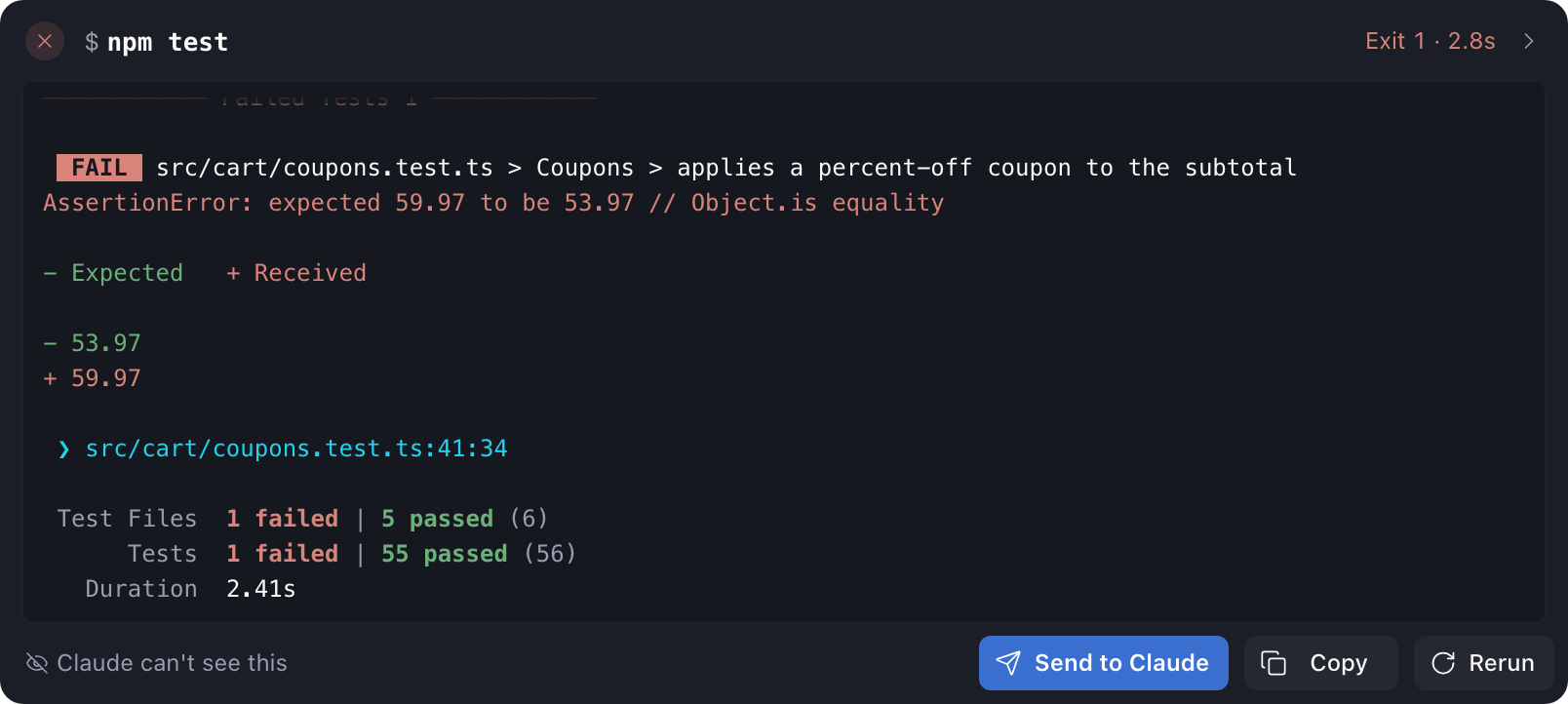
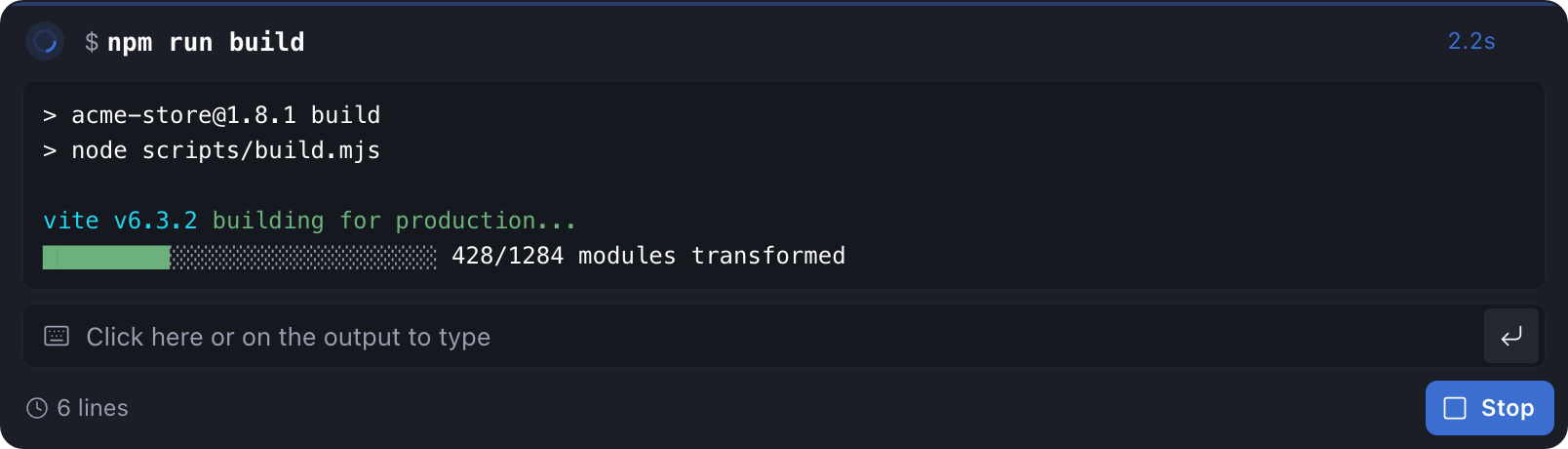
A running card shows a timer, the newest output and a Stop button. Progress bars redraw in place, as they do in a terminal. A finished card shows the exit code, the colored output, and Send, Copy and Rerun. Output of up to 200 lines goes to the agent whole. Longer output goes as a summary: the first 10 lines, the last 60, and any lines that look like errors. The plugin saves the full log and gives the agent its path, so the agent can read or search the rest. Saved logs go in ~/.local/state/shell-yeah/logs/ on the daemon host (%LOCALAPPDATA%\shell-yeah\logs on Windows), outside your project. Archiving a chat deletes its logs. The plugin also deletes logs older than a week, and past 100 MB it deletes the oldest first.
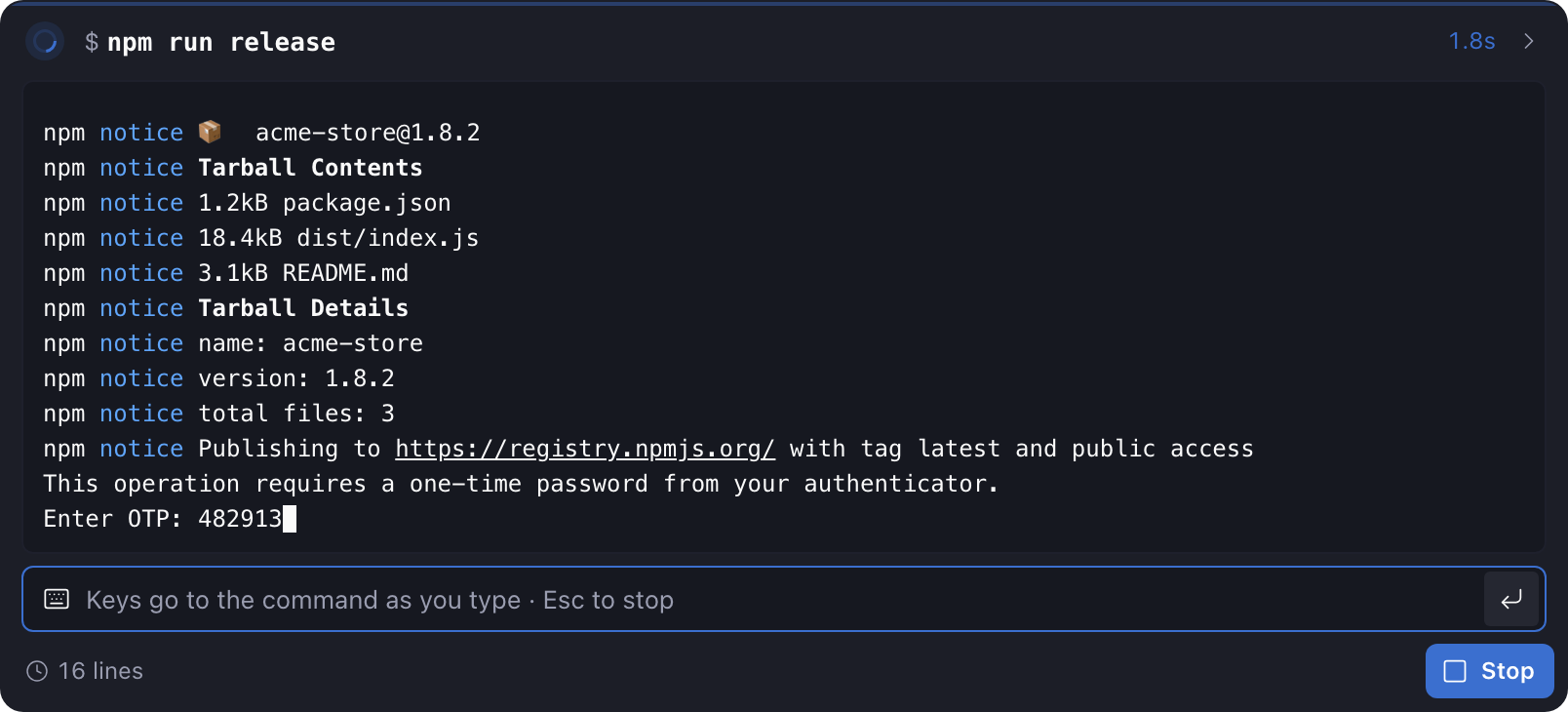
Commands run on the daemon host through your shell, each in a terminal of its own, so they behave as they do in yours. When one asks for a 2FA code, a password or a yes or no, click the output and type, as in a terminal. A password stays hidden. Commands get your PATH but skip interactive startup files like .zshrc, so aliases aren't loaded. On Windows, commands run in PowerShell, and agents are told to write PowerShell. Full-screen programs like vim don't work in a card. Up to 8 commands run at once. After Paseo restarts, a card that was still running says Interrupted. So far I've tested Send only with Claude.