
Progress
A live progress dashboard per worktree for Paseo, drawn from a file agents write with the paseo-progress command.


该插件的概览尚未翻译为你的语言,因此以英文显示。
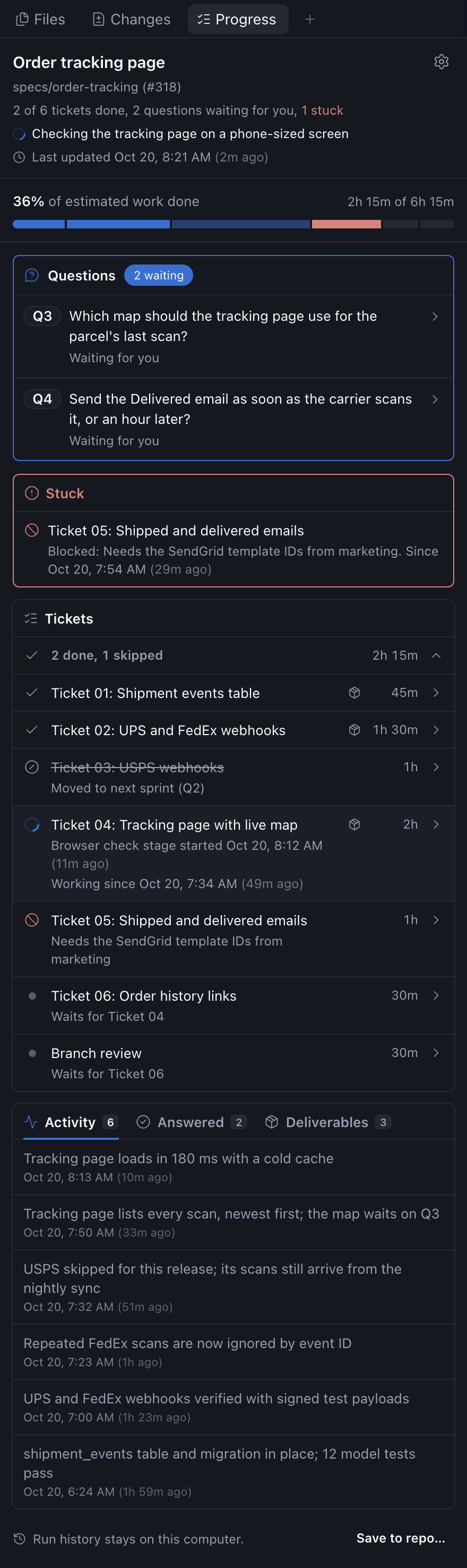
Progress gives each worktree a live dashboard for long agent jobs. The agent records its tickets or steps with a paseo-progress command, along with what's stuck, questions for you and finished work. The Progress panel in Explorer shows all of it. Needs Paseo 0.11 or later, and Node.js 22.18 or later on the computer running the Paseo daemon.
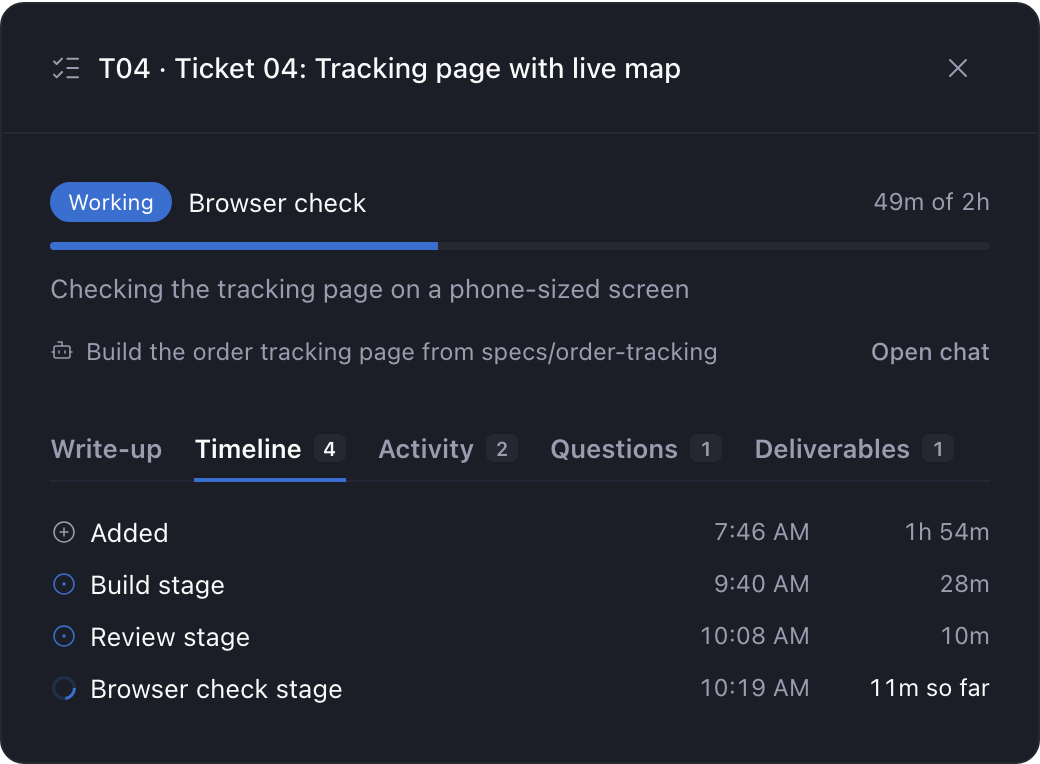
The panel shows how much of the estimated work is done, what the agent is doing right now, and where each ticket stands. A ticket turns stuck when it's blocked or runs past its estimate without an update. Press a ticket to see its timeline, activity, questions and deliverables. Images, videos and text files the agent records open in a preview inside Paseo, and a folder opens as a list of its files. Videos play only in the desktop app. Any other file opens in an app on the computer running the Paseo daemon, and so does a previewed file when you press Open. Open is hidden when that computer can't open files, like a Linux server with no desktop. That's true from your phone too. The app opens on that computer, not on the phone.
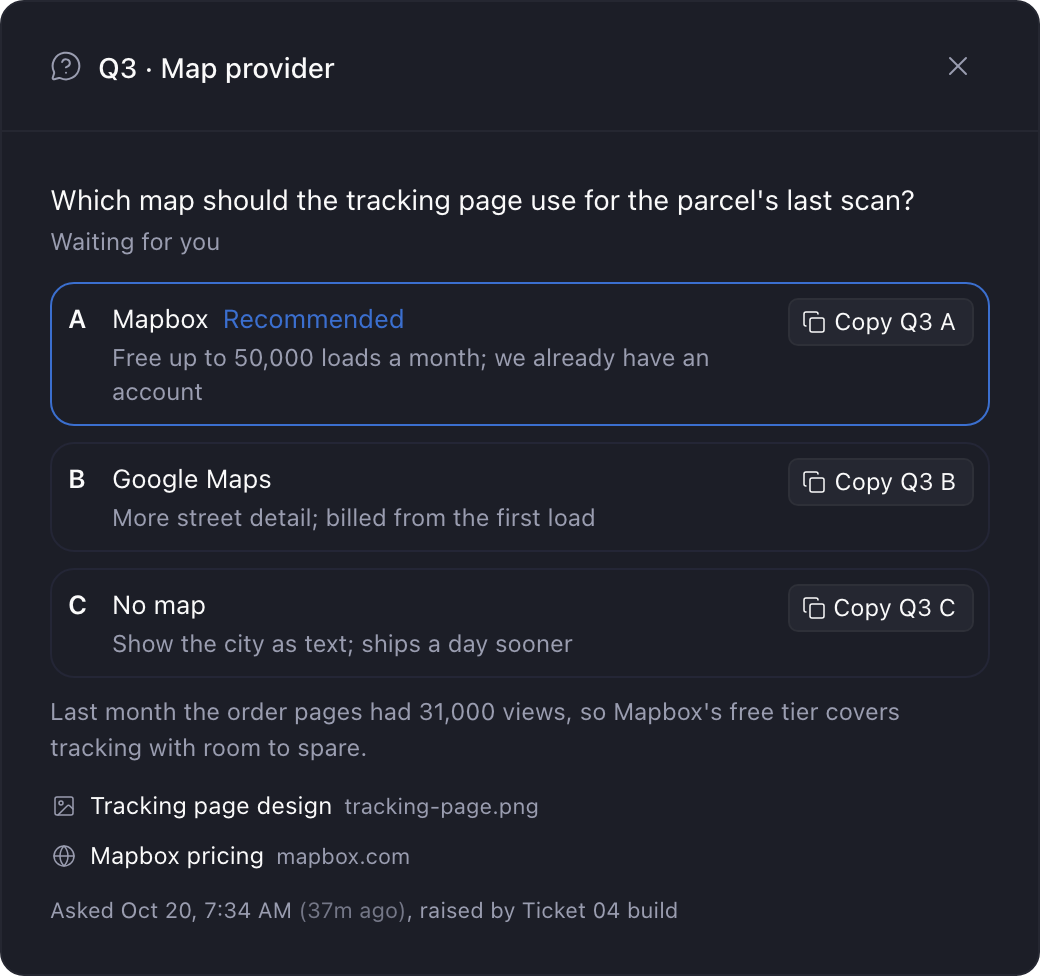
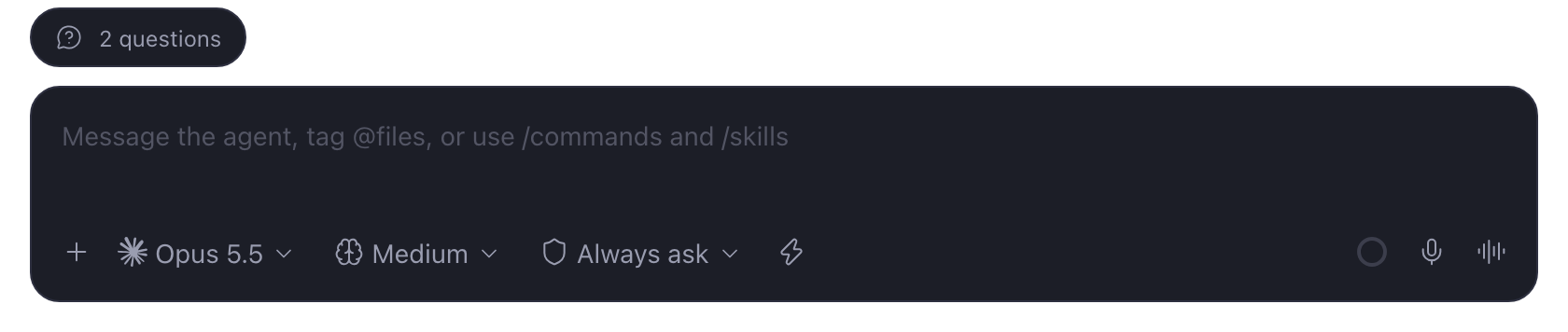
When the agent needs a decision, it asks a numbered question with lettered options and says which one it recommends. A pill above the message box counts open questions and stuck work. Each option has a Copy button. Paste the answer into the chat and the agent records it. In Settings you choose what the agent does while it waits: stop, work around the question, or keep building on its recommendation.
Nothing updates unless the agent runs the command, so agents need the plugin's skill. The panel has two setup buttons, and each one shows where it will write before you press it:
- Install command writes
~/.local/bin/paseo-progresson the daemon host. - Install skill links the plugin's
paseo-progressskill into~/.agents/skills,~/.claude/skillsand~/.codex/skills. New agent sessions pick it up.
Both work from files inside the plugin and download nothing. Neither one replaces a file you made.
Progress keeps each worktree's data under ~/.local/state/paseo-progress/ on the daemon host, outside the repo. You can also save runs into the repo. Pick a folder and Progress writes each run there too, and it remembers the folder in the repo's local git config. There's no view across worktrees, and a deleted worktree's folder stays behind until you remove it.