Task Runner
Run a project's own scripts from a sidebar panel.


该插件的概览尚未翻译为你的语言,因此以英文显示。
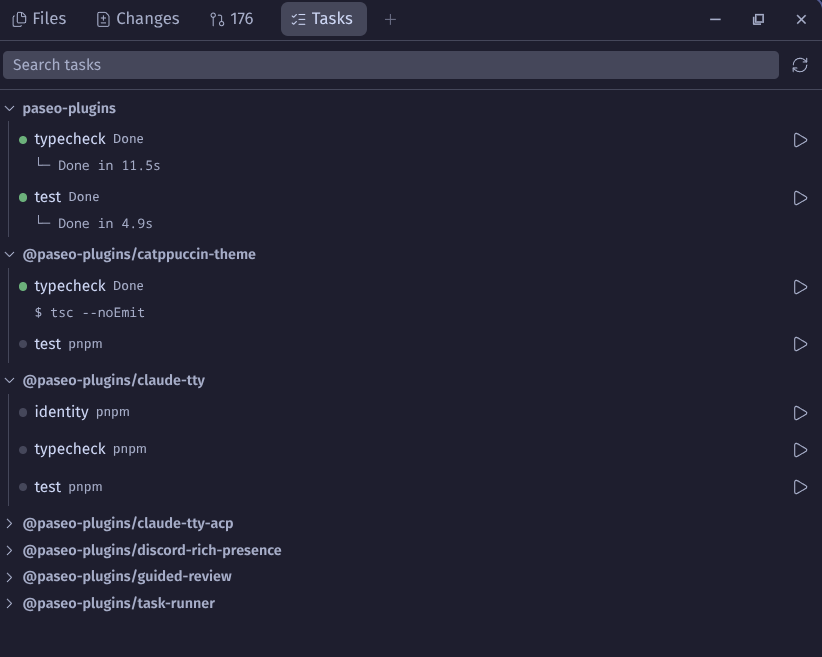
Task Runner adds a Tasks panel to the Explorer that lists the scripts a project already defines and runs them with one click, so you do not have to declare them again in paseo.json. It reads package.json scripts (including those of monorepo packages), Makefile targets, Nx targets from project.json and package.json, and tasks from .vscode/tasks.json. In .vscode/tasks.json it reads label, command, args and options.cwd, and fills in only ${workspaceFolder}; tasks that use other VS Code variables are listed as disabled.
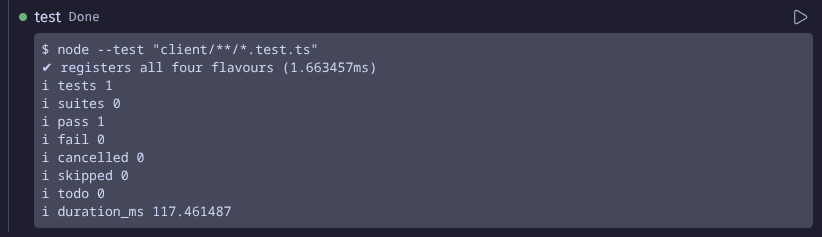
Each task runs in its own workspace terminal, which opens as a tab without taking focus. The panel shows a task's status and the end of its output, and offers Stop, Force kill and Restart. Run Task... and Rerun Last Task in the Command Center run tasks from the keyboard, with recently run tasks listed first.
Tasks run through your login shell, so your profile and rc files apply (this is how tools managed by nvm, fnm or mise end up on PATH). A task runs whatever command the project defines, with your permissions, so run tasks only in checkouts you trust. Listing tasks only reads files and never runs project code.
Nx targets that come from Nx plugins cannot be read from files. Load inferred targets in the panel runs the repository's own node_modules/.bin/nx graph to list them. It runs only when you select it, and the choice is remembered for that workspace.
The plugin keeps your ten most recent tasks per workspace in a file in the Paseo data directory on the host. It makes no network requests of its own.
It needs Paseo 0.15 or newer and a macOS or Linux host. Windows hosts show that they are not supported yet.