Theme Switcher
Applies a light or dark palette from Catppuccin, Gruvbox, Solarized, Tokyo Night, One, GitHub, Night Owl or Rosé Pine when the OS mode changes.

该插件的概览尚未翻译为你的语言,因此以英文显示。
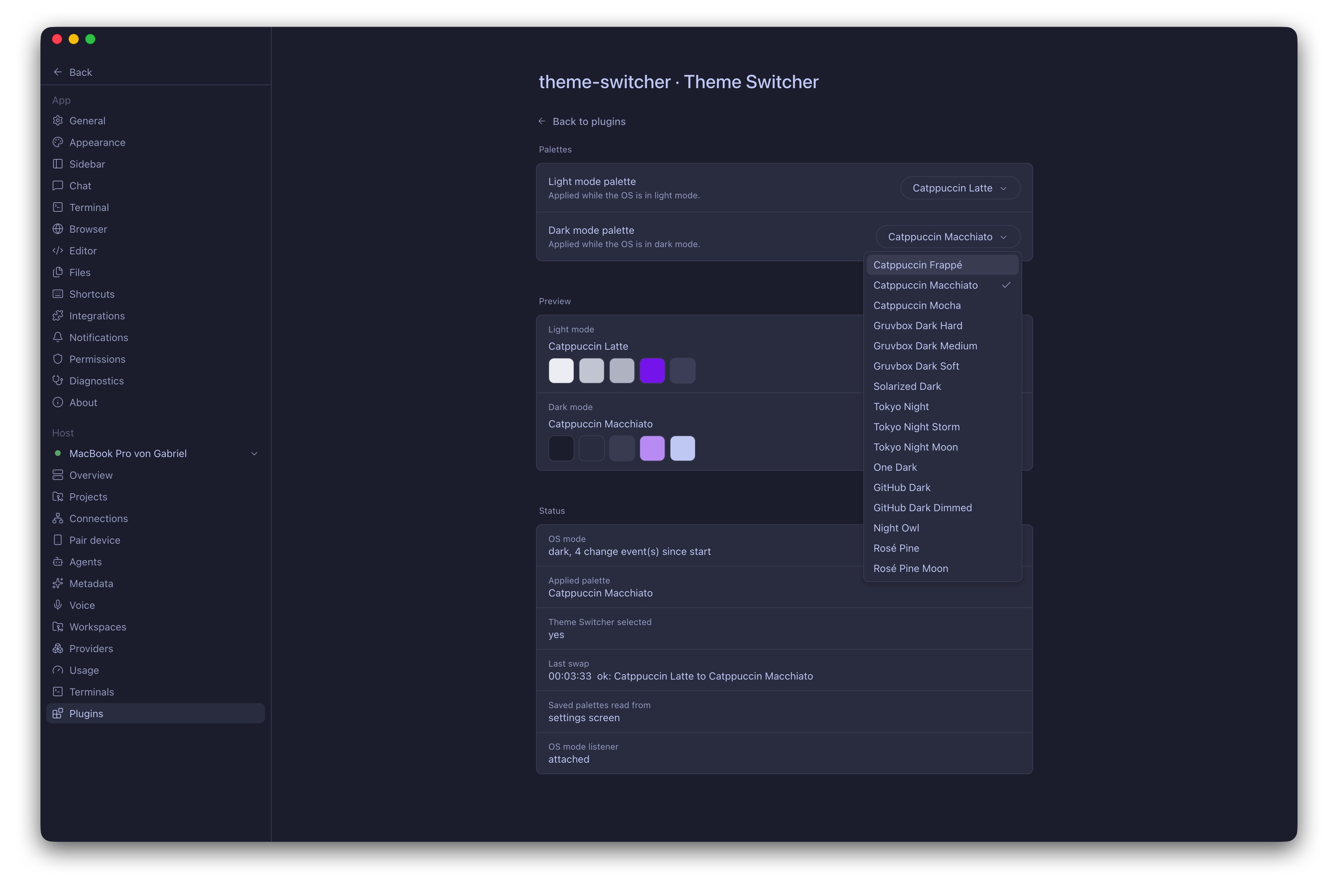
Theme Switcher applies a light palette while your operating system is in light mode and a dark palette while it is in dark mode, and swaps between them live when the OS mode changes. You choose the two palettes from 26 bundled ones: Catppuccin, Gruvbox, Solarized, Tokyo Night, One, GitHub, Night Owl and Rosé Pine. The defaults are Catppuccin Latte and Catppuccin Mocha.
The plugin registers a single theme. When the OS mode changes it re-registers that theme with the other palette's colors, so your selection stays in place.
Paseo has no API for a plugin to select a theme. After installing, open Settings, Appearance on each client (desktop, browser, each phone) and select Theme Switcher once. Then open Settings, Plugins, the plugin's menu, Theme Switcher to pick the light and dark palettes. A status section on that screen shows the OS mode, the applied palette and whether Theme Switcher is the selected theme. Requires Paseo 0.15.4 or newer with plugins enabled.
The palette pair is saved on the daemon and shared by every client of that daemon; each client applies it to its own OS mode. The plugin does not read or send any other data and makes no network requests. It cannot switch between other plugins' themes or Paseo's built-in themes. On a fresh start Paseo paints its own theme for about 130 ms before the palette appears.
Live OS switching is confirmed on the web client, macOS desktop and Linux desktop (Hyprland). iOS and Android are not yet tested.