
Crew & Flows
See every ticket-loop workflow, its agents, and the teams running now.

该插件的概览尚未翻译为你的语言,因此以英文显示。
Shows ticket-loop workflows, agent roles and current teams in a Paseo sidebar screen. Requires Paseo 0.10.3 or later and Git on the daemon host. Open Crew & Flows from the sidebar or Command Center.
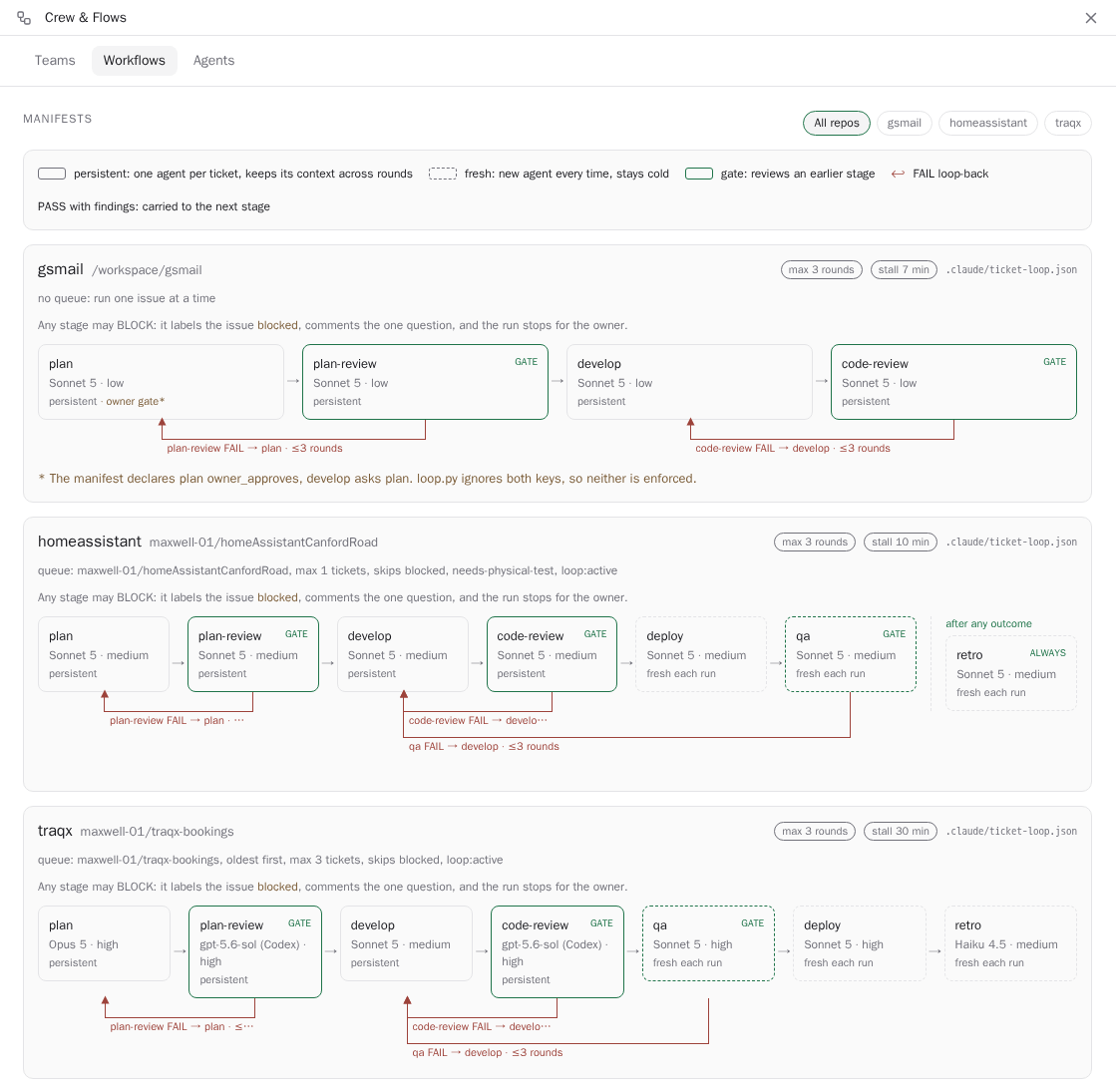
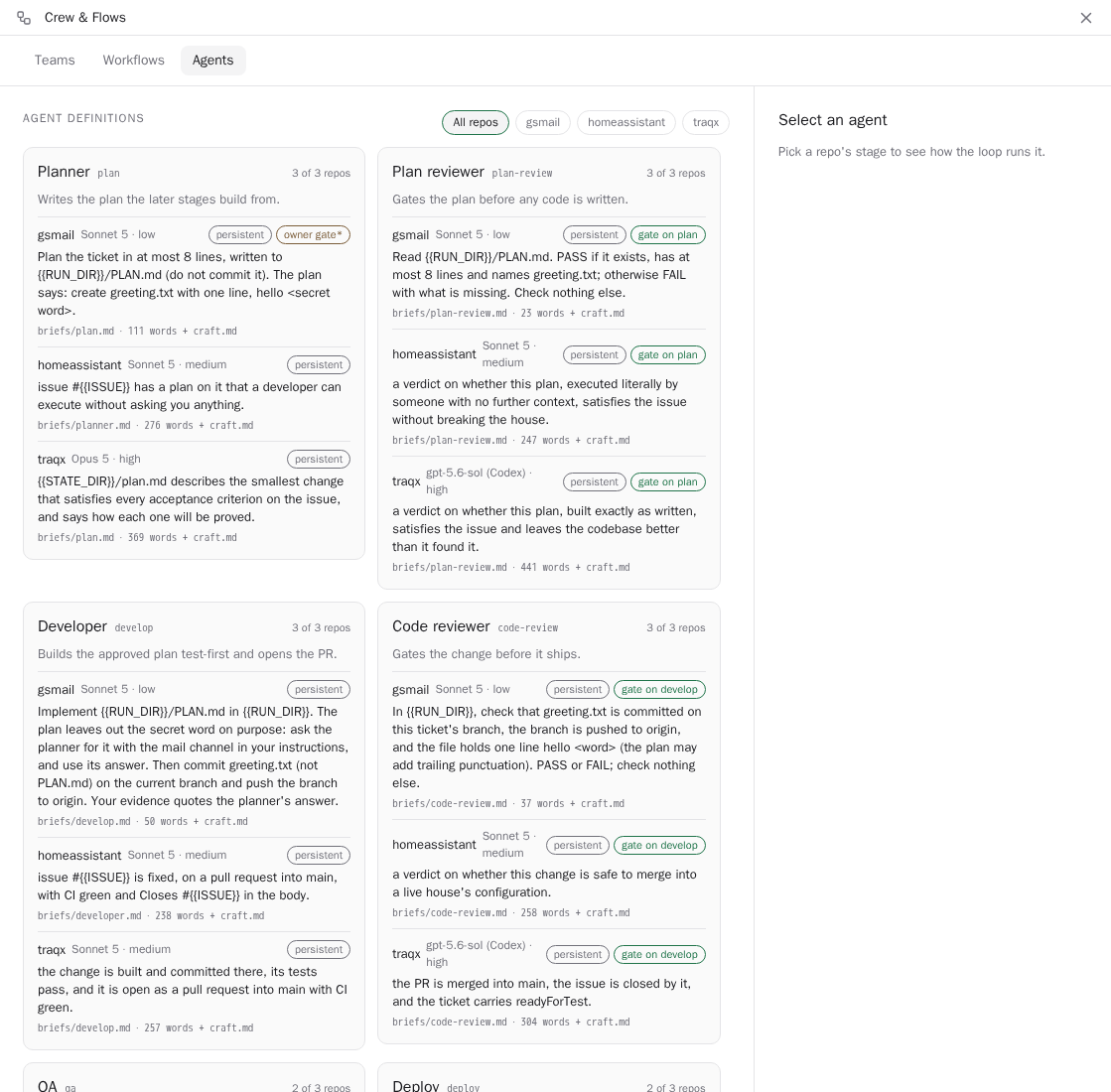
The Teams tab shows run stages, verdicts, recent agent messages and the last 20 lines of available run logs, refreshing every five seconds. Workflows diagrams show stage order, persistence, review gates and FAIL loop-backs. The Agents tab compares stage models, thinking levels and brief summaries across repositories. You can open an agent or explicitly send it a follow-up note; that note is handled by the agent and its configured provider.
In Settings → Plugins → crew-flows → Crew & Flows, configure repository parent folders, the run-state folder and the ticket-loop skill folder. Defaults target repositories directly under /workspace, run state under /workspace/.ticket-loop and the ticket-loop skill in the author’s Claude marketplace layout. Point these settings at your own folders. Workflow manifests and repository briefs are read from local origin/main; the plugin never fetches Git updates, so freshness depends on your last fetch. Workflow views refresh every minute.
The plugin reads the selected daemon’s repositories, referenced brief files, run beacons, verdicts, logs and labelled agents’ recent timelines, then sends summaries to connected Paseo clients for display. It reads files referenced by local workflow and run-state configuration, so use trusted inputs. It does not start, stop or edit ticket-loop runs, install software or contact an independent external service. Saving settings changes host configuration, and sending a note starts or follows up an agent turn through Paseo.
This is specific to the ticket-loop manifest and state formats. Without them, workflow and run views are empty; the crew section needs FirstMate-labelled agents. It shows one daemon at a time. Missing files or invalid manifests are reported as problems. Statements about gate and persistence behavior describe the supported workflow format; the plugin itself does not enforce those rules.