
ZCode
Use your installed ZCode agent in Paseo and view GLM Coding Plan usage.

该插件的概览尚未翻译为你的语言,因此以英文显示。
Paseo provider plugin that adds ZCode (Z.ai's GLM coding agent) as an agent
backend by wrapping the community zcode-acp-server ACP bridge. Models, modes,
permissions, resume and streaming run over the standard Agent Client Protocol.
What you get
- A
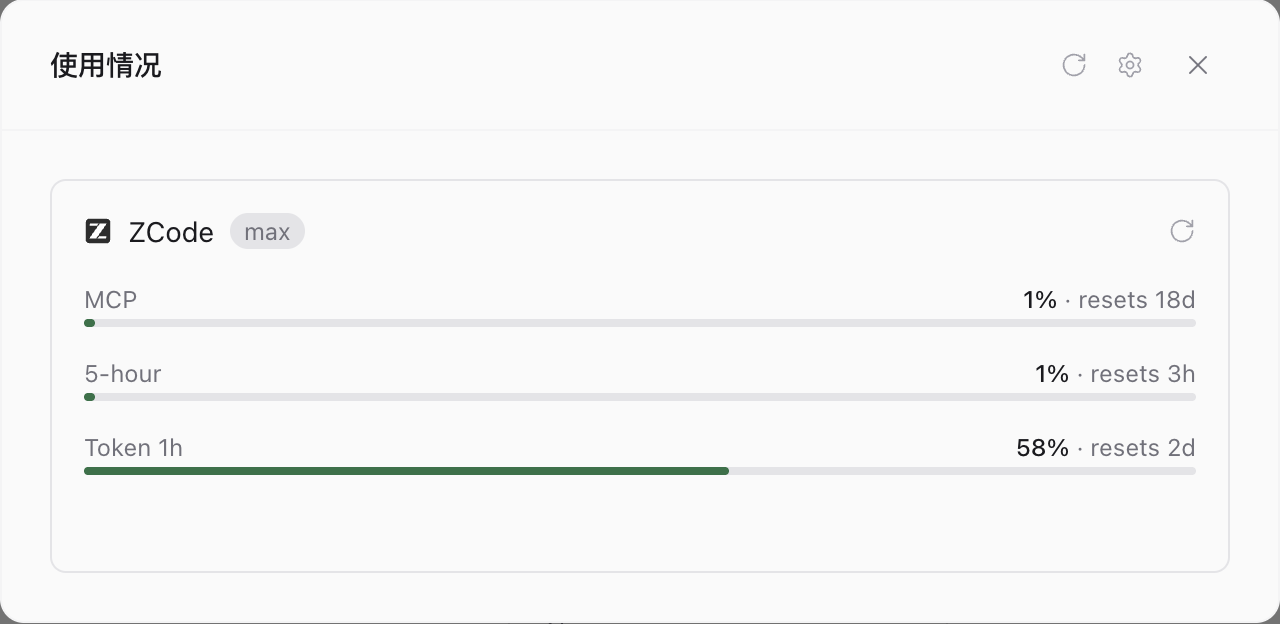
zcodeprovider in Paseo: streaming turns, editing modes (Plan / Build / Edit / Guarded / Yolo), permission prompts, session resume, model and thinking catalogs discovered live from your ZCode install. - A GLM Coding Plan usage card in the Usage screen and
paseo usage. - ZCode owns everything else: sign-in, credentials, tools, model access and
conversation storage stay in
~/.zcode, exactly as in the ZCode desktop app. No API keys are configured in Paseo.
Requirements
Paseo ≥ 0.11.0 on the daemon; Node.js ≥ 22 on the daemon host; ZCode (desktop
app or CLI ≥ 0.14.8) installed and signed in; plugins enabled
("pluginsEnabled": true in ~/.paseo/config.json).
This plugin registers the provider id
zcode. The registry's supermomonga/zcode-provider registers the same id; install one or the other, not both.
How it works and where data goes
- Installation prepares the checkout with
npm ci --omit=dev(committed lockfile), installing the pinnedzcode-acp-server(Apache-2.0) from npm. - On load, the plugin finds the bridge (its own checkout copy first, then
well-known npm global roots), picks a Node ≥ 22 by probing
node:sqlite, and resolves the ZCode CLI entry (zcodeon PATH or the desktop-app bundle). - It writes a 10-line launcher shim under
~/.paseo/plugin-launch/(0700) that setsZCODE_BIN/ZCODE_NODEand imports the bridge. The bridge then spawnszcode app-server --stdio; Paseo talks ACP to the bridge. - Model requests and authentication are handled by ZCode itself against the
Z.ai/BigModel endpoints you are signed into — the plugin adds no network
hops. The only request the plugin itself makes is a GET of the official GLM
quota endpoint (
open.bigmodel.cn/api.z.ai) to populate the usage card. That request is sent only when the active ZCode provider's base URL is exactly one of those two official hosts; for any other provider (custom gateways, self-hosted or local endpoints) the card reportsunavailablewithout contacting the network, so a third-party key is never attached to an official endpoint. Nothing is sent anywhere else; no telemetry.
Unofficial integration; not affiliated with or endorsed by Zhipu AI / Z.ai.
More
README.md (English) and README_CN.md (Chinese) cover configuration overrides
(agents.providers.zcode.env.ZCODE_BIN), troubleshooting, platform notes and
the development workflow (npm run smoke drives a real ACP session).