SSH Manager
MobaXterm-style SSH: all your servers on one page, native terminals, file browser, multi-exec and live monitoring.

该插件的概览尚未翻译为你的语言,因此以英文显示。
SSH Manager brings the everyday features of MobaXterm into Paseo: one page with all your SSH servers, native Paseo terminals, a file browser, multi-exec and a live monitoring bar.
What it does
-
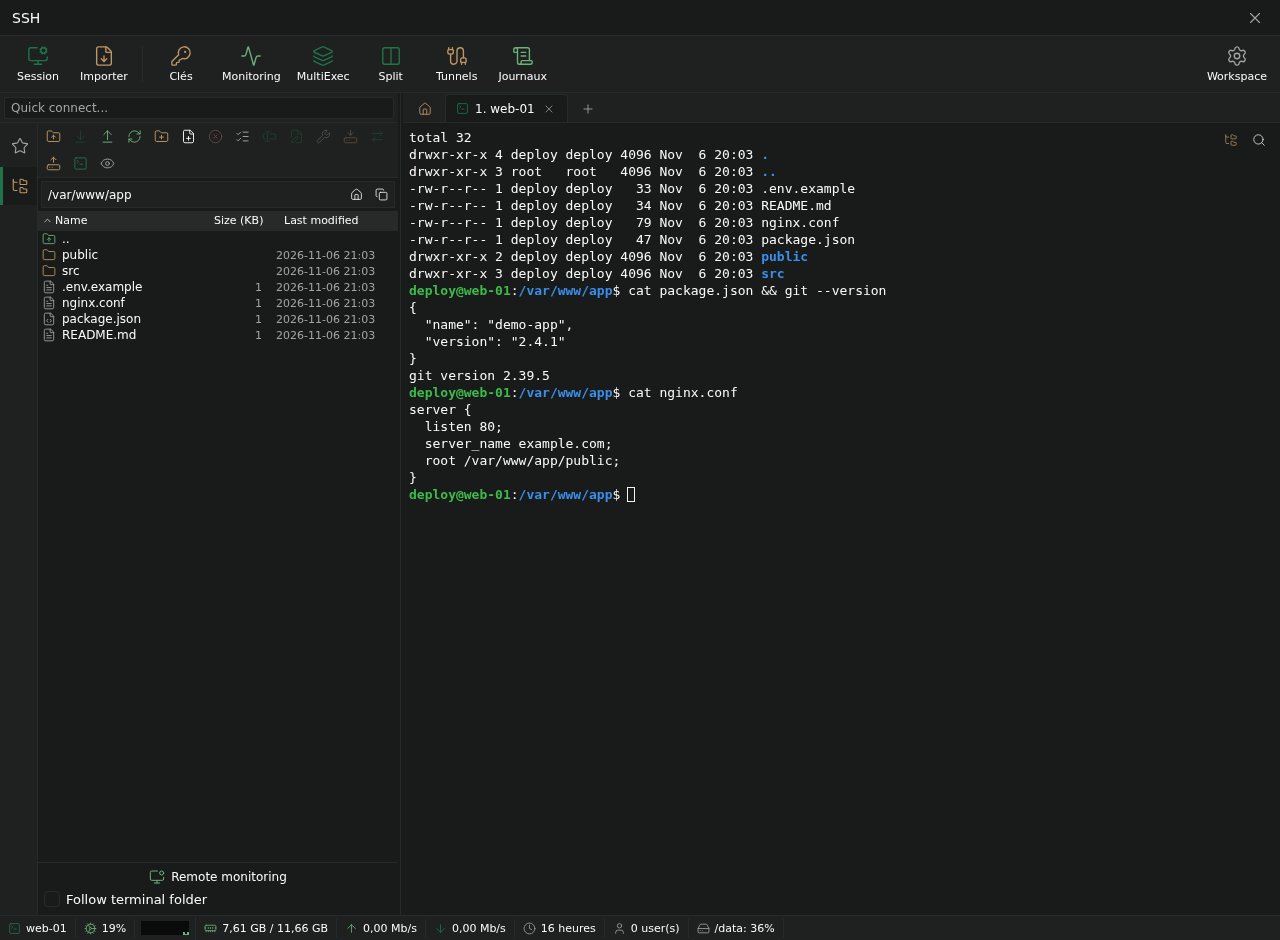
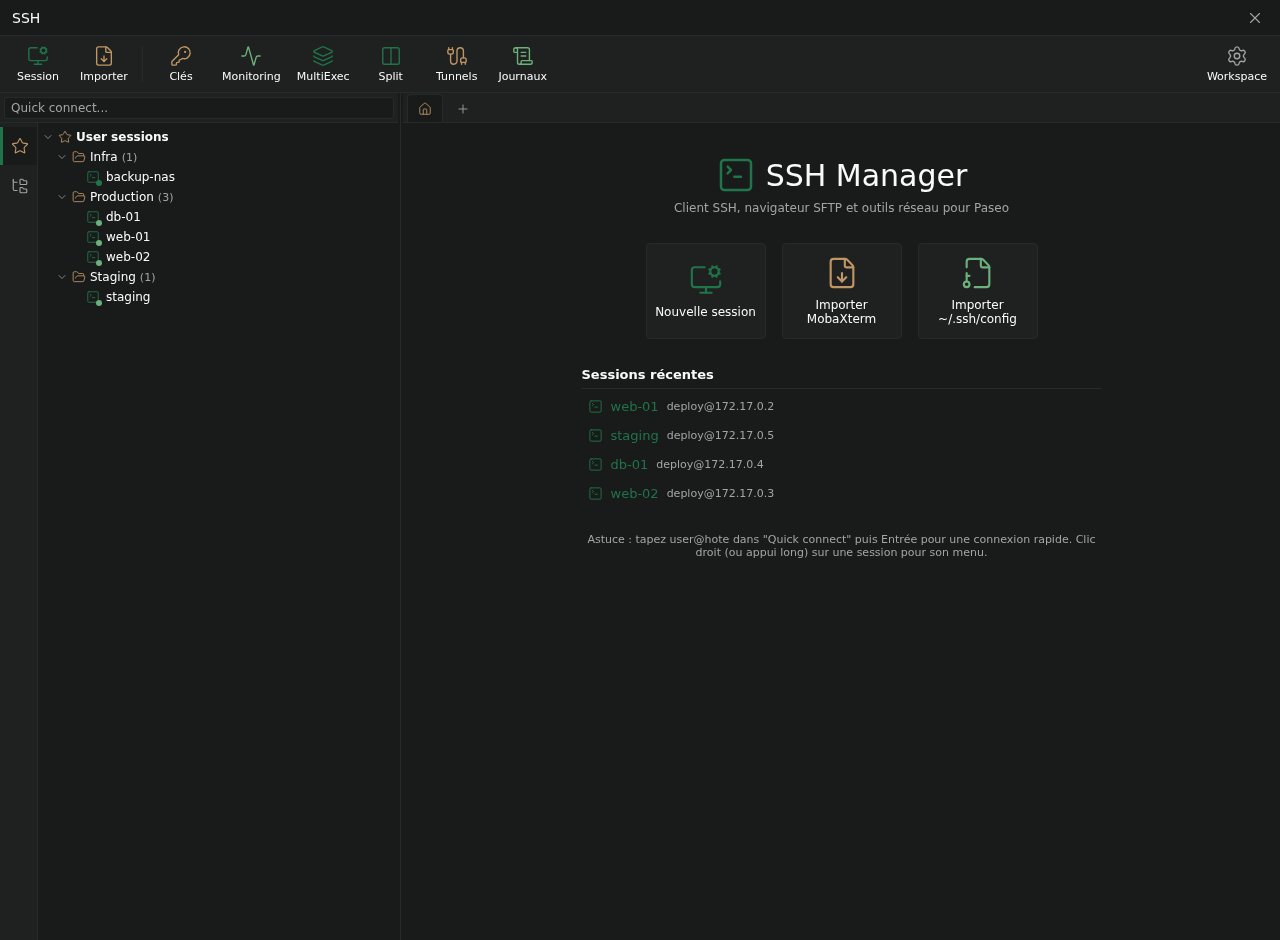
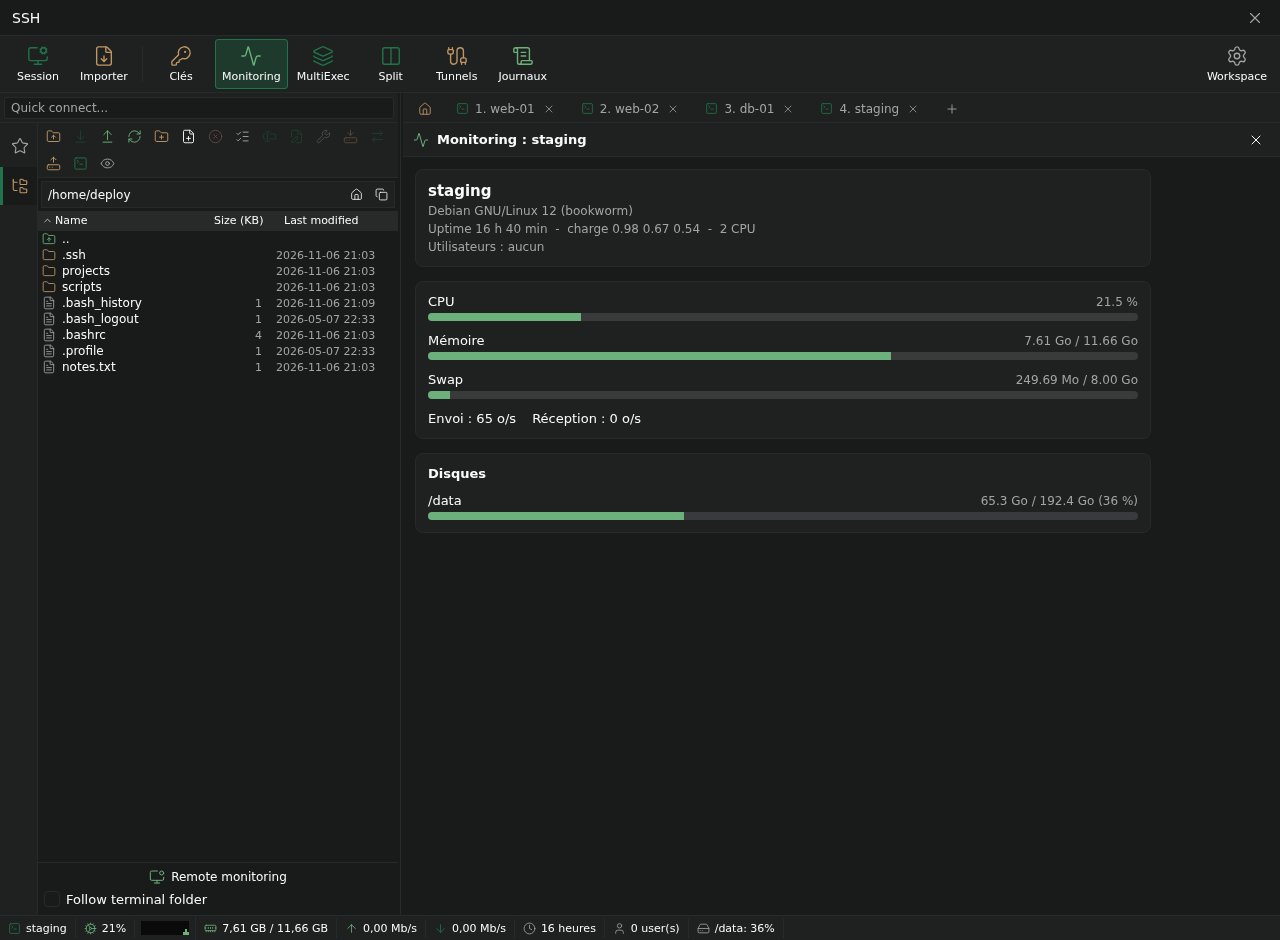
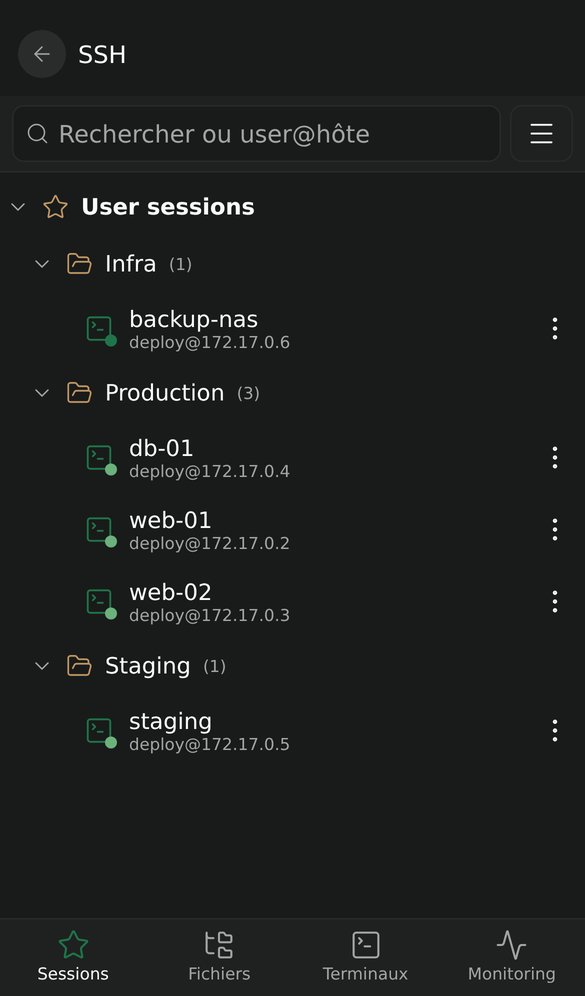
MobaXterm look: Quick connect box, top toolbar (Session, Import, Keys, Monitoring, MultiExec), left icon strip (Sessions, Sftp), "User sessions" tree with nested folders and a right-click menu, session tabs with a Home tab, and the bottom status bar. A setting switches to the Paseo theme.
-
Import: MobaXterm sessions (MobaXterm.ini or an exported .mxtsessions file, with folders, port, user, SSH gateway and key) and hosts from
~/.ssh/config. MobaXterm passwords are encrypted and are not imported. -
Sessions page: every server with reachability, latency and a "connected" badge. Quick connect filters the tree and accepts
user@host:port. -
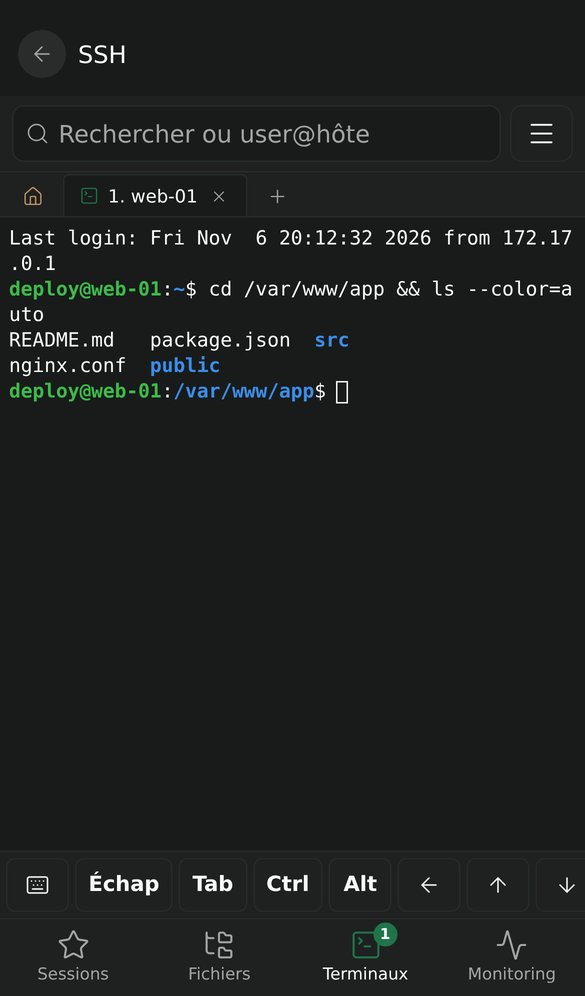
Terminals: a session opens a regular Paseo terminal running
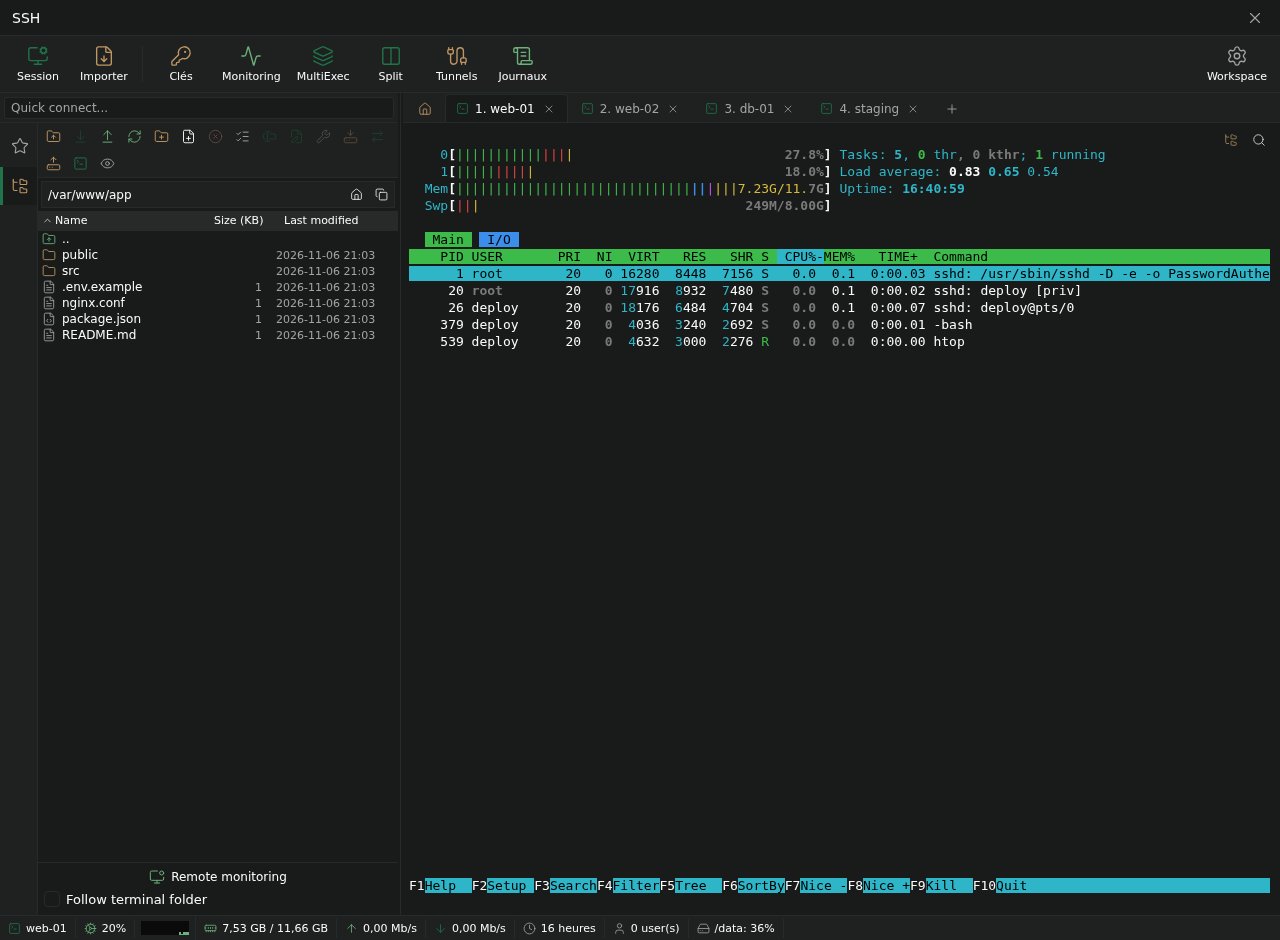
ssh, also shown in a tab inside the page. The daemon host runs an xterm emulator (@xterm/headless from the Paseo installation) on the terminal stream, so the tab shows colours, attributes, the real cursor and full-screen programs such as vim or htop; the PTY follows the size of the view. Mouse as in MobaXterm: select to copy, right or middle click to paste, wheel to scroll back, Ctrl + wheel to zoom; clicks and the wheel go to programs that ask for the mouse (htop, mc, vim), Shift selects. A finished session keeps its tab and last screen; Enter restarts it. Tabs have a right-click menu (duplicate, rename, close others) and close on middle click. Terminals opened from the page go to the workspace you choose; from the SSH panel they go to that panel's workspace. -
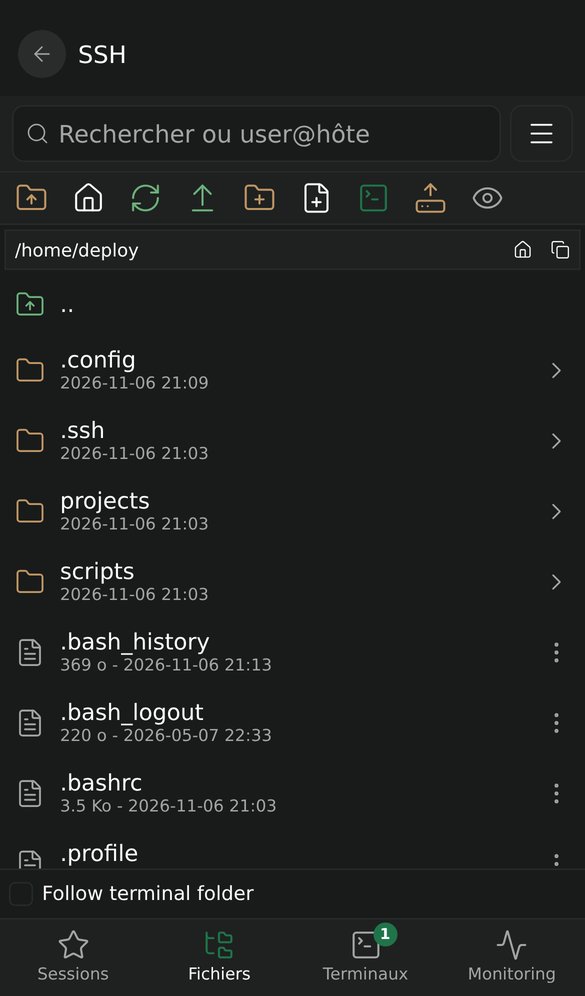
Files: browse, edit text files, create, rename, duplicate, chmod and delete. Upload and download from your browser, or copy files and folders between the server and the Paseo host (useful to hand files to agents).
-
Follow terminal folder: the Sftp browser follows the directory of the active terminal's shell. Terminals are opened with an
LC_PASEO_TERMmarker (accepted by default sshd configs) so the daemon can read the shell's directory in/procon Linux servers; otherwise the Debian-style prompt is read. -
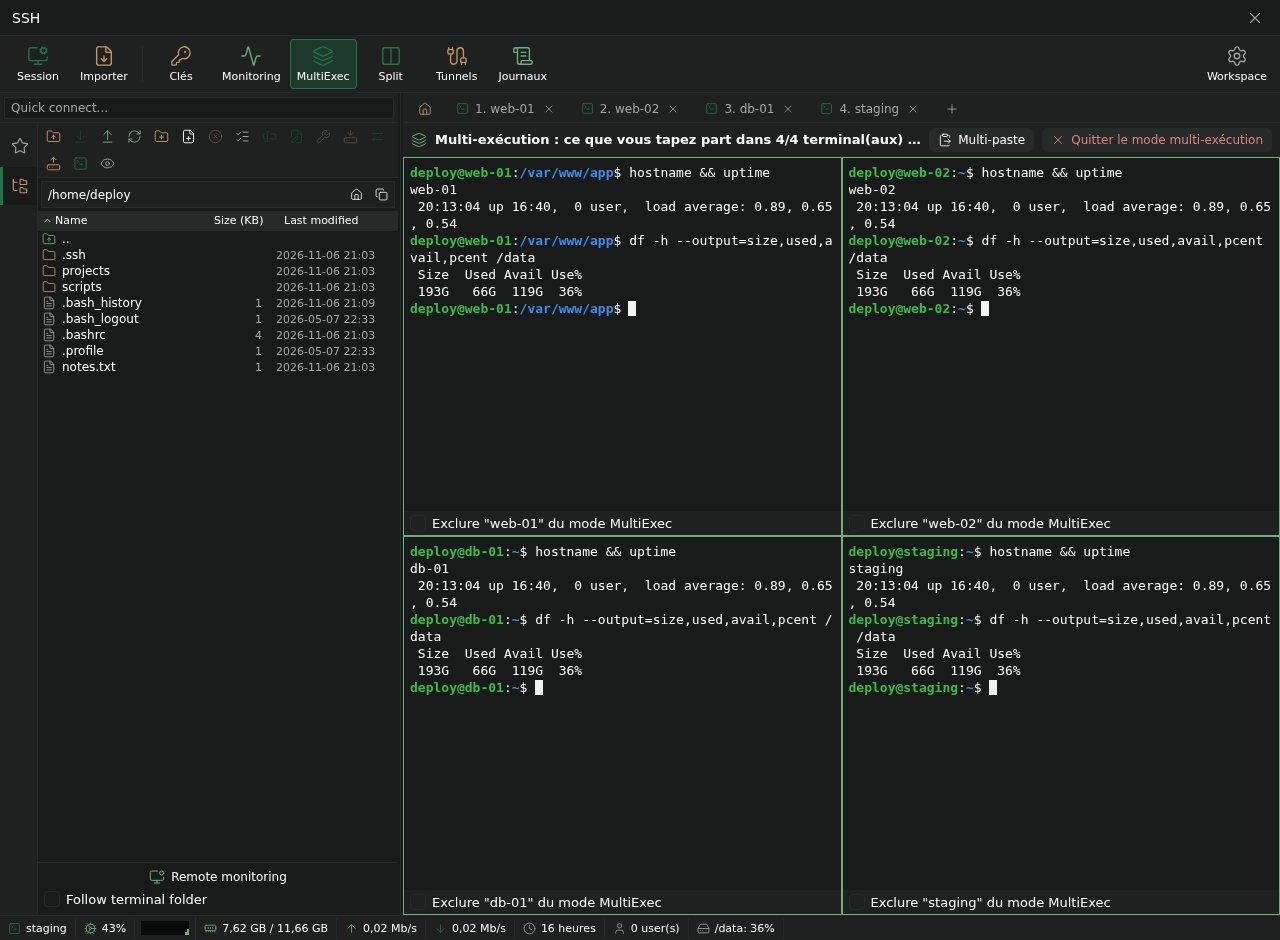
Multi-exec: a MobaXterm-like multi-execution mode shows every open terminal in a grid and sends every key to all of them, with a per-terminal "Exclude" checkbox and Multi-paste.
-
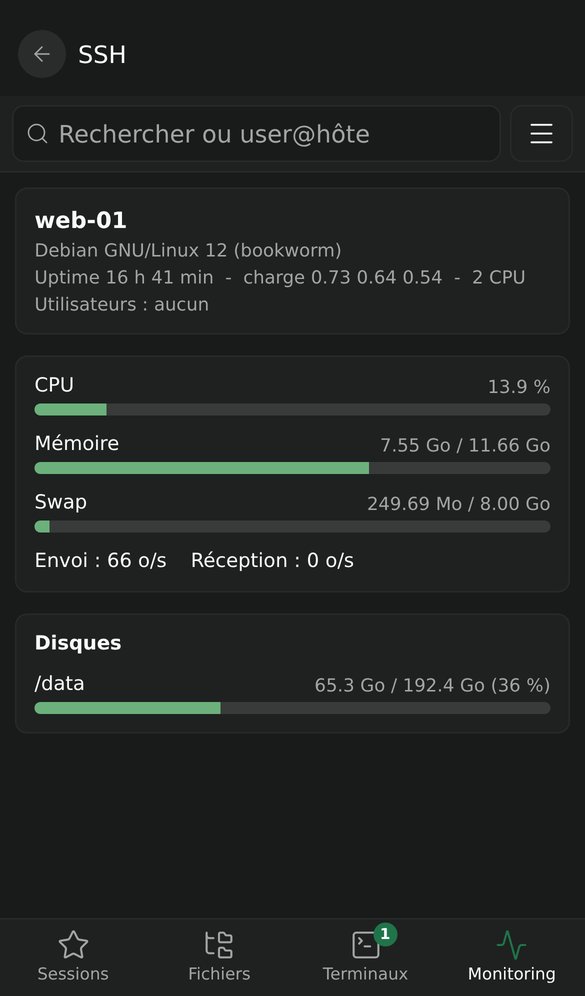
Monitoring: CPU, memory, network rates, uptime, logged-in users and disk usage of the selected server, refreshed every few seconds (Linux servers).
-
Search, split, tunnels: Ctrl+Shift+F searches the whole terminal history; Split shows 2 or 4 independent terminals side by side; SSH tunnels (local -L, remote -R, SOCKS -D) run in their own ssh process with optional auto start and restart, like MobaSSHTunnel. Sessions can run a command once logged in.
-
Logs and alerts: record a session to a plain-text log file (per tab or automatically for a session), export the history, and get alerts (toast, desktop notification, bell on the tab) when a word appears, a long command ends, or a quiet terminal comes back. Sessions can reconnect by themselves when they drop.
-
Sftp: multi-selection (Ctrl / Shift + click), drag and drop from the computer, folders and selections downloaded as .tar.gz, direct copy from one server to another.
-
SSH keys: generate or import private keys (OpenSSH, PEM, PuTTY .ppk with puttygen) into a 0700 vault on the Paseo host, publish, check or revoke the public key on servers, delete keys. Private keys are never sent back to the app.
How it works
Everything runs on the Paseo host with the system OpenSSH client. Connections use ssh multiplexing (ControlMaster), so once a terminal has authenticated, the file browser and monitoring reuse that connection, including with passwords or 2FA. Keys, agents and ~/.ssh/config work as usual.
Settings and data
Servers are stored in ~/.paseo/plugin-data/ssh-manager/servers.json. An optional password is stored in a 0600 file next to it and passed to ssh through SSH_ASKPASS, never on a command line; keys are recommended. New host keys are accepted on first use (StrictHostKeyChecking=accept-new). The monitoring refresh interval is in the plugin settings.
Requires Paseo 0.15 or later and OpenSSH 8.4 or later on the Paseo host. Browser upload and download work in the web and desktop apps only.