
Terminal Integration
Run agent code blocks in a Paseo terminal and send the output back to the agent; attach terminal output to prompts

该插件的概览尚未翻译为你的语言,因此以英文显示。
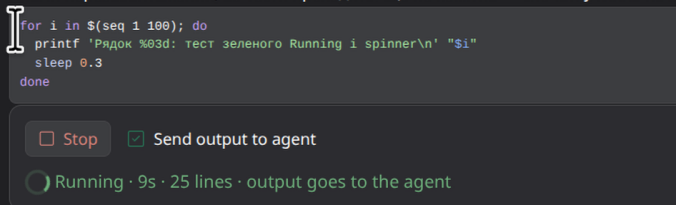
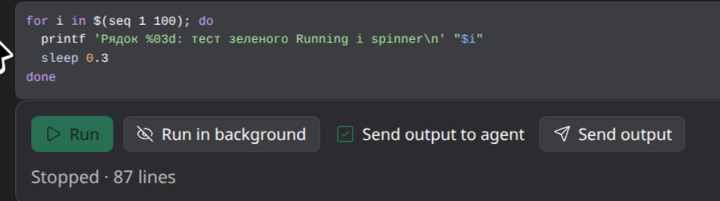
Terminal integration connects agent replies to Paseo terminals. Runnable shell, Python, and JavaScript code blocks get controls for running them in an interactive workspace terminal or as a background process. Command results can be sent back to the agent, while terminal output can also be attached manually to a prompt.
Interactive commands run in a regular terminal named "Agent commands" on the daemon host. They can
accept passwords and confirmations. Background commands have no terminal or input, can run in
parallel, and retain more output. Commands only run after the user presses a run button or submits
the /run command.
The settings control whether completed output is sent to the agent by default. Sent reports remain available to the agent but are hidden from the visible timeline to avoid duplicating the inline run status, recent output, and terminal. Optional command guidance can be added to newly created agents for either a local-daemon or client-server setup. Both supplied instruction templates are editable per host.
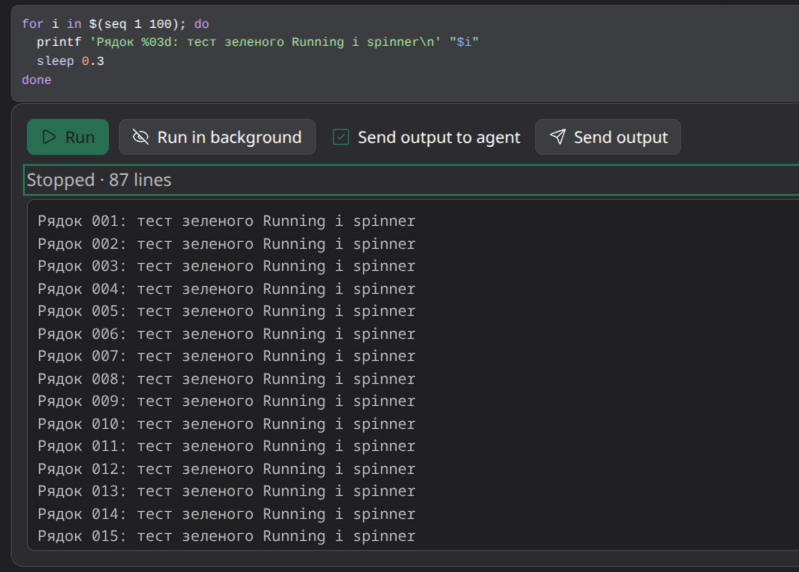
Output up to five lines opens automatically in the inline run controls. Longer output can be expanded into a scrollable history panel after the run, including after its terminal tab is closed. The retained history lasts until the plugin process is reloaded or prunes an older run.
The plugin requires Paseo 0.10.1 or later and a macOS or Linux daemon host with bash. Python and
Node.js code blocks also require their corresponding interpreter. Plugins are trusted code; this
plugin starts processes and types commands into terminals on the daemon host.