
Native Polish
Motion for sidebars, tabs, panes, overlays, file trees and agent activity.

该插件的概览尚未翻译为你的语言,因此以英文显示。
Native Polish adds motion to Paseo's desktop and web client: sidebar expansion and collapse, tab opening and closing, pane splitting, closing and maximize/restore, menus and dialogs, button feedback, file tree arrows, tool call and thinking details, agent status changes and new messages. It uses the existing Paseo views, including specialized tool output and grouped tools. Hover tooltips keep Paseo's own motion and hover lifecycle.
Requires Paseo 0.11.2 or later. The desktop and web adapter depends on Paseo's internal view structure and stays out of the way when it does not match. iOS and Android keep their existing motion.
On desktop, hovering at a hidden sidebar's window edge temporarily opens the real sidebar over the canvas without resizing panes. Move away to close it, or press Escape. This has its own setting and works in local and remote workspaces, including alongside HTML previews. While enabled, the corresponding outermost 7 px below the titlebar are reserved for hover activation. Normal sidebar buttons still open the regular layout dock.
Workspace rows fade in when created and fade out when archived. Pinning, unpinning and status-group changes move the existing row smoothly. Project creation/removal animates the group and neighboring rows moving into place. This uses the sidebar motion setting and works in project and status grouping.
Elastic scrolling adds a small damped rebound at the top and bottom of agent conversations, workspace lists, Files, Changes, Markdown previews and editable/read-only file Source views. It has a separate switch and responds to vertical wheel/trackpad and single-finger web touch input. Normal scrolling, horizontal gestures, pinch zoom and nested code/detail scrollers keep their behavior. Source content, line numbers and selection layers move together and restore before editing input. Sandboxed HTML previews are not yet covered; images keep their existing zoom/pan gestures. Native clients retain their existing scrolling.
Supported macOS/iOS browsers use the platform rebound. The desktop fallback follows input directly and returns quickly after release; it approximates the effect because Paseo's Electron window does not expose native scroll bounce to a client plugin.
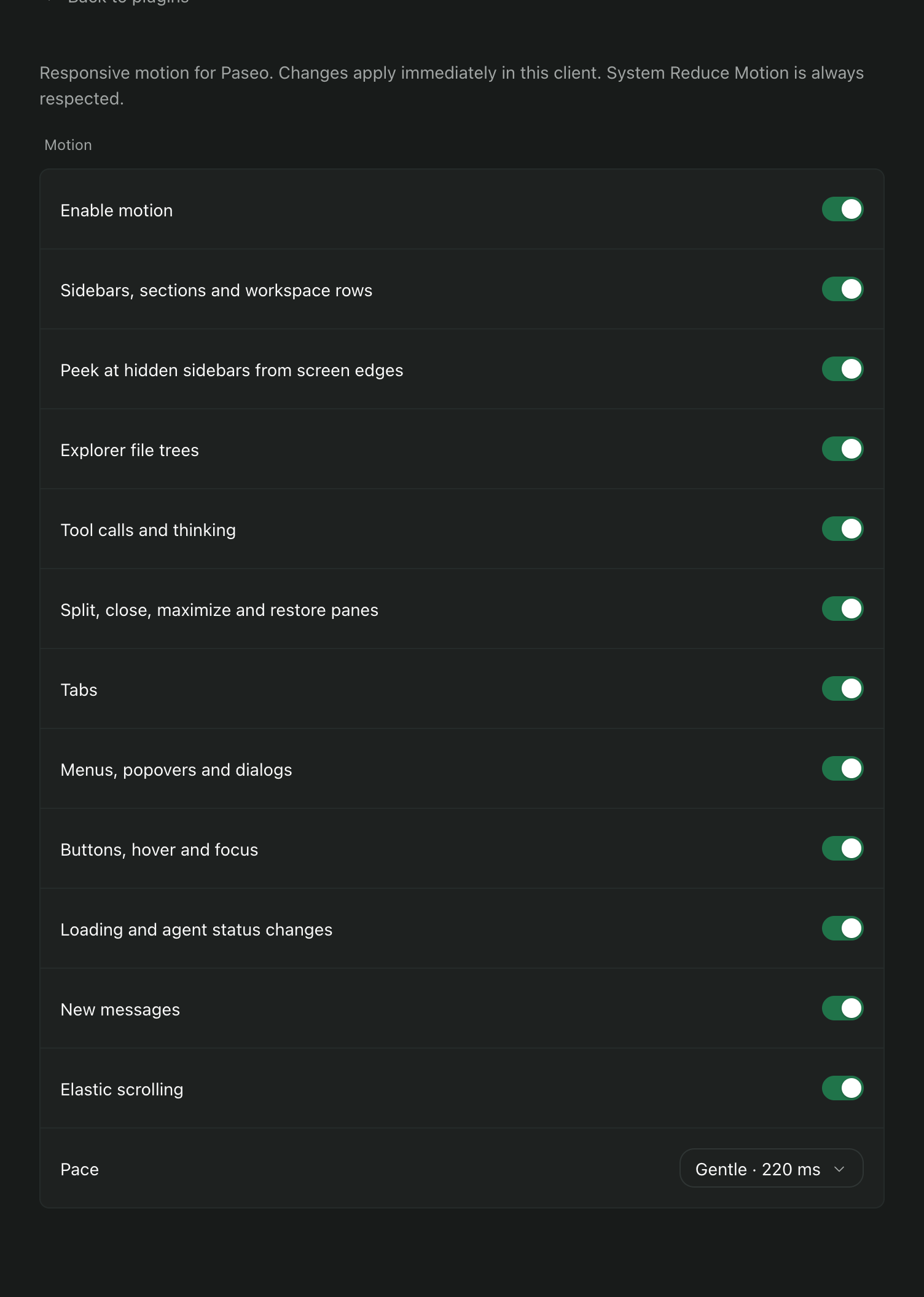
Open Settings → Plugins → Native Polish, or choose Native Polish: motion settings in the Command Center, to enable or disable each category and choose a gentle 220 ms or quick 150 ms pace. Button and status feedback uses shorter transitions. New messages fade in once near the bottom of the conversation; streaming text and loaded history stay stable. System Reduce Motion turns off the added animations. Preferences are stored in this client's local storage.
The client observes layout changes and briefly copies visible content locally for exit animations. Copies cannot receive input or accessibility focus and are removed after the transition. The plugin sends no content to a service and contributes no daemon backend.