Opencode Mcp Toggle
Turn OpenCode MCP servers on and off from the Paseo composer to save context tokens.


该插件的概览尚未翻译为你的语言,因此以英文显示。
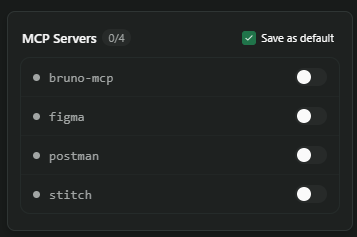
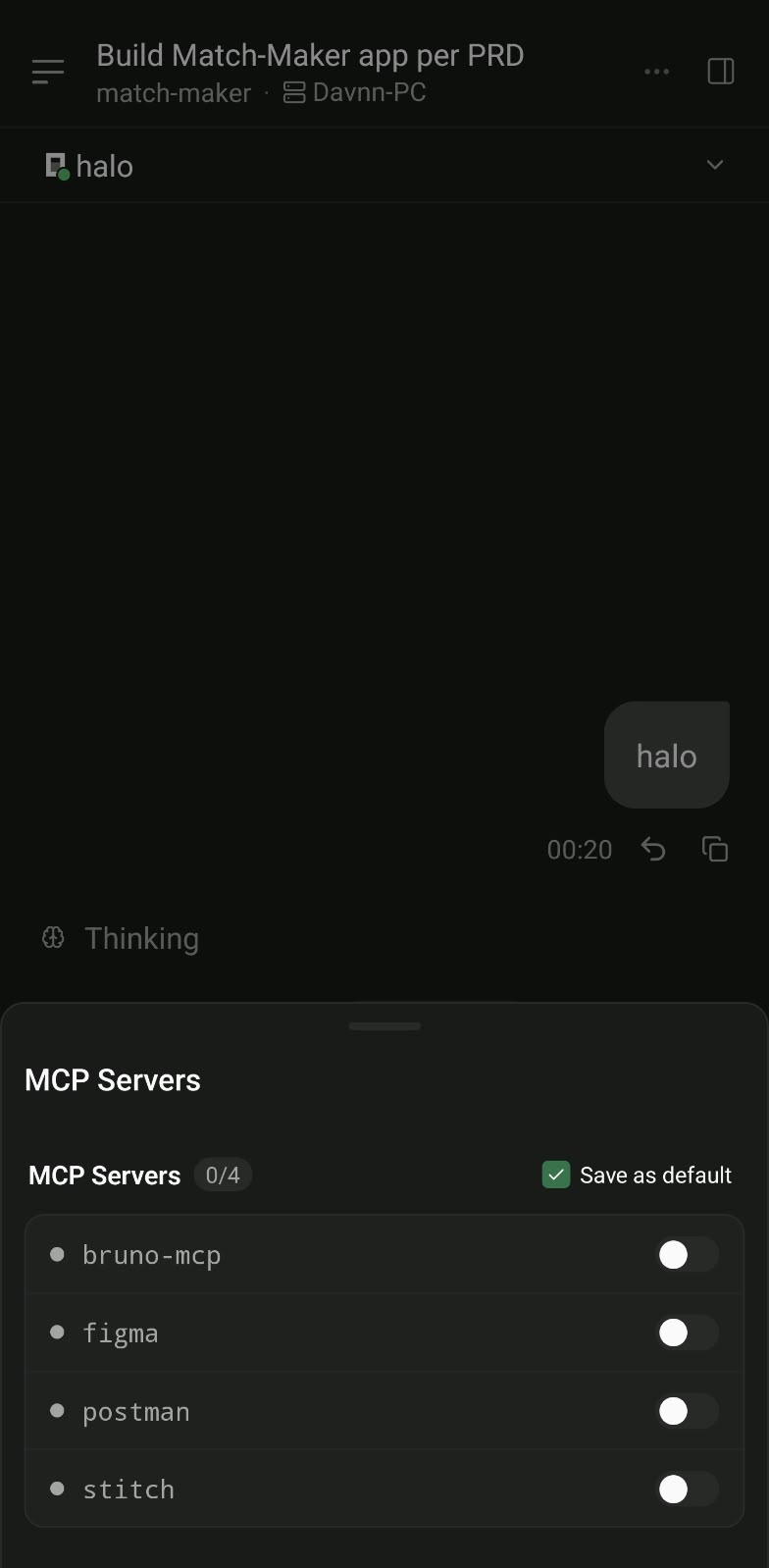
OpenCode MCP Toggle adds a control to the Paseo composer for OpenCode agents that lists the agent's MCP servers and switches each one on or off. Every enabled MCP server adds its tool definitions to each request, so turning off servers you are not using reduces token use.
Setup. No configuration is needed. The control appears in the composer when you work with an OpenCode agent, on desktop as a popover and on mobile as a bottom sheet. It requires Paseo 0.9.0 or newer and a running opencode serve process for the agent.
What it does. The list shows each server's status and refreshes every few seconds. Switching a server connects or disconnects it on the running OpenCode instance. "Save as default" is on by default and also writes the choice to the opencode.json or opencode.jsonc that defines the server, in the agent's project folder or in ~/.config/opencode. Turn it off to change the running session only. Both OpenCode's current and earlier MCP configuration formats are handled.
Access. The plugin finds opencode serve processes on your computer. On Linux it reads /proc for their command line, listening ports, working directory and password environment variable, and elsewhere it uses pgrep. It talks to them only on 127.0.0.1, sending the password to the process it came from. It edits only the MCP enable flag in OpenCode config files, and only for a server already defined there. It makes no other network requests.
Limits. Process discovery by /proc is Linux only. The toggle can only edit servers defined in opencode.json or opencode.jsonc; a server defined elsewhere can be switched for the running session but not saved.