
Qoder Usage
Qoder 账号额度(Credits)实时展示:侧边栏 + 全屏明细,支持配置定时自动更新 / Qoder account quota (Credits) in the sidebar plus a detail screen, with configurable auto refresh

该插件的概览尚未翻译为你的语言,因此以英文显示。
在 Paseo 中查看 Qoder 账号额度(Credits)。
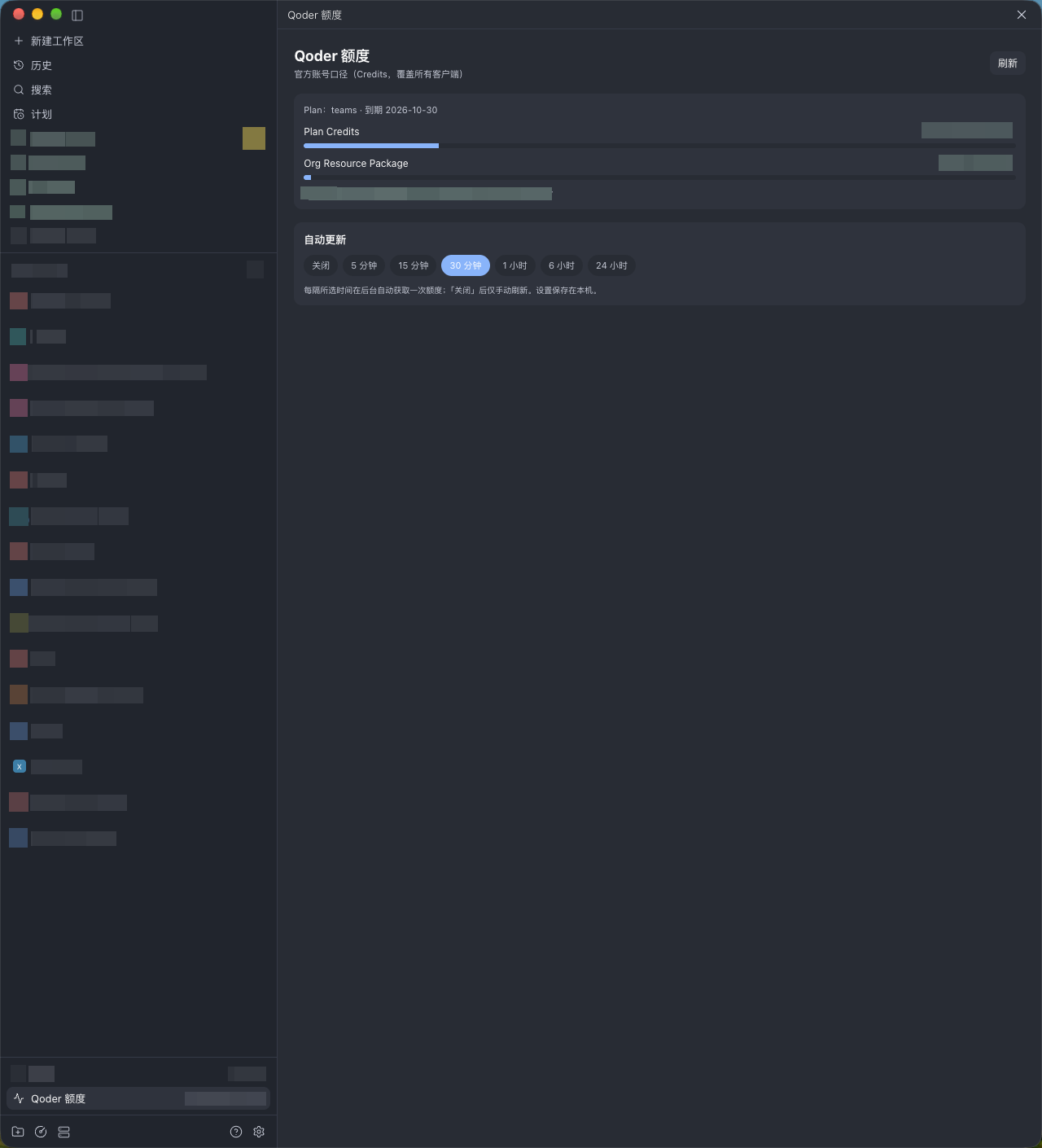
侧边栏底部新增一行「Qoder 额度」,显示两个已用/总量摘要:先是 Plan Credits,接着是 Org 资源包(例如 548/3000,0/3000)。点击打开全屏明细:Plan 类型与到期日、Plan Credits、Add-on Credits、Org 资源包,进度条在 80% 与 95% 处变色提示,另有额度用尽提醒与手动刷新。
工作原理
额度通过官方 Qoder Agent SDK 读取:SDK 复用本机 qodercli 的登录态,向 Qoder 服务获取账号额度。插件本身不读取、不保存、不解密你的登录凭据。
设置
- 需要本机安装并登录 qodercli;额度属于账号级,显示的是当前登录账号的数据。
- 首次读取额度前,界面会提示下载 Qoder Agent SDK(约 1MB,来自 npm registry,依赖树由随包锁文件固定)。只有点击「下载并安装」后才会下载;不安装则不会写入任何文件,也不会有网络请求。
- 支持 macOS 与 Linux;需要 Paseo 0.11.2 或更高版本。
自动更新
可选择「关闭 / 5 分钟 / 15 分钟 / 30 分钟 / 1 小时 / 6 小时 / 24 小时」。开启后插件在后台按所选间隔读取一次额度;「关闭」时仅手动刷新。设置保存在本机插件数据目录。
数据与权限
- 读取:本机 qodercli 登录态(经由官方 SDK)与 Qoder 服务返回的额度数据。
- 写入:仅本机插件数据目录,用于缓存额度和保存自动更新设置。
- 网络:读取额度时由 SDK 访问 Qoder 服务;未安装 SDK 或未触发读取时不会发起额度请求。另有版本更新检查(每小时最多一次,仅读取公开的 registry 记录与对应提交的 package.json,来自 raw.githubusercontent.com、api.github.com,不发送任何数据)。
- 不发送 prompts、代码或任何文件内容。
Qoder Usage (English)
View Qoder account quota (Credits) inside Paseo.
A "Qoder quota" row at the bottom of the sidebar shows two used/total summaries: Plan Credits first, then the Org resource package (for example 548/3000,0/3000). Clicking it opens a full-screen detail view: plan type and expiry, Plan Credits, Add-on Credits, and the Org resource package, with progress bars changing color at 80% and 95%, plus a quota-exceeded notice and manual refresh.
How it works
Quota is read through the official Qoder Agent SDK: the SDK reuses the local qodercli login session and asks the Qoder service for the account quota. The plugin itself never reads, stores, or decrypts your credentials.
Setup
- qodercli must be installed and logged in on this machine; quota is account-level and shows the currently logged-in account.
- Before the first quota read, the UI prompts you to download the Qoder Agent SDK (about 1MB, from the npm registry, dependency tree fixed by the shipped lockfile). Nothing downloads until you click "Download and install"; without installing, no file is written and no network request is made.
- Supports macOS and Linux; requires Paseo 0.11.2 or later.
Auto refresh
Choose off / 5 min / 15 min / 30 min / 1 hour / 6 hours / 24 hours. When enabled, the plugin reads the quota once in the background at the chosen interval; with "off" only manual refresh runs. Settings are stored in the local plugin data directory.
Data and permissions
- Reads: the local qodercli login session (through the official SDK) and the quota data returned by the Qoder service.
- Writes: only the local plugin data directory, to cache the quota and save the auto refresh setting.
- Network: the SDK talks to the Qoder service when a quota read runs; without the SDK installed or a read triggered, no quota request is made. There is also an update check (at most once an hour, reading only the public registry record and the pinned package.json from raw.githubusercontent.com and api.github.com, sending no data).
- No prompts, code, or file contents are sent.