Workspace organizer
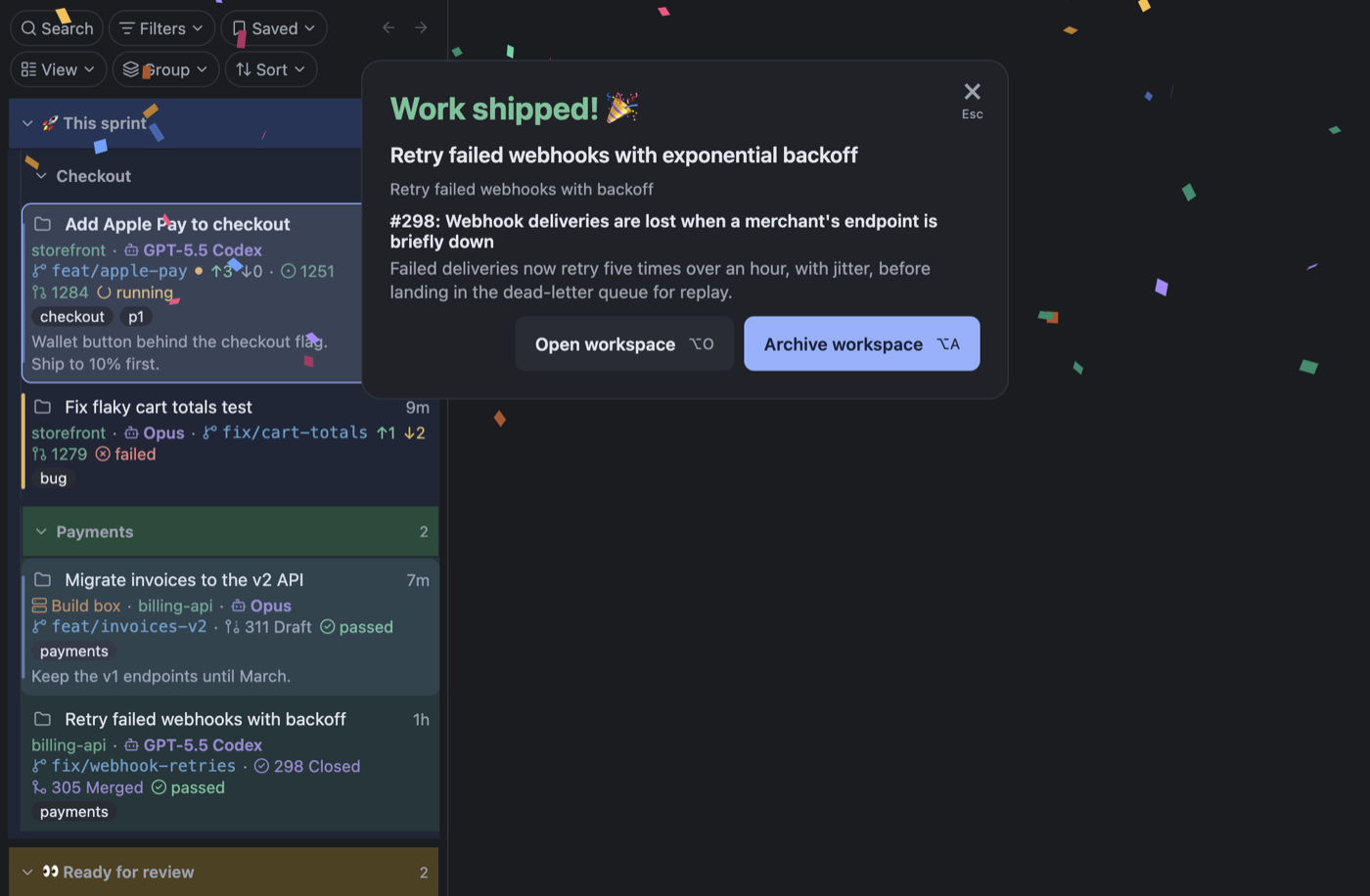
A workspace sidebar for Paseo with nested groups, rich workspace rows, filters, saved searches and GitHub status, plus confetti when a PR merges.

该插件的概览尚未翻译为你的语言,因此以英文显示。
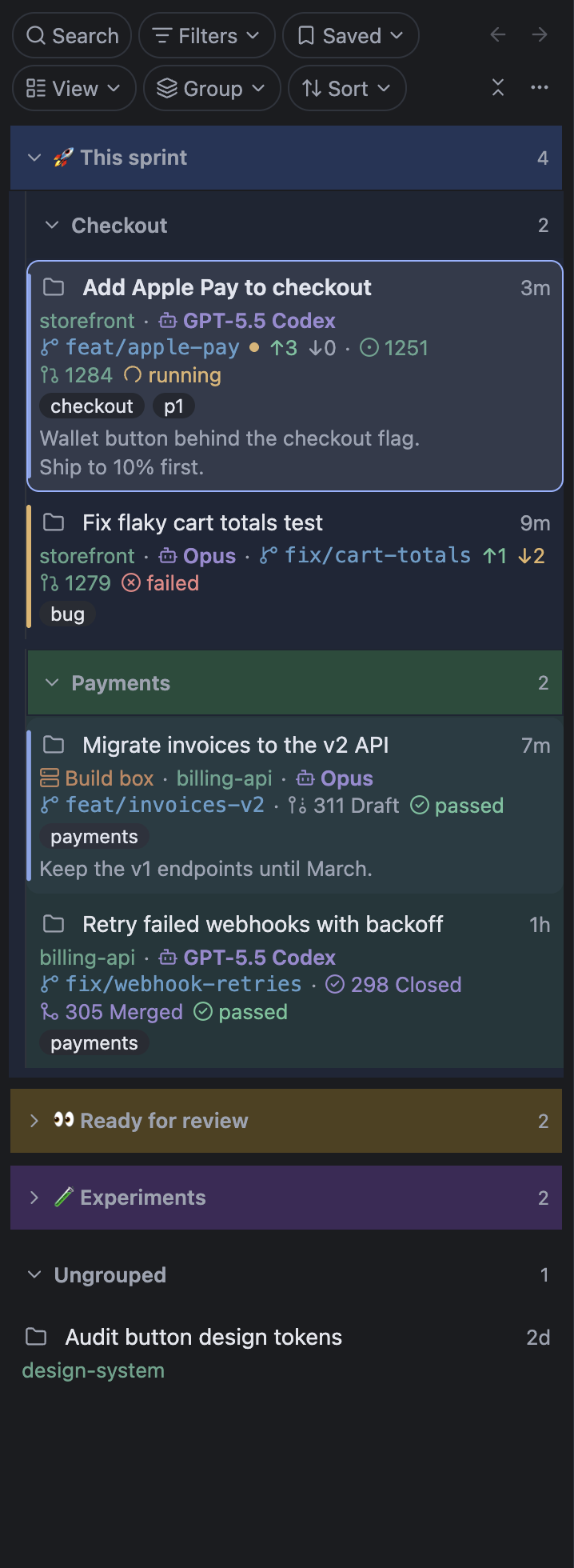
Workspace organizer replaces Paseo's workspace sidebar with one built for running many agents at once.
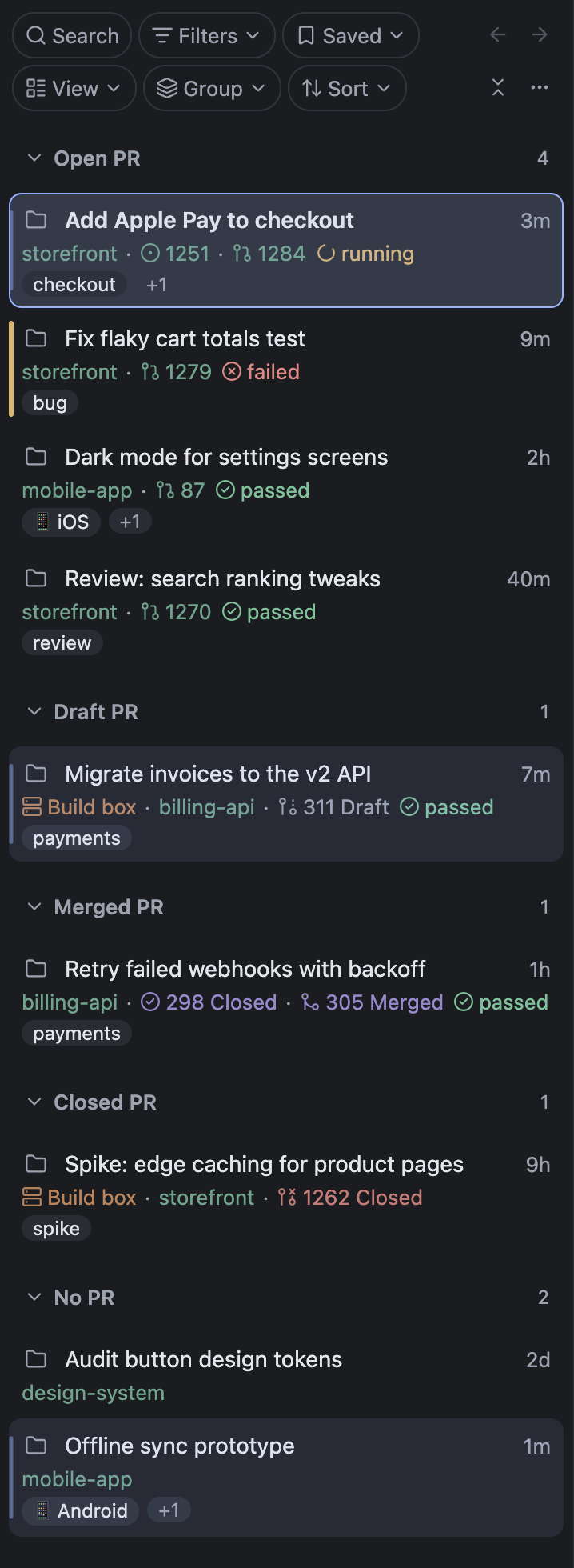
Drag workspaces into nested groups with no depth limit, color a group's header or the whole group, drag groups into groups, or switch to automatic grouping by host, project or PR status, or to one flat list. Paseo's New workspace screen gains a Group field so new workspaces land in the right group. Collapse or expand everything in one press, keep group headers pinned while you scroll, and jump back to the open workspace when it's out of view or in a collapsed group.
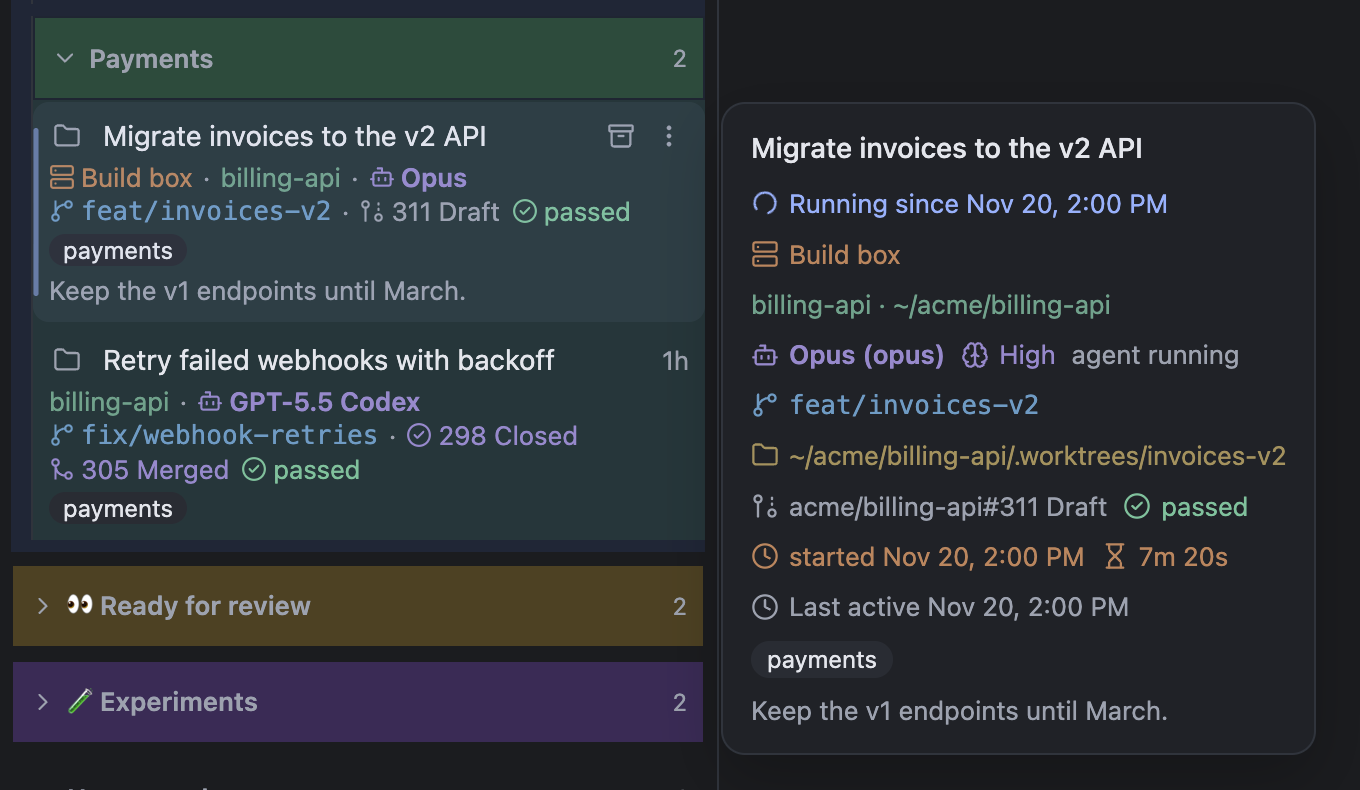
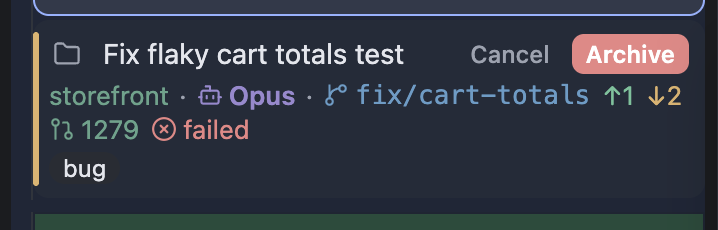
Each row can show the agent and model, project, branch with git status, labels in their Paseo colors, linked PRs and issues with GitHub, CI and review status, subagents, a run timer, notes and last activity. Choose Simple, Full or Custom views, and rest on a row to see every detail in a panel beside it.
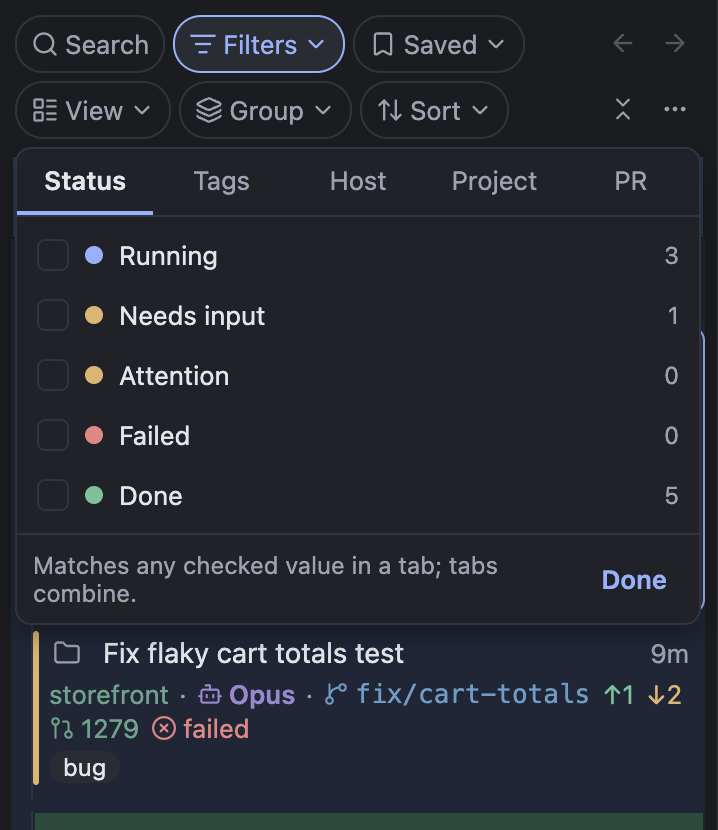
Link PRs and issues by URL, or by bare number from the workspace's own repository; an issue a workspace names in its title or branch (#6159, issue-6307-…) is linked automatically. Find workspaces by name, tag, branch, notes, group, or PR and issue number, in the sidebar or in Command Center. Filters for status, tags, host, project and PR show live counts, tags such as team:backend or 📲 S25 group into trees, and searches can be saved.
Go back and forward through the workspaces you've opened, archive with a confirmation (or ⌘⇧⌫ twice) and watch the row slide away, and open PRs and issues as a Paseo browser tab or, if you prefer, in your default browser. The toolbar's chips can be reordered by dragging and shown with or without text.
When a workspace's GitHub PR merges, confetti falls across the desktop or browser window with a recap of the PR and the issues it closes, and you can open or archive the workspace from there (or with Option/Alt+O and Option/Alt+A). Pick the headline's verb and emoji, hide the issue recap, or change the confetti, and preview it from the Command Center. Celebrations don't show on phones.
Requires a Paseo 0.16 app and daemon. GitHub status uses the GitHub CLI already signed in on the daemon machine; the plugin never installs tools or changes credentials. Groups, notes, tags, links and saved searches are stored on the installation's host and shared with its clients (installed on several hosts, the sidebar uses this computer's host's groups, or the host picked under Groups from); view preferences stay on each device. The plugin renames a workspace only when you choose Rename, never changes labels, branches or files, and removing it deletes its settings. Drag and drop works in the desktop app and on the web. Context usage and plan progress aren't available to plugins, and GitHub Enterprise links aren't supported yet.