
Paseo ADB
Manage Android Debug Bridge devices and QR pairing in Paseo.
$ paseo plugin add ajma/adb

该插件的概览尚未翻译为你的语言,因此以英文显示。
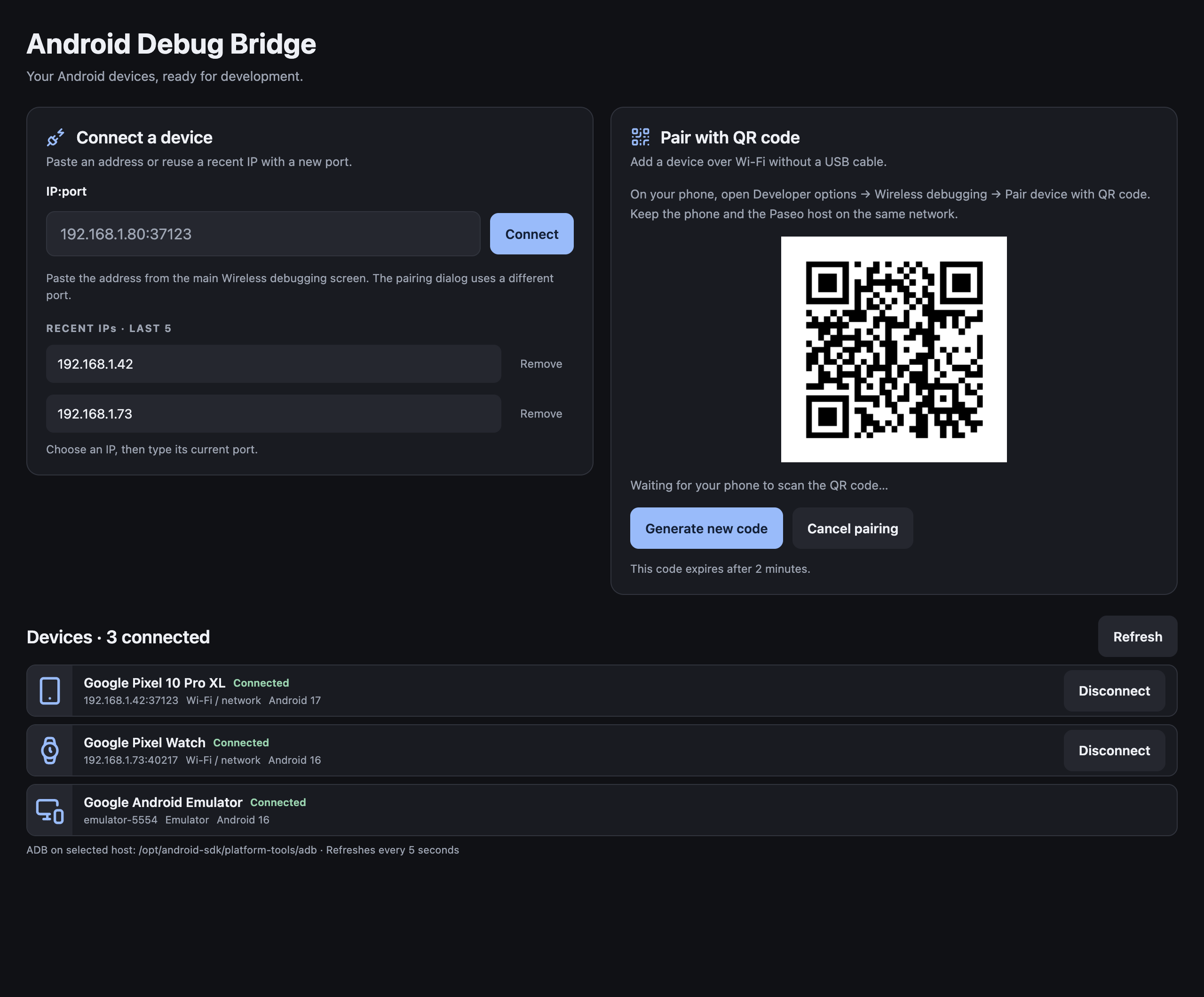
Pair Android devices with a QR code, connect by pasting an IP:port, and inspect devices from Paseo.
Open ADB in the sidebar or choose Manage Android devices in the Command Center.
Features
- QR pairing with automatic device discovery and connection.
- USB, Wi-Fi, and emulator device status, with manufacturer, model, Android version, and serial/address when available.
- Device-type icons for phones, Wear OS watches, tablets, TVs, automotive devices, and emulators when Android reports their category.
- One pasteable IP:port input.
- Five recent successful IPs. Select one to fill IP plus colon, then type a new port.
- Network disconnect, manual refresh, and individual history removal.
Requires Android SDK Platform-Tools on the selected Paseo host. For QR pairing, enable Wireless debugging and keep the phone on the host's network. Use Android's Pair device with QR code scanner.
All commands and history belong to the selected daemon. QR credentials stay in memory and expire after two minutes. See README.md for installation, data storage, and troubleshooting.