
Git workspace
Search, clone, and create Paseo workspaces from GitHub and GitLab repositories

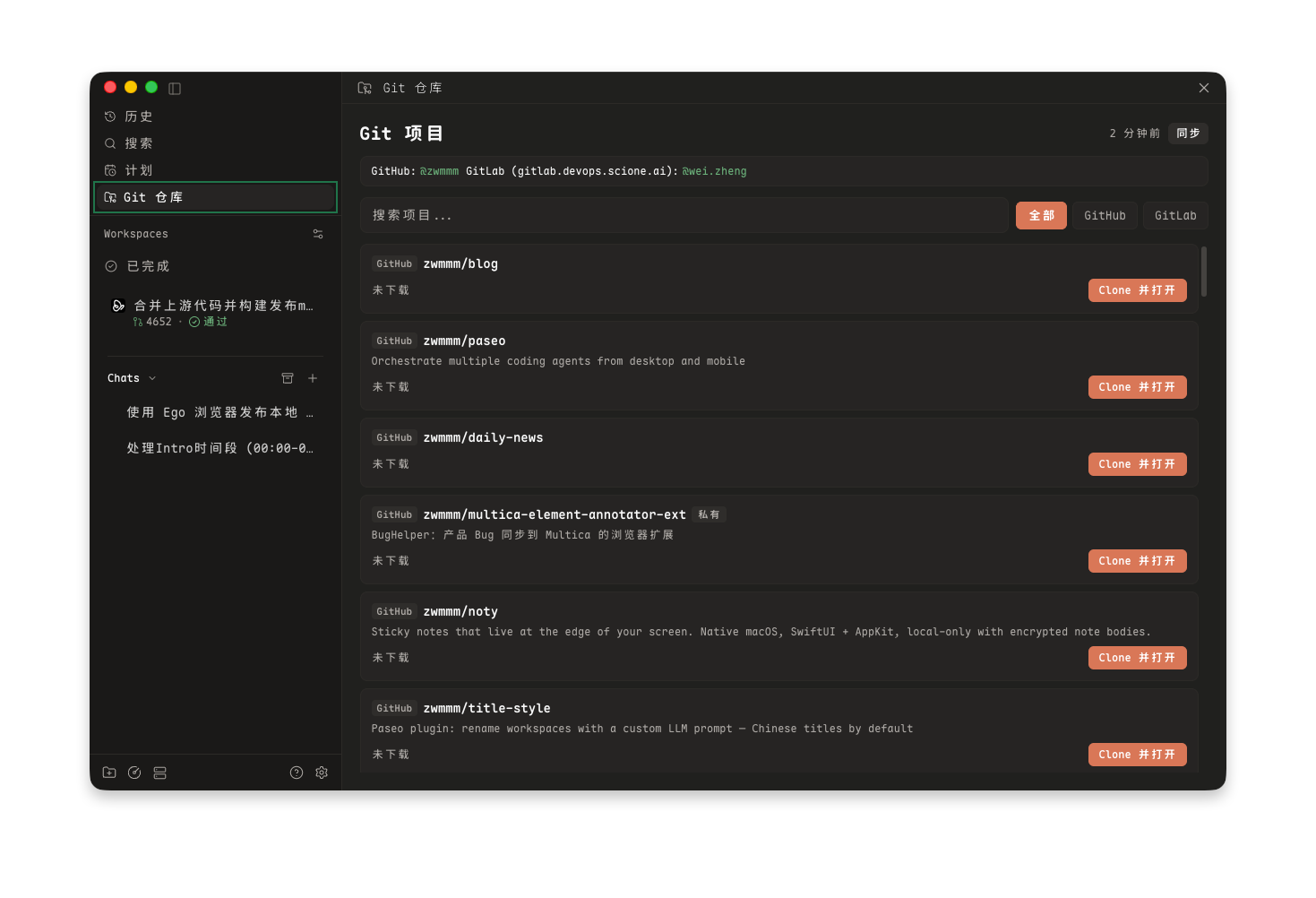
Git workspace lets you search, clone, and launch Paseo workspaces directly from your GitHub and GitLab repositories. It integrates repository discovery into the sidebar, ⌘K command palette, and composer slash commands.
How it works
The plugin checks your local Git credentials using the GitHub CLI (gh) and GitLab CLI (glab), or authenticates with custom GitLab instances. It indexes accessible repositories and lets you clone them into your local workspace directory. Once cloned, you can open them immediately as standard Paseo workspaces using either isolated git worktrees or local checkouts.
Setup
For GitHub repositories, install and authenticate the GitHub CLI (gh auth login).
For GitLab repositories, install and authenticate the GitLab CLI (glab auth login) or configure your self-hosted GitLab URL in settings.
Configuration
Open Settings → Plugins → Git workspace to configure:
- Clone directory: Destination path where repositories are cloned (defaults to
~/Projects). - Clone protocol: Choose SSH or HTTPS for git operations.
- Default workspace isolation: Choose between worktree isolation or local checkout.
- GitLab instance URL: Custom domain when using self-hosted GitLab instances.
Features
- Sidebar panel: Browse all GitHub and GitLab repositories with real-time search, clone status, and branch information.
- Command palette: Press ⌘K and search for "Git" or "Clone" to open the repository browser.
- Slash command: Type
/gitin the composer to quickly search and clone repositories. - Worktree and local support: Open repositories directly as isolated worktrees or standard local workspaces.