Linear
Browse and triage Linear issues in Paseo and start agents from them

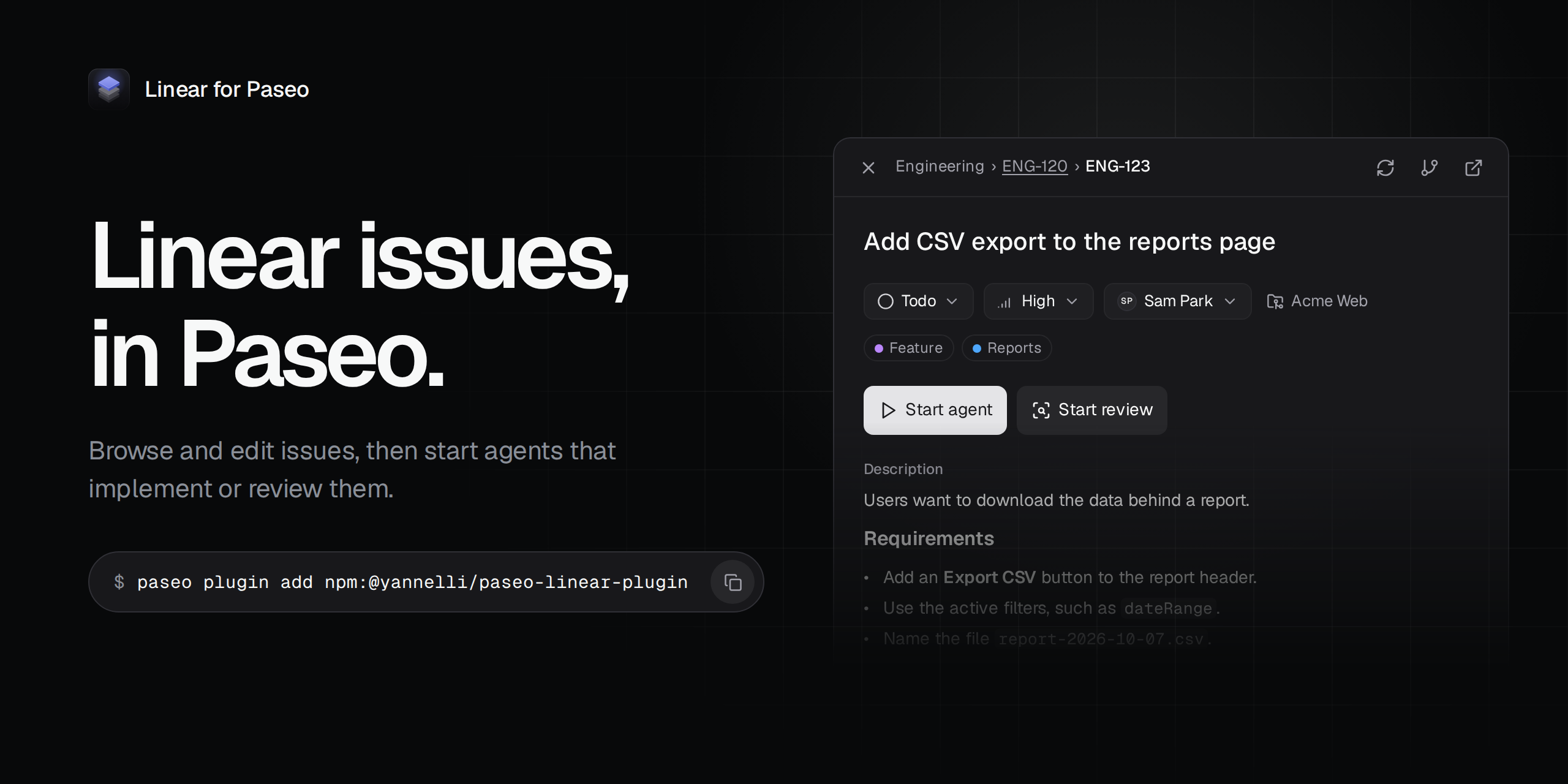
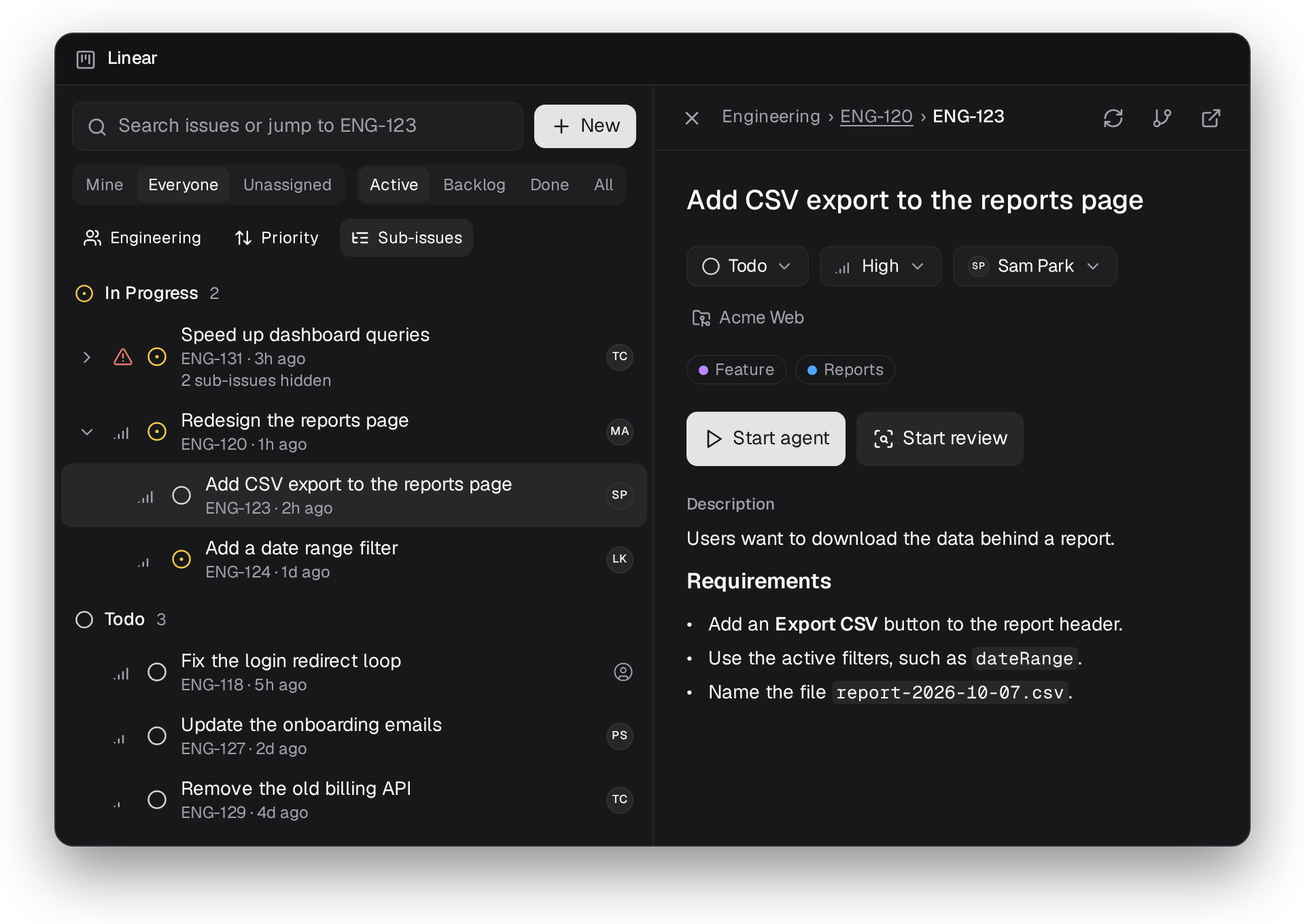
Browse and edit Linear issues in Paseo, then start agents that implement or review them. Open Linear from the sidebar, or the Linear panel in a workspace. The daemon makes every request to Linear, and your API key never goes back to the app.
What it does
- Issues. Search, filter by assignee, status, and team, and sort by last updated, newest, priority, due date, or title. Sub-issues nests sub-issues under their parent, and breadcrumbs show the parent chain. Change the status, priority, and assignee, add comments, and create issues. Descriptions and comments show as Markdown. The description saves to Linear about 1 second after you stop typing, and task list boxes check off without opening the editor.
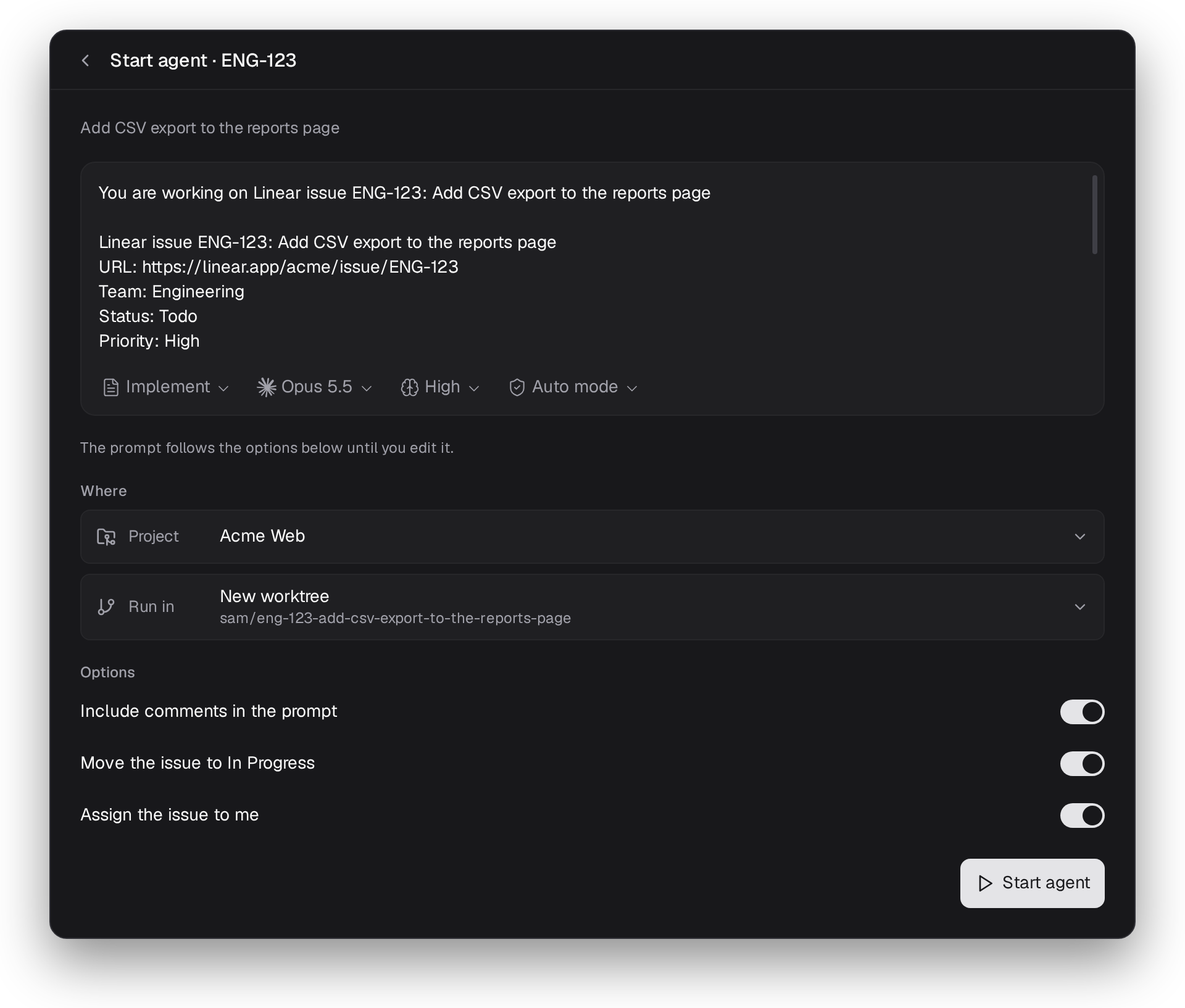
/linearopens the panel, and/linear ENG-123opens an issue. - Agents. Start agent and Start review open a setup page with the prompt and the composer controls for the template, model, thinking level, and mode. Choose the project and where the agent runs: a new worktree, a pull request checkout, the issue branch, an existing agent workspace, or the current workspace or project folder. The prompt can include comments. For Implement, the plugin can also move the issue to In Progress and assign it to you.
- Agent guidance. Switches add instructions to the prompt, and each project keeps its choices: keep Linear updated, have subagents state their issue key, and hand off work to Paseo agents. With the first or last switch, the agent gets the plugin's Linear tools. It edits the issue description, checks off task list items, changes the status, and starts 1 Paseo agent per sub-issue. It posts comments and creates issues only when you ask. Sub-issue agents picks the agent, model, and thinking level for each sub-issue.
- Todo sync. Off until you turn it on. A todo belongs to a sub-issue when it starts with the sub-issue key, such as
ENG-124: add the queue. After each turn, a sub-issue moves to In Progress when one of its todos is in progress or done, and to Done when all of them are done. The parent moves to In Review when every sub-issue is done, never to Done. Statuses only move forward. - Linear pill. On an agent started from an issue, the composer pill shows the issue status and each sub-issue with its todo progress. On other agents, it searches Linear and sends an issue to the agent. Attach Linear issue in the attachment menu adds an issue to a message, with the default key.
- Project setup. A Codex agent in Codex's read-only sandbox reads the repository's guidelines, scripts, and CI files, then proposes project instructions, steps, and prompt additions. It needs Codex on the daemon host, and uses the project's default model when that is a Codex model. You accept each change before it saves, and Open agent shows the agent while it works.
- Plugin icon. The plugin mark shows in the sidebar, pills, and screens. Replace it with your own SVG, or paint it one color.
Setup
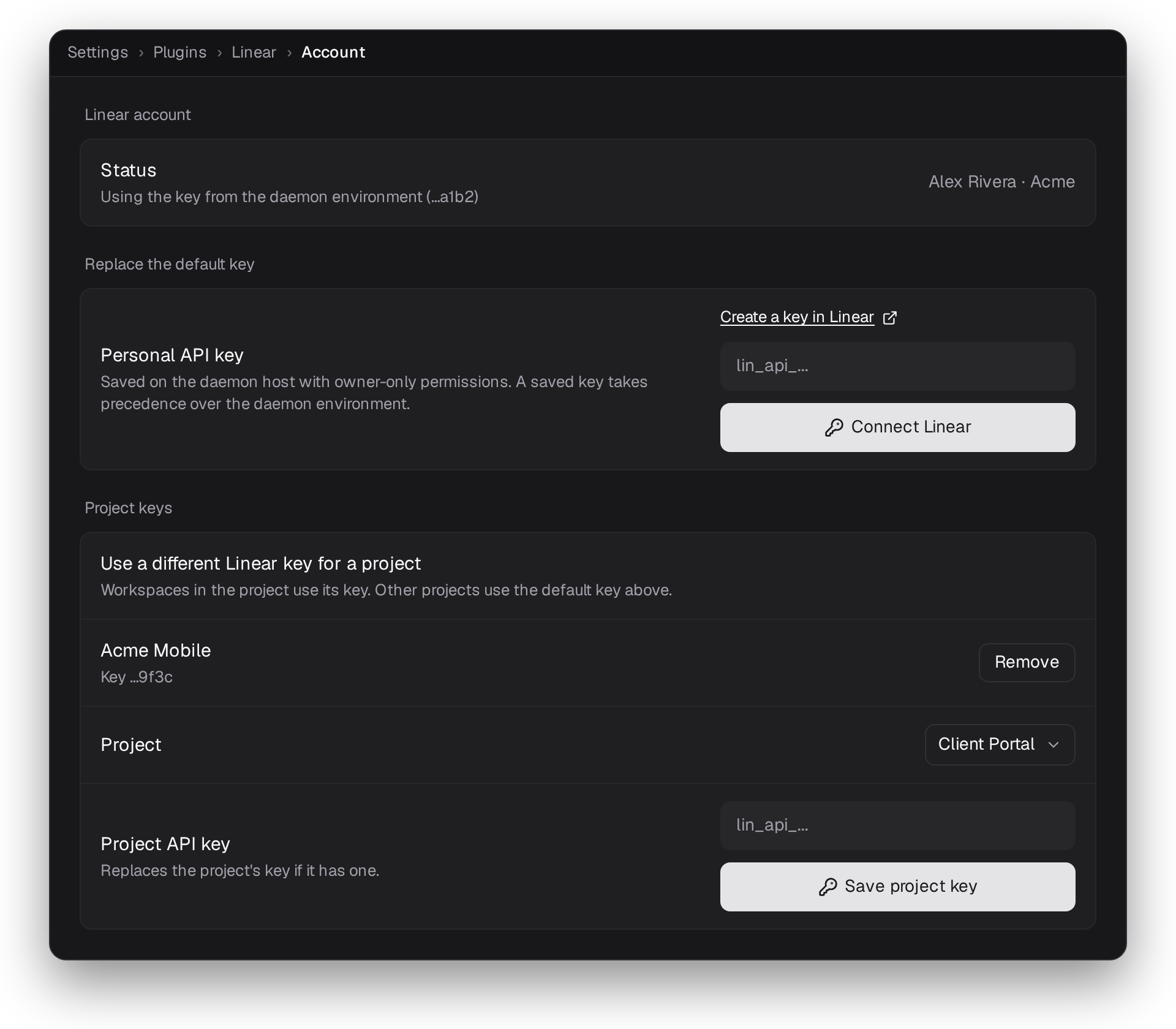
Paseo 0.11.0 or newer. Paste a Linear personal API key in Settings → Plugins → Linear → Account. Create the key in Linear under Settings → Security & access → Personal API keys. To change issues, it needs write access. The daemon saves the key on its host with owner-only permissions. Without a saved key, the plugin uses LINEAR_API_KEY from the daemon's environment. A Paseo project can use its own key under Project keys.
Settings
- Agents. Turn the plugin's Linear tools on or off, give them to every agent in a project with Linear on, allow or block issue changes, show or hide sub-issue agents, limit how many agents one launch runs at the same time, and turn todo sync on or off.
- Projects. Turn Linear on or off for all projects or one at a time, and give a project its own agent defaults, Linear tool settings, todo sync, and instructions. In a project with Linear off, its panels say so, its agents get no Linear pill, and todo sync skips it.
- Prompts. The default model, where agents run, the default options, and the Implement and Review templates.
Data and access
Only the daemon sends requests to https://api.linear.app/graphql. It never sends a key back to the app. Paseo sends the prompt, with the issue snapshot, to your agent provider.
The setup agent reads project files, and Codex's model provider gets what it reads. It runs only on Codex, in Codex's read-only sandbox, so every edit, write, and MCP tool call asks first. The plugin answers those requests: reads and search commands in the project folder are allowed, and the rest are denied. Codex runs a project's hooks only after you trust each one in Codex. Claude is not used for setup, because a Claude session loads the project's Claude settings and their hooks.
With agent guidance on, the daemon writes Claude Code hooks with the issue keys and titles beside the key file. It serves the Linear tools on 127.0.0.1 with a token for each agent, and an agent started from an issue reaches only that issue and its sub-issues. With Give every agent the Linear tools on, other agents in a project with Linear on get a project token that reaches every issue of the project's key. With todo sync on, the daemon changes issue statuses in Linear. The daemon keeps recent Linear responses in memory for up to 24 hours, and the list shows them with Showing saved results. Updating… while it gets new data.
The README has the install steps, and the docs cover every setting.