CodexBar usage
Shows CodexBar provider quotas and balances in Paseo's usage page

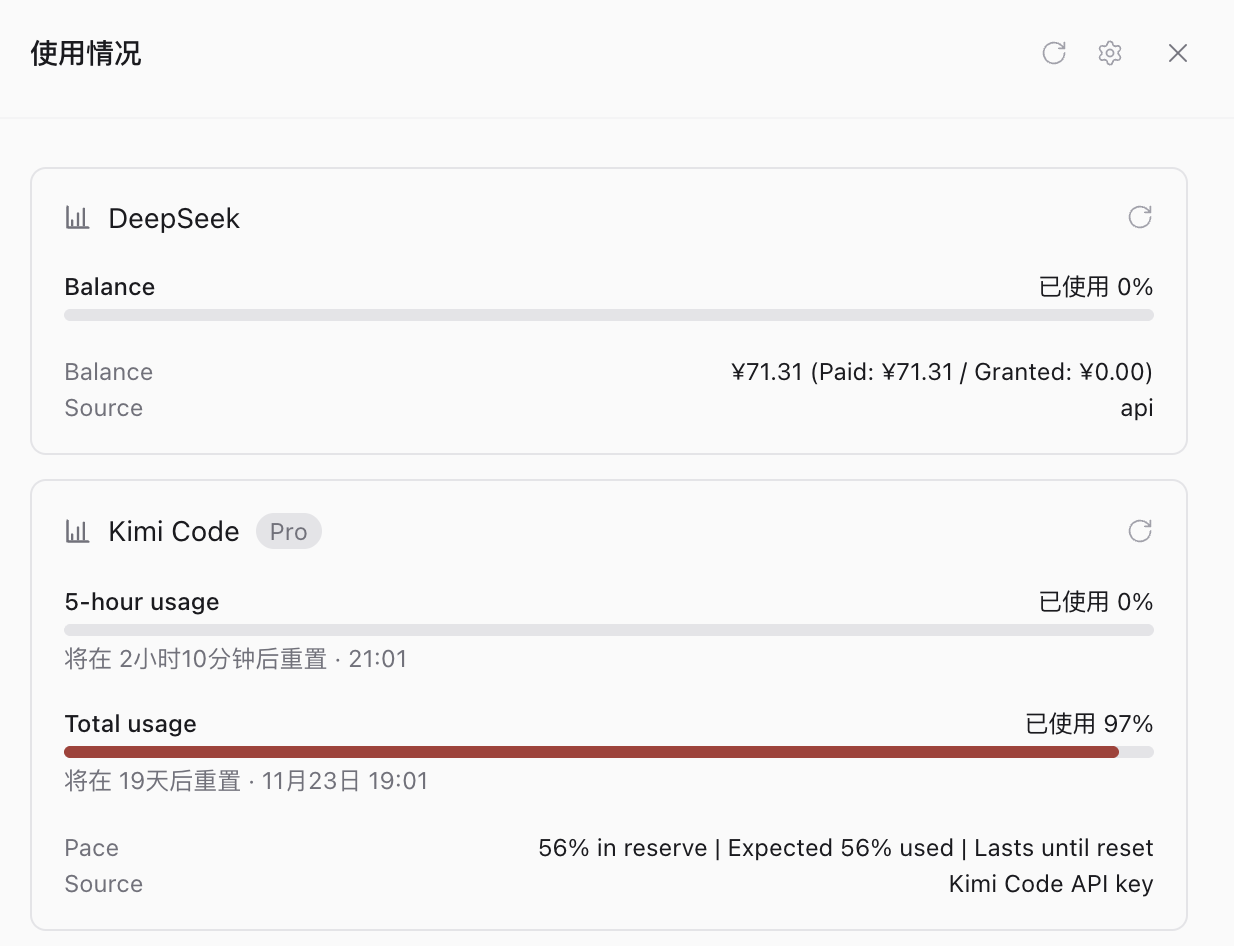
Adds every provider that CodexBar tracks to Paseo's usage page, so the quotas you watch in the menu bar also show up next to your agents. CodexBar keeps doing the authentication and polling; this plugin reads what it already knows.
How it works
The plugin runs CodexBar's own CLI on the daemon machine and maps the result onto Paseo usage sources. Each enabled CodexBar provider becomes its own source, named with the provider name CodexBar shows, so the page reads Kimi Code and DeepSeek rather than one CodexBar card. Provider plugins you installed in CodexBar appear the same way, read through the CLI's plugin commands. Windows keep their labels, used percentages, reset times and warnings, and the balance, pace or cost lines CodexBar prints become detail rows or balance bars under them.
Opening a session's usage popover asks for the login that session runs on. When the session's provider matches a CodexBar provider, that provider's numbers appear there too; otherwise the popover shows nothing from this plugin.
The plugin takes the CLI inside the CodexBar app bundle when it is present, and otherwise codexbar on the daemon's PATH.
A provider plugin has to be approved in CodexBar before the CLI will fetch it headless. Without that approval the card shows CodexBar's refusal instead of numbers.
Setup
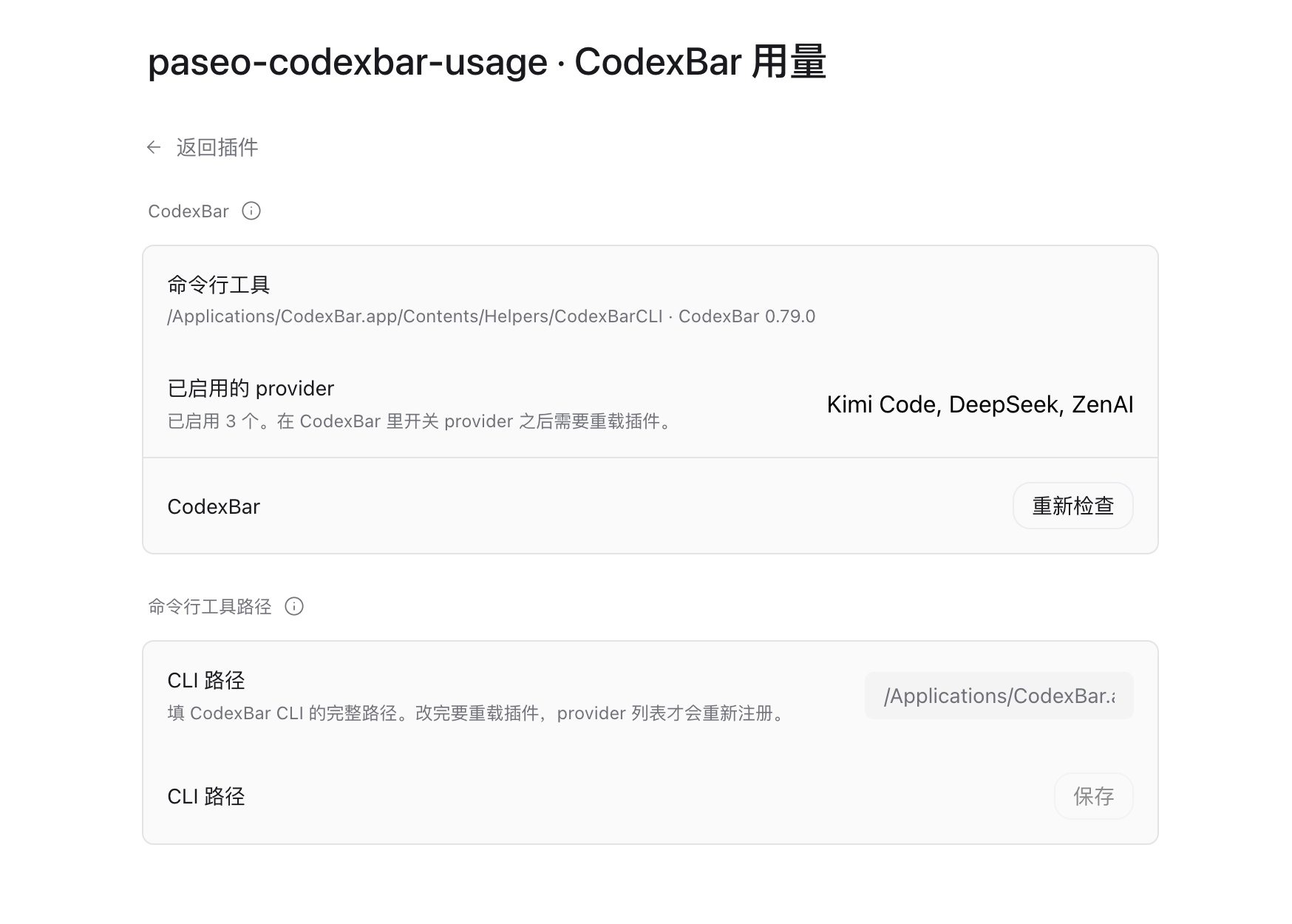
Install CodexBar on the daemon machine and enable the providers you care about in its settings. The plugin looks for codexbar on the daemon's PATH first, then for the CLI inside CodexBar.app, then for a path saved in the plugin's settings. Paseo reads the provider list once while the plugin starts, so after enabling or disabling a provider in CodexBar, reload the plugin to match.
Set CODEXBAR_BIN when the CLI lives somewhere else and you would rather not use the settings screen. When the CLI cannot be run at all, the usage page shows one CodexBar card carrying the error instead of nothing.
Settings
Settings, then Plugins, then CodexBar usage: it reports whether the CLI was found and which providers are enabled, and it takes the full path to the CLI when neither PATH nor the app bundle has it. Changing that path needs a plugin reload before the provider cards reappear.
Permissions and limits
The plugin runs with your permissions on the daemon host. It executes CodexBar's CLI, which reads CodexBar's own configuration and credentials and may contact provider APIs; the plugin itself makes no network requests and stores nothing.
Numbers are as fresh as CodexBar's last refresh, and Paseo caches each account for five minutes, so a bar can trail the menu bar by a few minutes. Refreshing in the app pulls CodexBar's current cache rather than forcing a new provider fetch. Providers CodexBar reports as failed show the menu bar's error text instead of bars.