
Jira
List Jira Cloud tickets and create worktree workspaces from them
$ paseo plugin add tranhuywin/jira

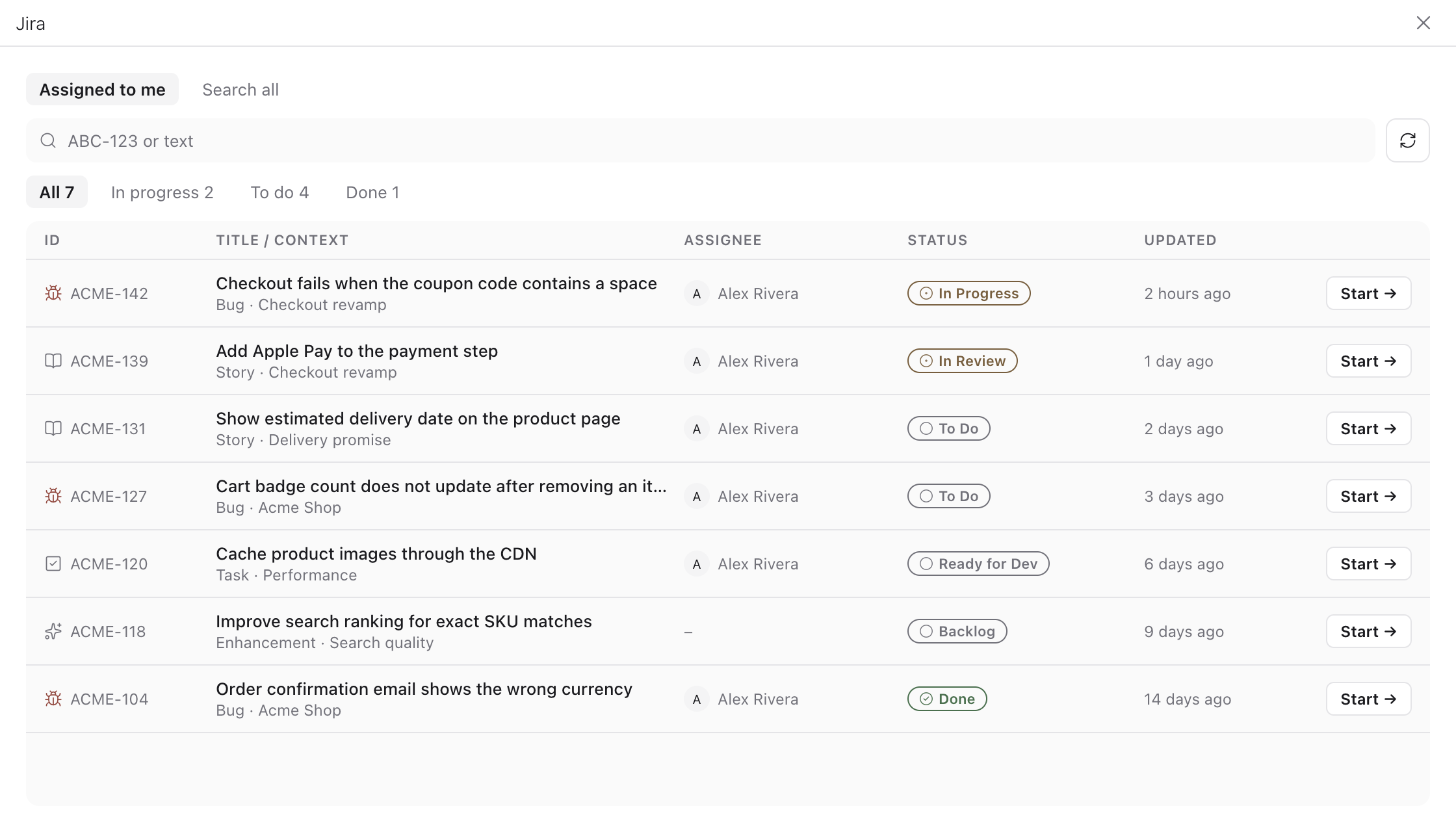
Lists your Jira Cloud tickets inside Paseo and creates a worktree workspace from one, with the branch, worktree name and title suggested from the ticket.
Setup
Open Settings → Plugins → Jira and enter your Atlassian site URL, email and an API token from id.atlassian.com → Security → API tokens, then press Test. The token is stored as plain JSON in the daemon's Paseo home, readable by anyone with access to that machine account.
What it does
- The Jira sidebar item opens a table of tickets showing key, title, context, assignee, status and last update. Assigned to me runs the My issues JQL, Search all runs the Search scope JQL. Typing a key such as ABC-123 looks that ticket up directly; other text adds a full-text filter. Status chips filter by Jira status category.
- Start on a row creates a workspace with the suggested names. Opening a ticket shows its details and lets you edit the branch, worktree name, title, base ref and project, and optionally start an agent with a configurable provider and prompt.
- A Bug becomes
<bug prefix>/<KEY>-<slug>, any other type<other prefix>/<KEY>-<slug>. The prefixes default tofixandfeature. - The Command Center item "Jira: worktree from ticket" opens the same screen.
Data flow and limits
Jira requests go from the daemon to your Jira site only, through the Jira Cloud REST API v3. Each query returns the 50 most recently updated tickets. Jira Server and Data Center are not supported.