Smart Session
Records Claude plan-usage history and lets a Paseo agent manage its own context.

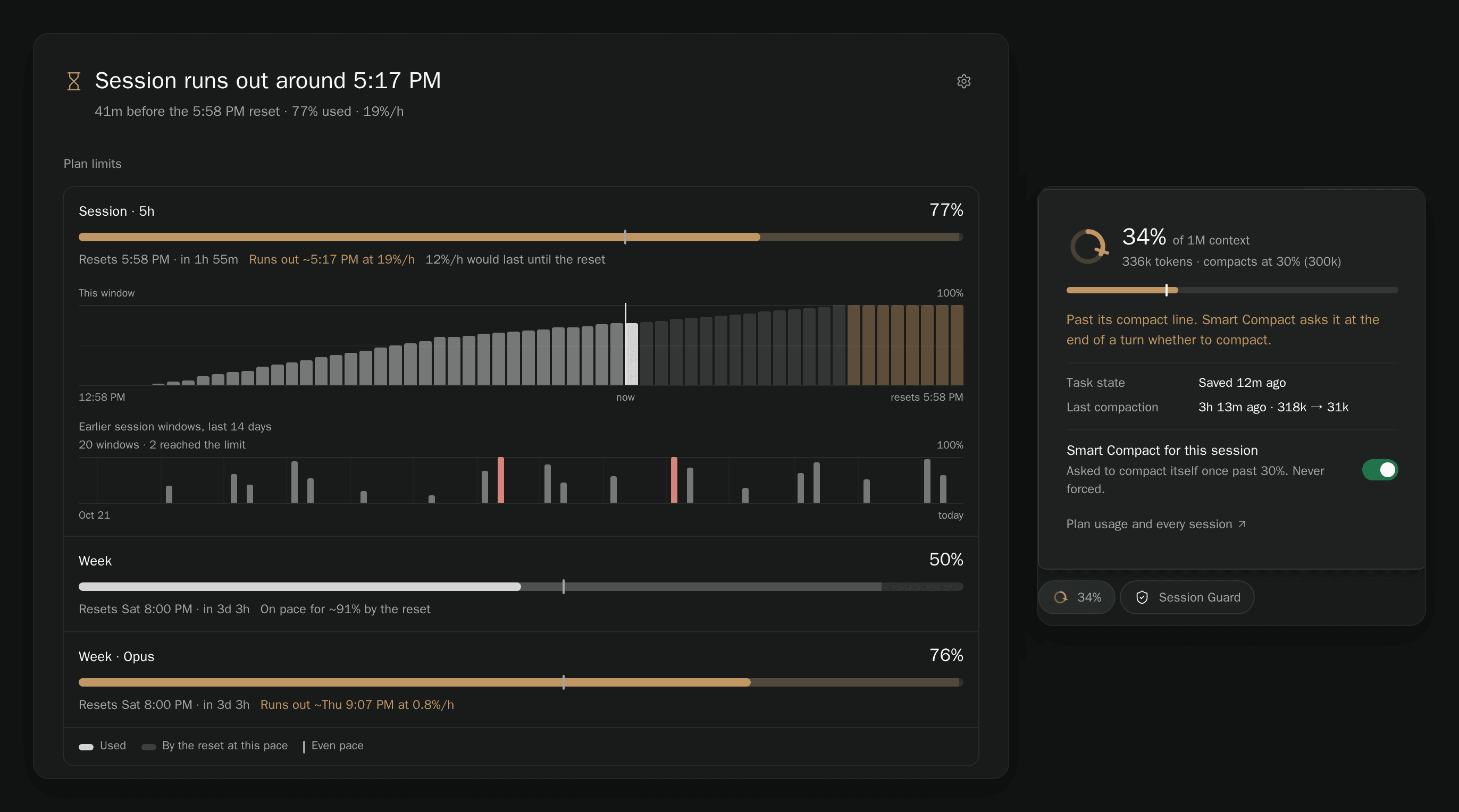
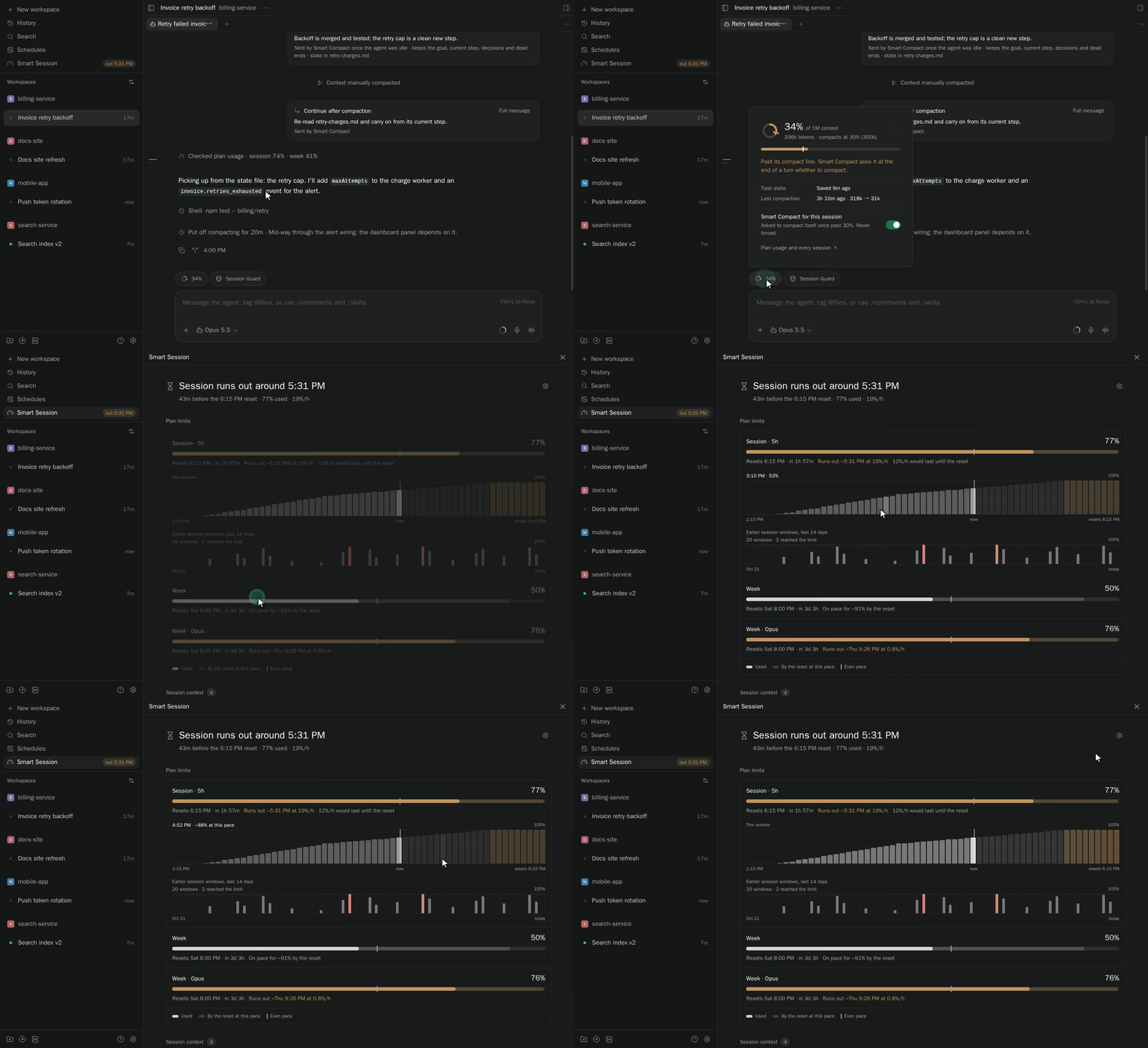
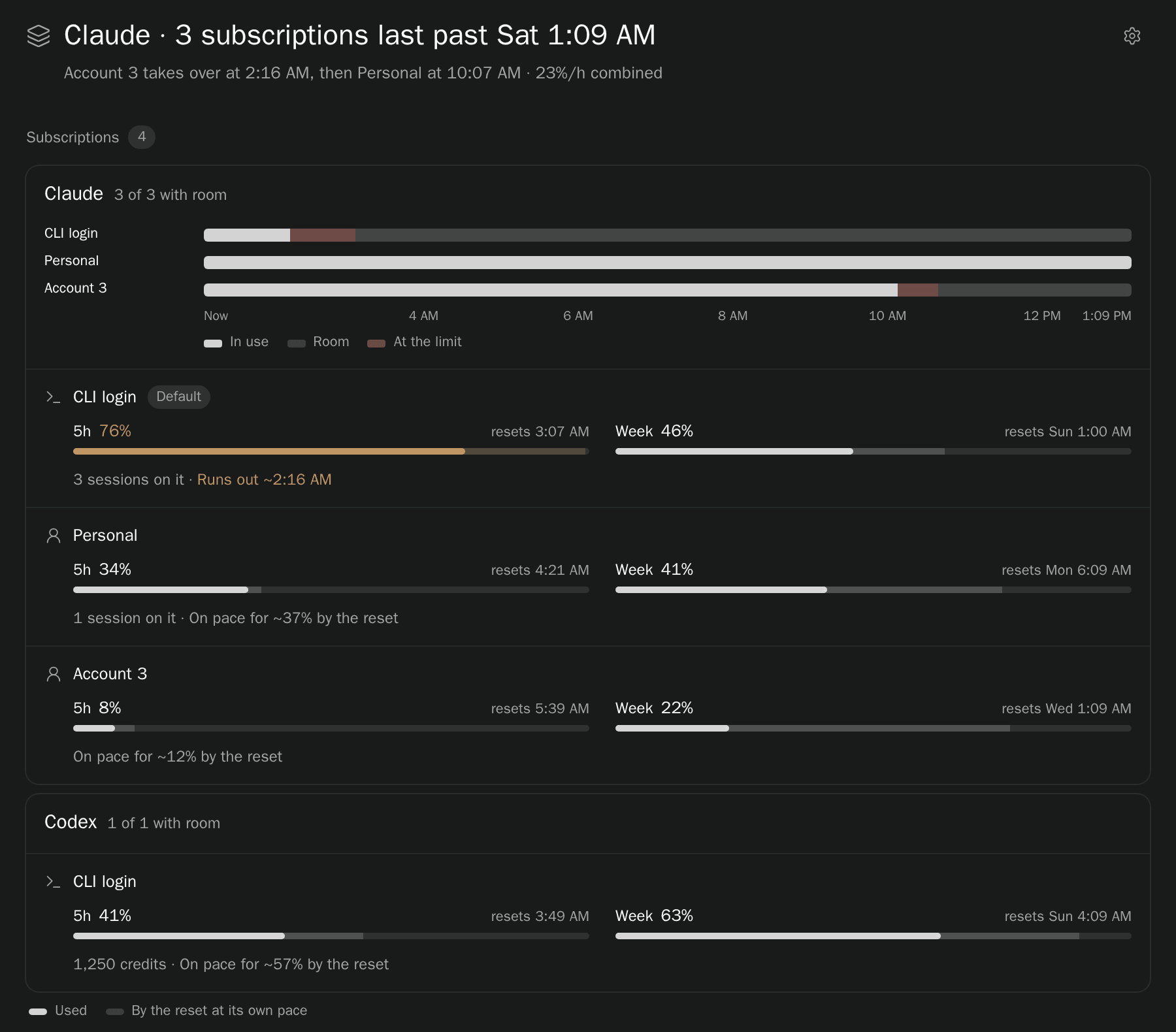
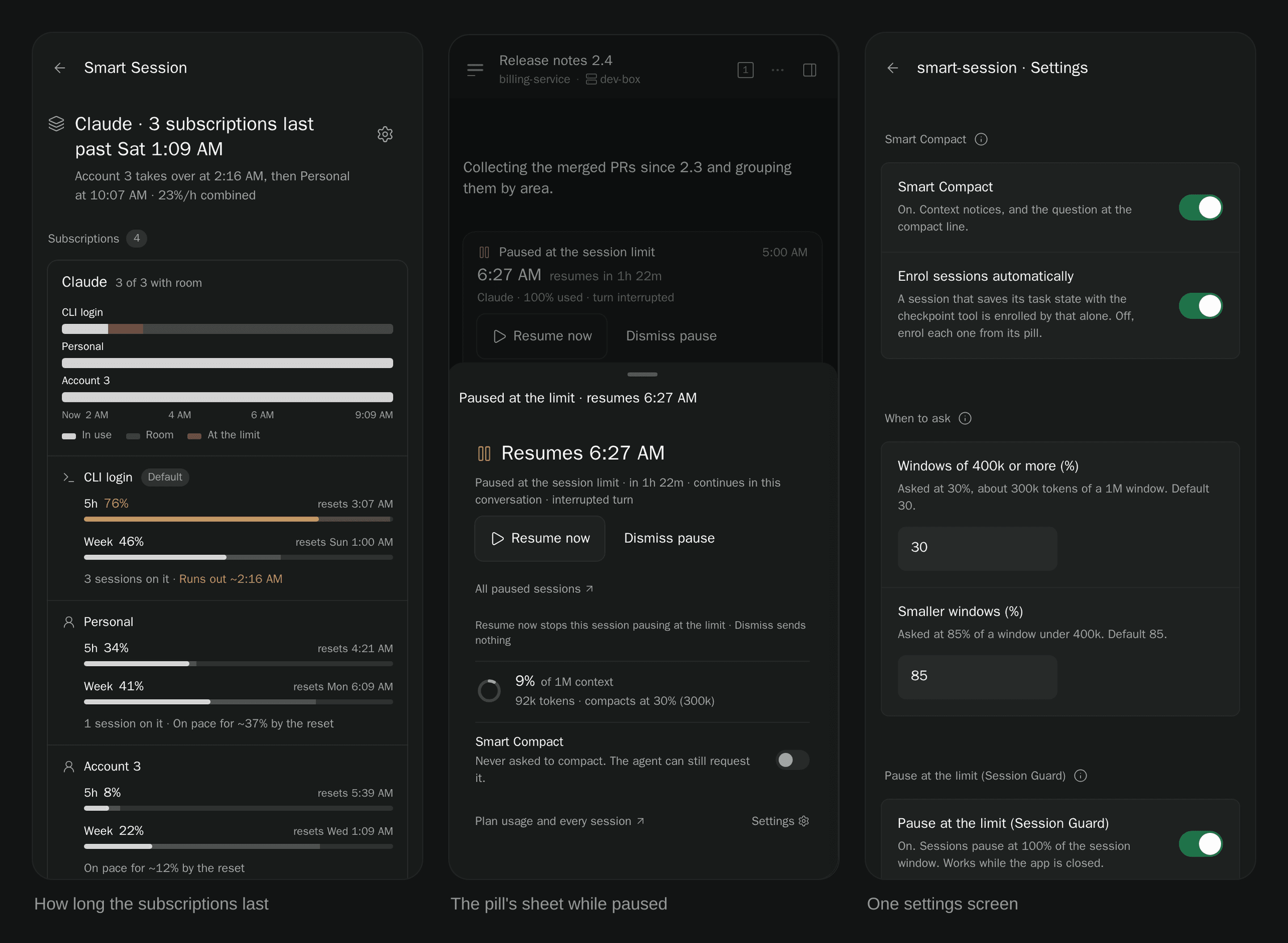
Smart Session shows when your Claude plan will run out at the current pace, how full each session's context is, and lets Claude Code agents in Paseo save task state and compact themselves. It records context and plan usage over time and turns that into a forecast, a usage chart and the last 14 days of session windows. It requires Paseo 0.14.0 or later. Context hooks and Claude usage tracking are aimed at Claude Code; interactive Claude and Codex sessions receive the local Smart Session MCP tools. The MCP runs with Node or the Paseo app’s own runtime.
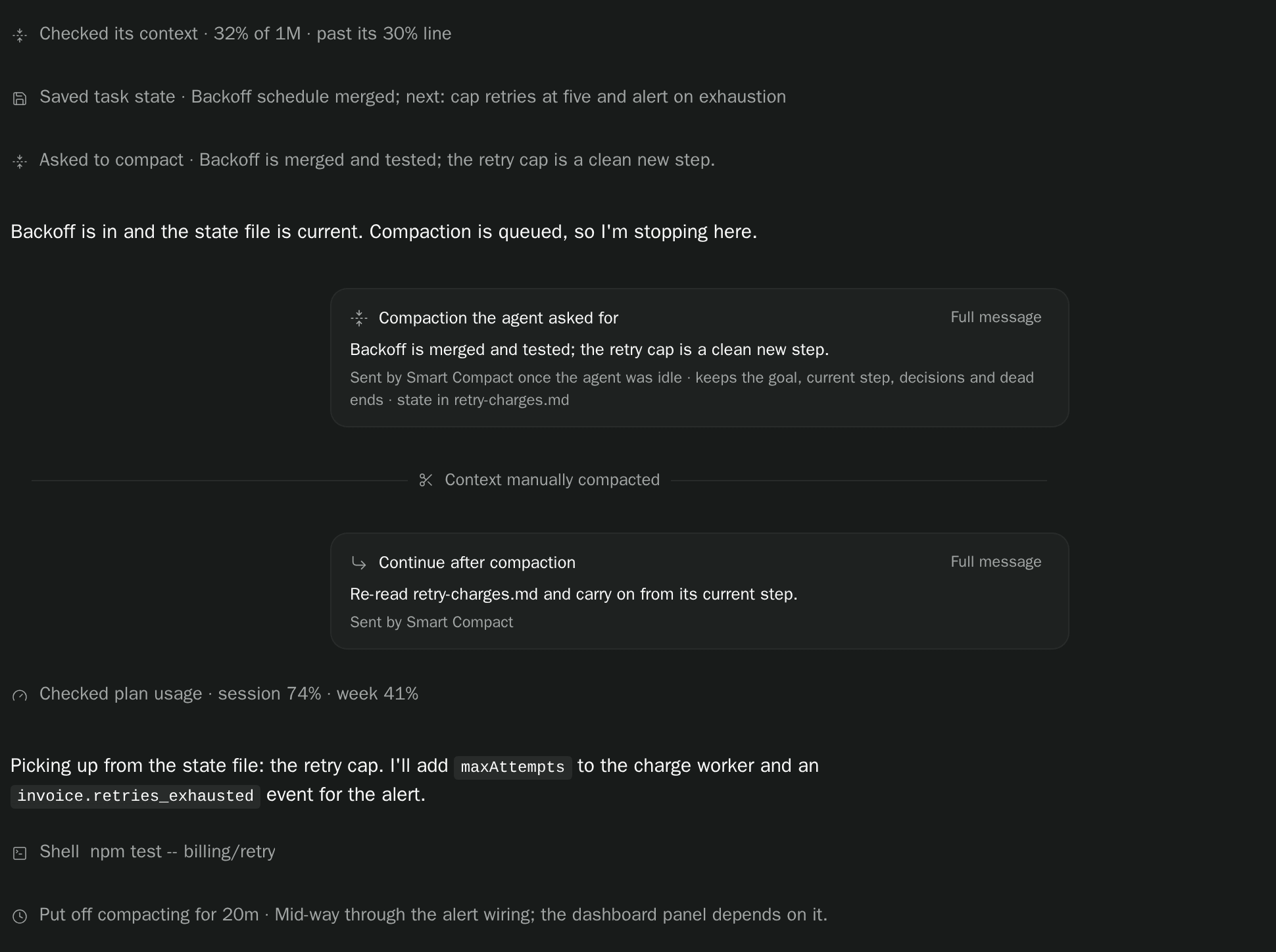
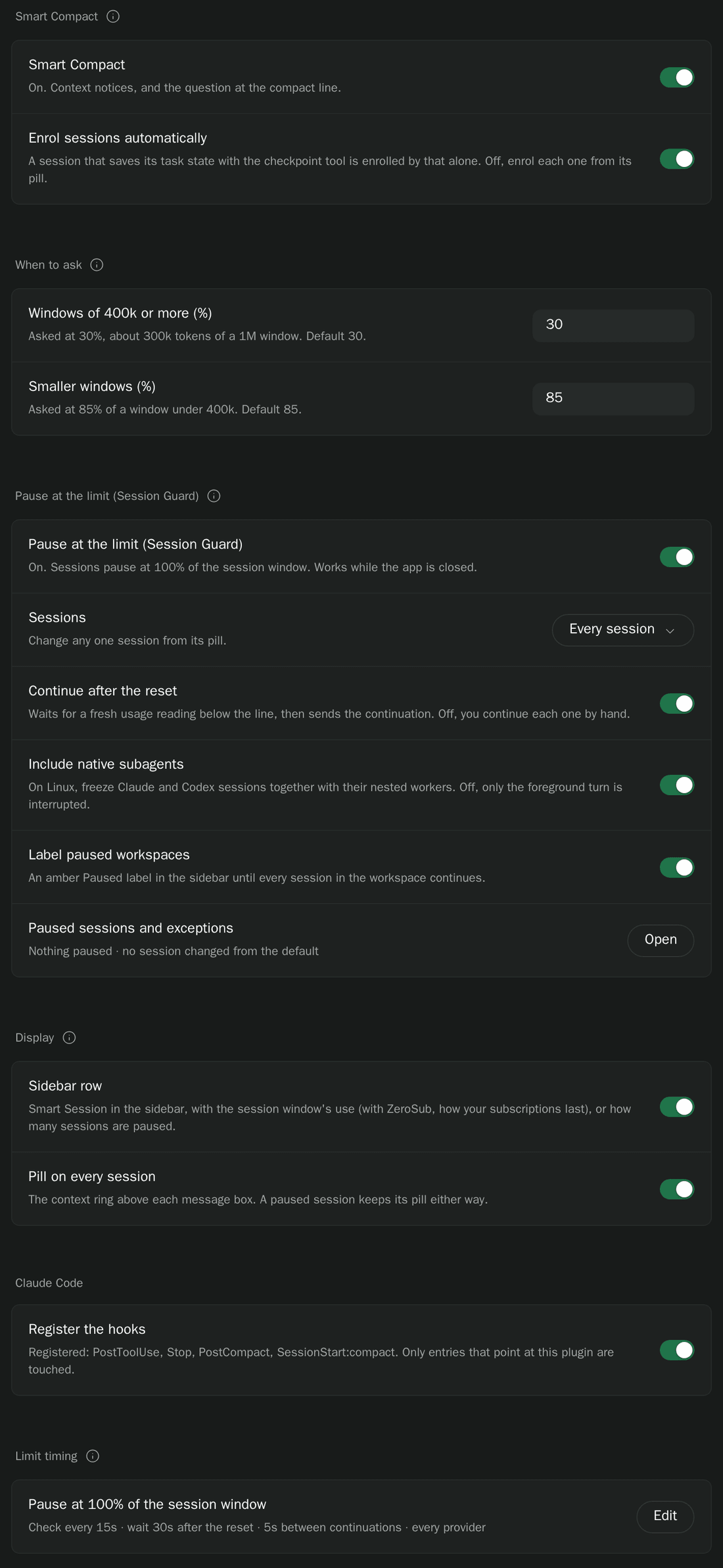
The plugin never compacts a session on its own. Each window size has two thresholds. Past the first, a hook asks the agent at the end of its turn whether to compact. Past the second, it asks straight away, mid-turn, to finish only the step in progress, save task state and request the compaction. The agent can compact, defer or keep working. Settings cover turning Smart Compact off, the end-of-turn and mid-turn thresholds for large and small context windows, automatic enrolment, the composer pill, and whether the plugin registers its hooks.
On load, when you change the hook-registration setting, and when you open its install status, the plugin edits Claude Code configuration on the daemon host. It adds hook entries to Claude Code's settings.json, leaving other entries alone, keeping a backup and removing its own entries when you turn the setting off. Each entry runs a small launcher script the plugin writes under its own data directory, which loads the hook scripts from the installed plugin, so plugin updates do not break the hooks. The plugin also removes a global smart-session MCP entry left by older versions, but only when that entry runs this plugin's mcp.mjs. It does this in each Claude .claude.json (using claude mcp remove) and Codex config.toml it finds for the homes Paseo launches agents with, and keeps a backup beside the file. Normal startup attaches the agent tools to each interactive Claude or Codex session as it opens, resumes, refreshes or imports. On Paseo 0.15 and later the tools are served through the agent's own Paseo MCP with a smart_ prefix, and on older versions the session gets the stdio MCP. The plugin must be enabled; the session label plugin-tools/enabled: "false" opts out. The local MCP receives the session ID and daemon connection configuration, including a password or password-file path when configured, to invoke Smart Session’s daemon RPCs. Context, usage and task-state results returned by its tools reach the calling agent and its model provider.
For usage history, the plugin periodically reads your Claude Code OAuth token, from its credentials file or the macOS keychain, and uses it to request plan usage from api.anthropic.com, without storing or logging the token. If it finds no token it sends nothing, and it falls back to the Paseo daemon's usage reading and to Claude Code's cached usage in ~/.claude.json. It also reads Claude Code transcripts to attribute token spend and connects to the local daemon, using a daemon password from the environment or a password file when one is required. Its logs, settings and per-agent task-state files are stored under $PASEO_HOME/plugin-data/smart-session/.
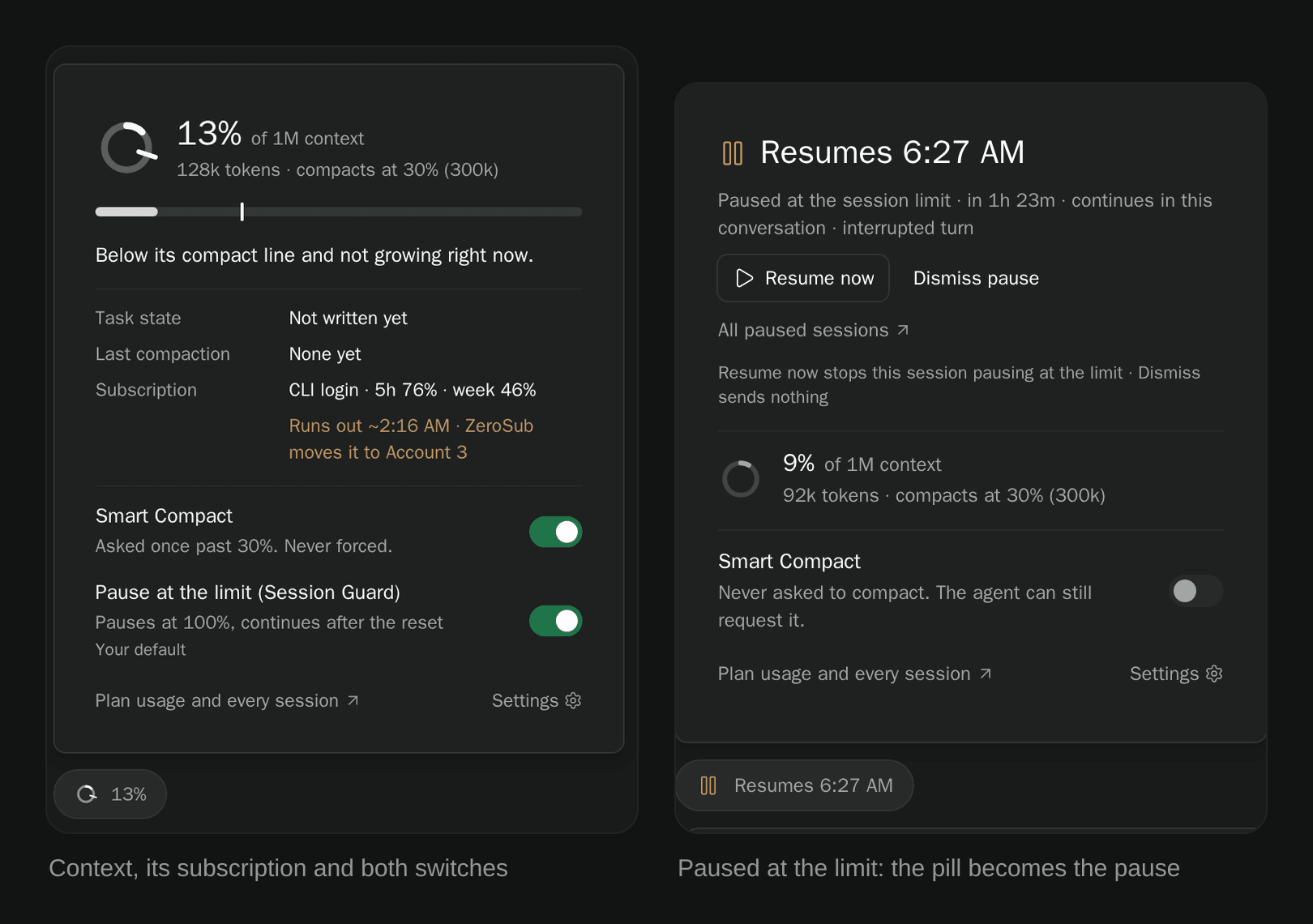
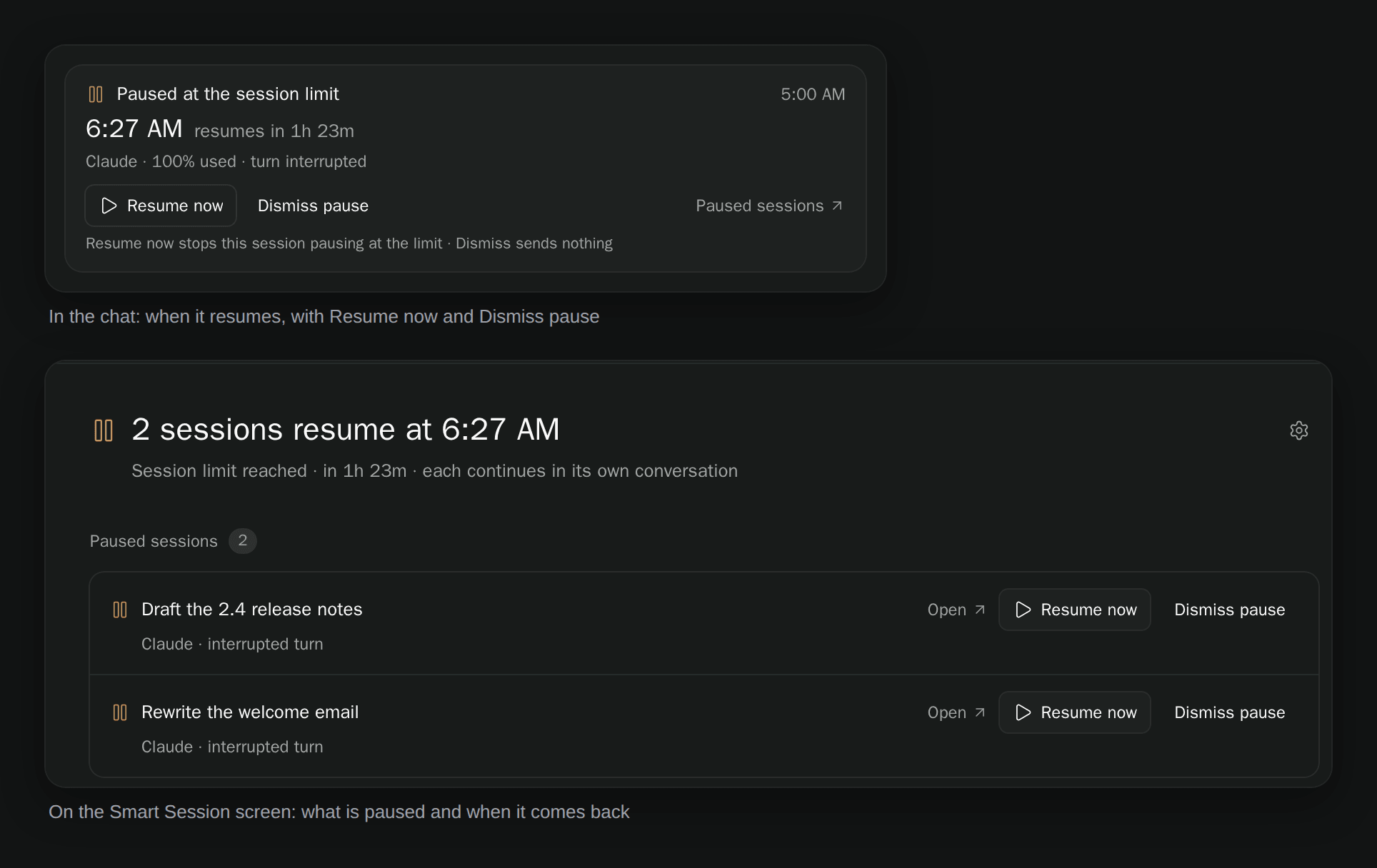
Pause at the limit (Session Guard) is optional and off by default. Turn on Pause at the limit from the Smart Session overview or its settings to pause protected sessions at the configured session-usage threshold (100% by default) and continue the same conversation after a fresh usage report confirms capacity has reset. You can opt individual sessions out, disable automatic continuation, cancel a waiting continuation, or use the pause card’s Resume now and Release controls. Resume now opts that session out and continues immediately; Release opts it out and releases suspended workers without sending a message.
With native coverage enabled, Linux Claude and Codex provider workers and their nested processes are suspended with SIGSTOP and resumed with SIGCONT. Ownership is checked against the local daemon, agent ID and process birth identity. Native coverage needs Linux and access to /proc; if ownership cannot be confirmed, protection reports an error and retries. Turn native coverage off on unsupported hosts to use foreground interruption and a continuation message instead. Suspension cannot undo requests already sent, and tools can retain locks or time out. Usage detection depends on provider report freshness; Claude also uses the existing recorder’s latest accepted reading. Continuations reach the session’s configured provider.
Pause history, process identities and per-session choices persist under $PASEO_HOME/plugin-data/session-guard/, shared with the standalone Session Guard plugin. While that plugin is configured and enabled, Smart Session leaves protection to it. Disable or uninstall the standalone plugin to hand over saved choices and waits; reapply custom host settings. Pauses can survive plugin or daemon restarts, but a full restart loses native process state and resumes the saved conversation with a message after reset. New user work, closed sessions and opt-outs cancel the old continuation. Unconfirmed message delivery requires manual inspection. Turning the feature off releases suspended workers while message continuations remain on hold until re-enabled or cancelled. The held-session view, timeline cards and optional workspace labels show saved waits.
On Paseo 0.16 and later, Smart Session is also one of Paseo's usage sources. Its cards, with each window's forecast and, under ZeroSub, one card per Claude account, appear in the context details, the Usage screen and the sidebar summary. It builds them from data it already holds and from the numbers Paseo's own Claude card has cached, without extra requests. By default Paseo's own Claude card is hidden while a matching Smart Session card is showing; the setting Replace Paseo's Claude usage card turns that off. The login email is not copied; the two cards are matched by a hash of it.
With ZeroSub and more than one Claude account, an artifact belongs to the account of the session that publishes it, so one published from a seat account may not be openable by you. The setting Publish artifacts as the main account (on by default) addresses this. It registers a hook on Claude Code's Artifact tool. When a session on another account publishes a page, the hook has the plugin start a short-lived Haiku helper agent that is pinned to your main account through ZeroSub, copies the files named in the publish into a staging folder under the plugin's data directory, and publishes them from there. The calling agent receives the link in place of its own publish. The helper is archived when it finishes, fails or times out, and only one runs at a time. A helper session uses the main account's usage; if that account is out, nothing is published unless Use the main account's Extra usage when it's out is on, in which case the publish is billed to that account. Pages published this way are recorded so later updates go to the same account, and each run is logged under $PASEO_HOME/plugin-data/smart-session/publish-as/. The publish_as tools publish explicitly as another account. With one Claude account, without ZeroSub or on the main account, publishing is unchanged. The plugin also checks, read-only, that each ZeroSub account home's settings.json still links to the main one and reports it when not, since hooks do not reach those sessions otherwise.
Agent tool calls such as checking context or saving task state stay as Paseo's own grouped tool calls, and compaction requests and continuations show in the chat as cards.
If you run ZeroSub (@kapybara/zerosub) to switch between several Claude or Codex accounts, Smart Session reads its account registry and usage readings under $PASEO_HOME/zerosub/ and its plugin preferences, read-only. It never opens ZeroSub's account homes or credentials. With it, an agent is measured on its own account, and Smart Session leaves an agent to ZeroSub when another account has room. The account name you chose and its usage reach the agent through budget_status. With several subscriptions, the overview also shows how long all of them last at the current pace, a runway per account, and which account takes over next. Smart Session keeps each account's readings in its own history under $PASEO_HOME/plugin-data/smart-session/, keyed by ZeroSub's account id and not by email.
The overview and display settings are available from Command-K. Display settings can hide the sidebar entry and composer button independently without disabling the feature.
This plugin entry was imported from paseo.cafe.