Defer
Defer messages to Paseo coding agents until a chosen time or usage-window reset.


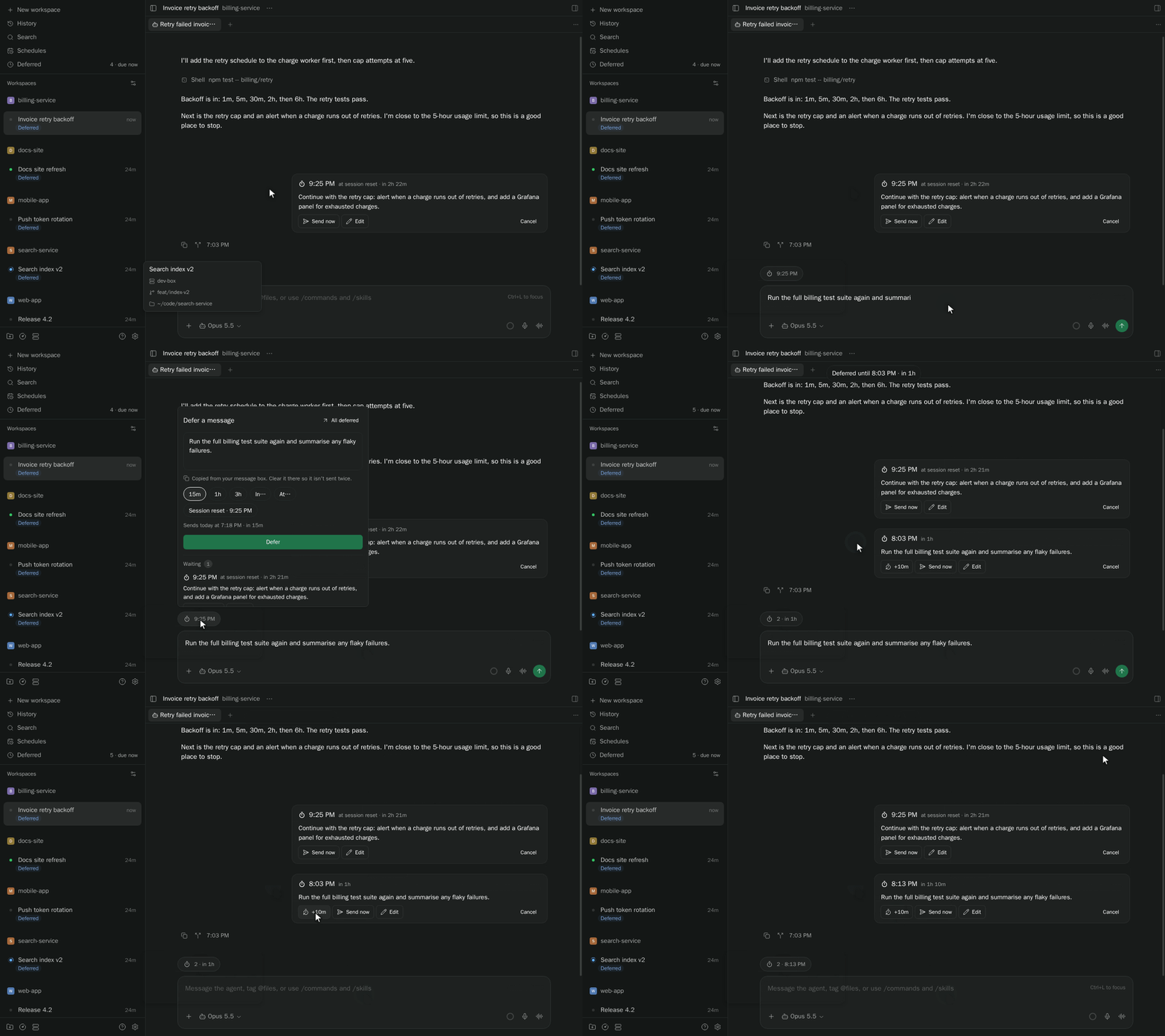

Defer queues a message to an agent and delivers it after a delay (up to 30 days), at a local clock time, or when the agent's provider usage window next resets. When a message is due, Defer waits for the agent to be idle. The queue lives on the daemon and survives reloads, restarts and closing the app.
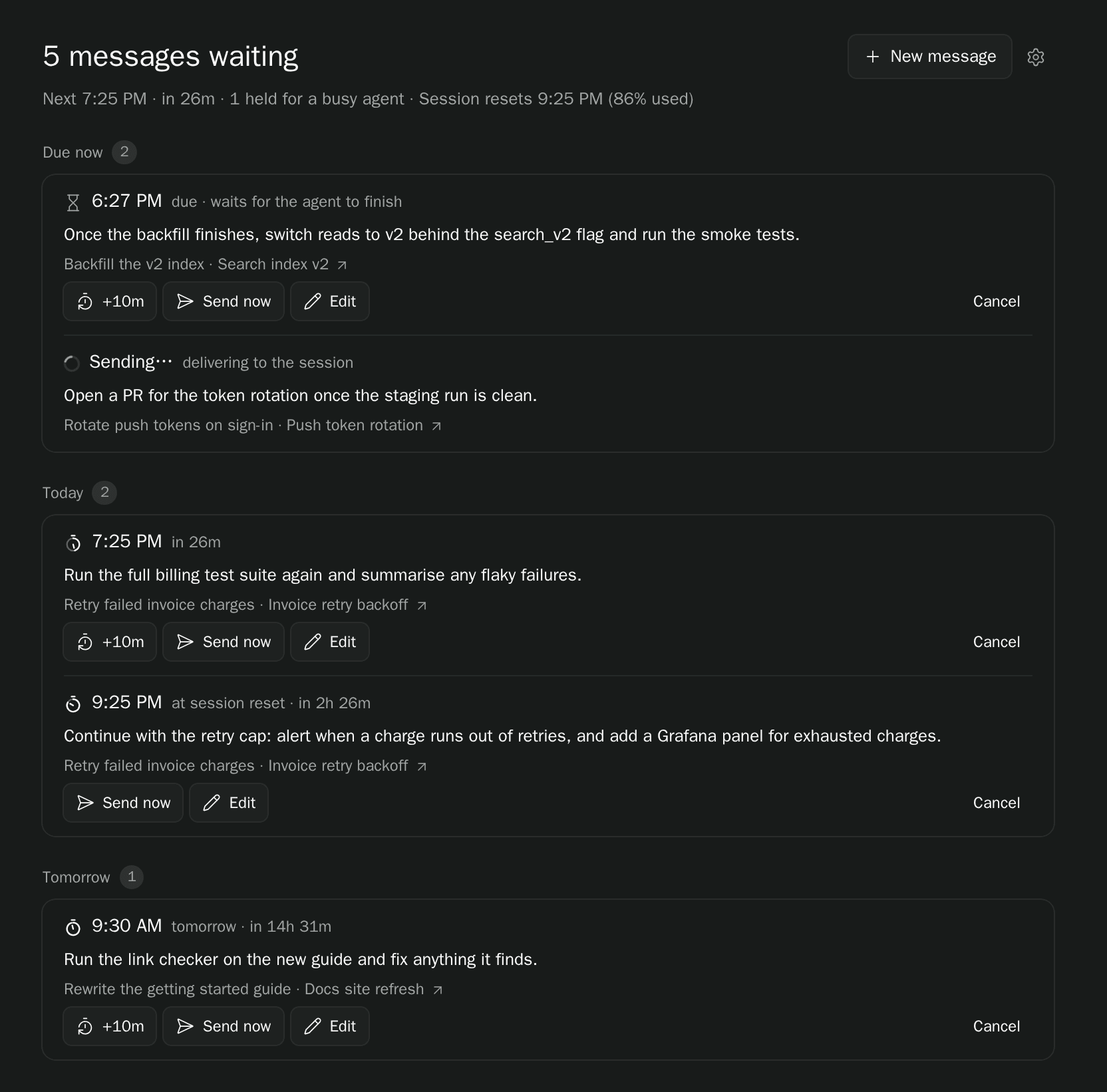
Queue messages from the Defer composer pill, /defer 2h <message>, Command Center, or the Deferred sidebar. For Session reset, the option shows when your provider's usage window resets and how much of it is used. Edit, push back by 10 minutes, send now, or cancel a message until delivery starts. A composer draft is copied into Defer, so clear the original yourself to avoid also sending it immediately; on iOS, enter the message in Defer.
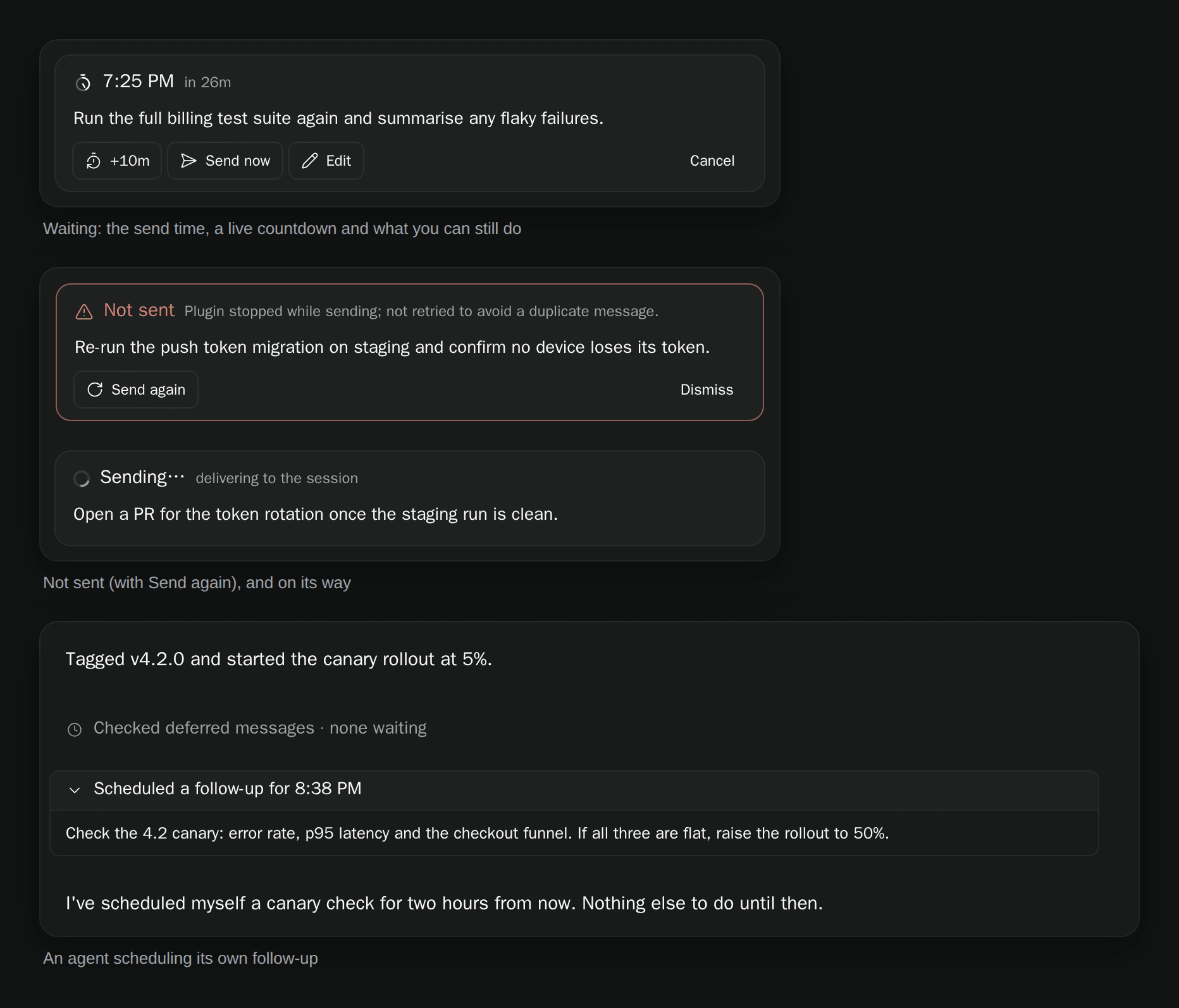
Each queued message appears in its chat as a card with its send time and a live countdown. A message that could not be sent stays visible with the reason and a Send again option. Send now only moves the time to now; the message still waits until the agent is idle. If the plugin stops mid-send, the message is marked Not sent instead of being retried, so it can't arrive twice.
Workspaces with waiting or sending messages get a blue Deferred label until their last queued message settles. The composer pill shows the next send time and the number of waiting messages. In Settings → Plugins → Defer → Display, you can show the pill on every session, only while messages wait, or never, and hide the sidebar entry. Command Center and /defer keep working when the pill is hidden.
Interactive Claude and Codex sessions receive tools to list their own active deferred messages and schedule requested follow-up messages for themselves. These tools become available on the next idle session open after installing or reloading; history-only opens receive none. Set the agent label plugin-tools/enabled to "false" to opt out. A scheduled message uses the same queue and idle-delivery rules as the UI, and the agent's calls show as one-line rows in the chat.
Data and access:
- Message text, settings and queue/label/timeline journals are stored on the daemon host.
- Delivery uses a separate connection to your configured Paseo daemon, which passes the message to its target agent and selected provider. A Deferral details context attachment includes the trigger, queue time, scheduled time, usage reset when applicable, actual send time and elapsed/late duration.
- For a password-protected daemon, the plugin reads its authentication credentials to connect; it does not log or store them.
- Copying a composer draft reads the app's draft storage on your device only when you ask for Defer.
Requires Paseo 0.14.0 or newer. Delivery uses the daemon's own client library, so hosts that do not expose it cannot read provider usage or deliver messages.