
Claude Code updates
Keeps the Claude Code CLI up to date on the Paseo host, where its own updater never runs, and shows which running agents are still on an old version.

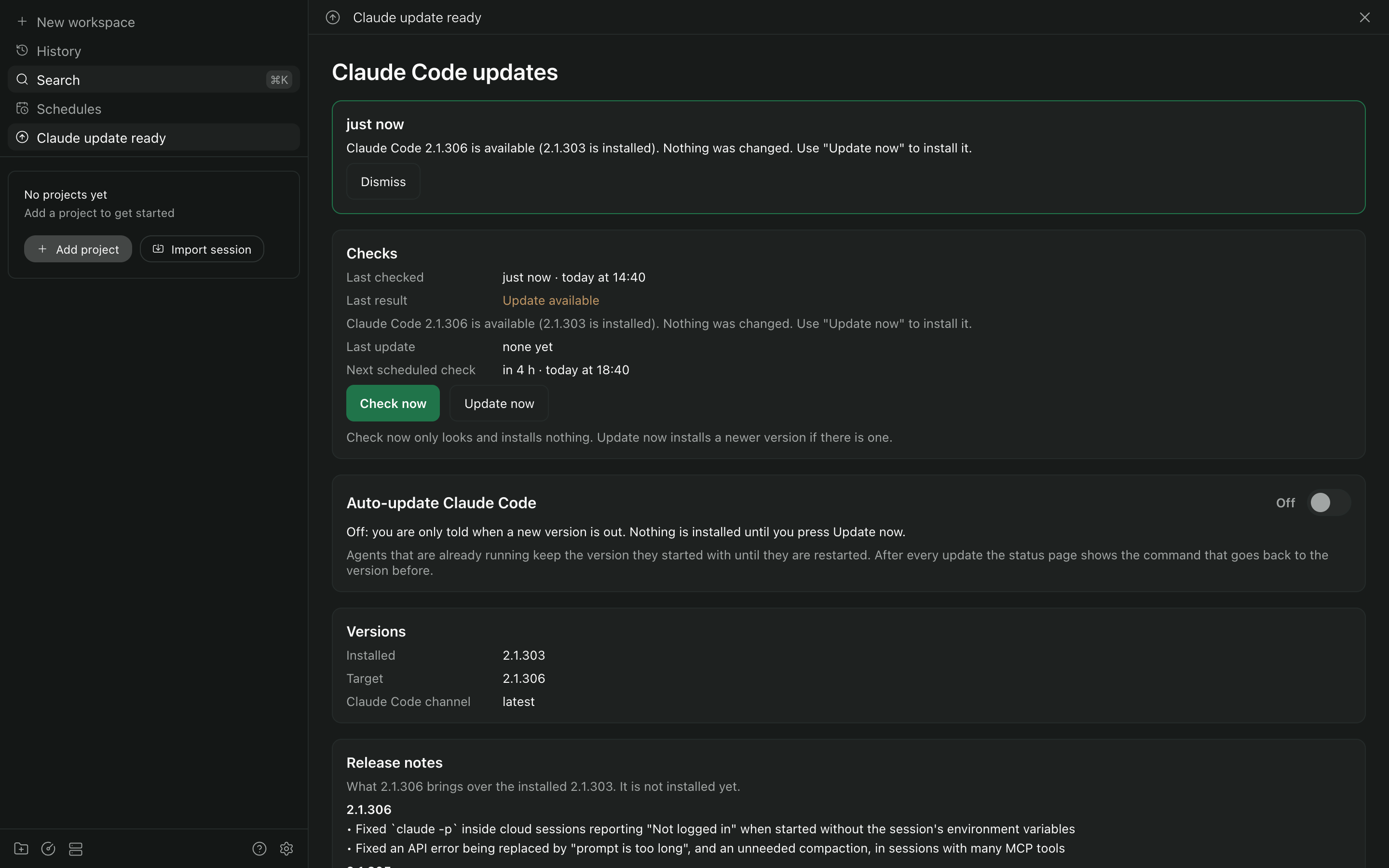
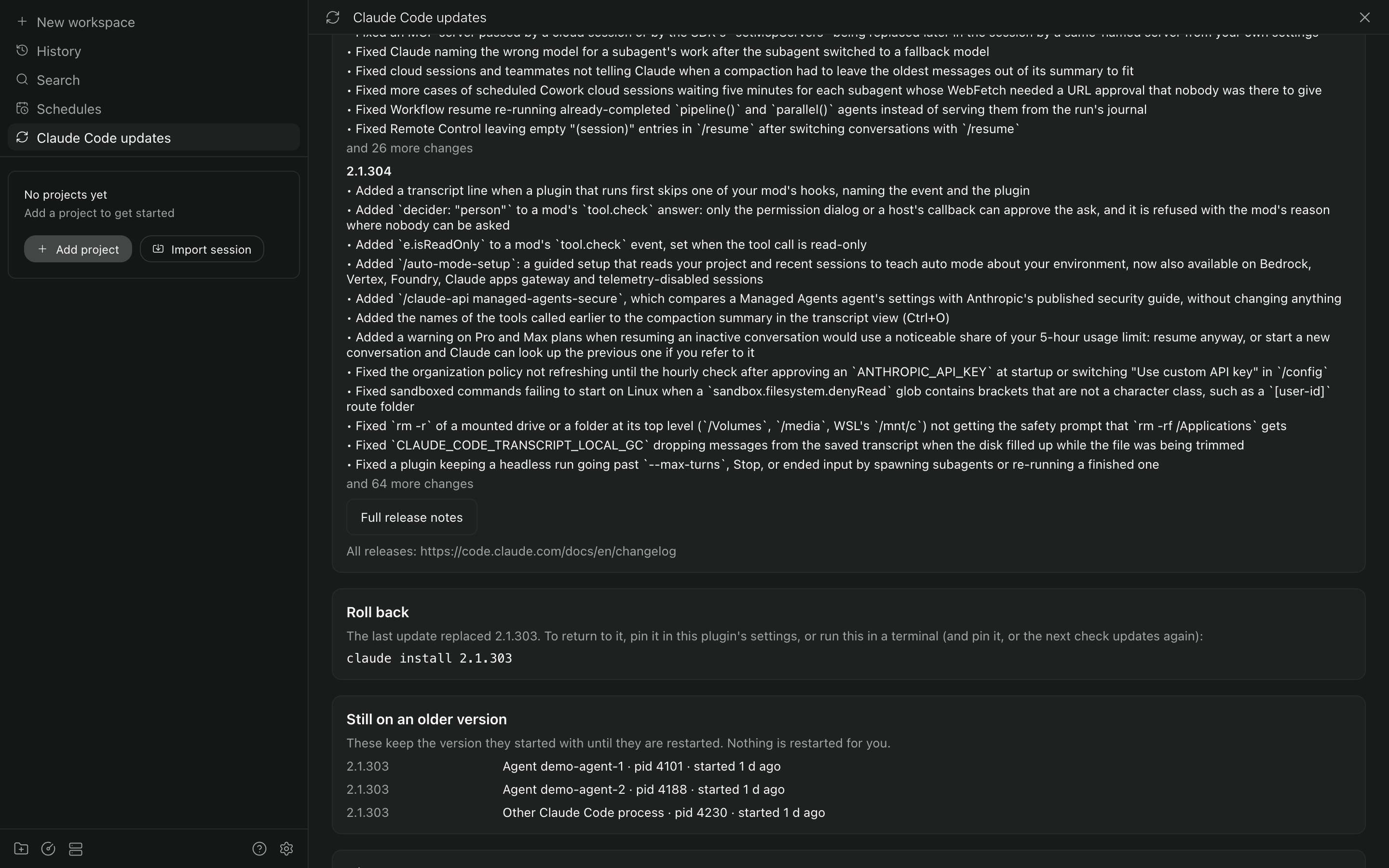
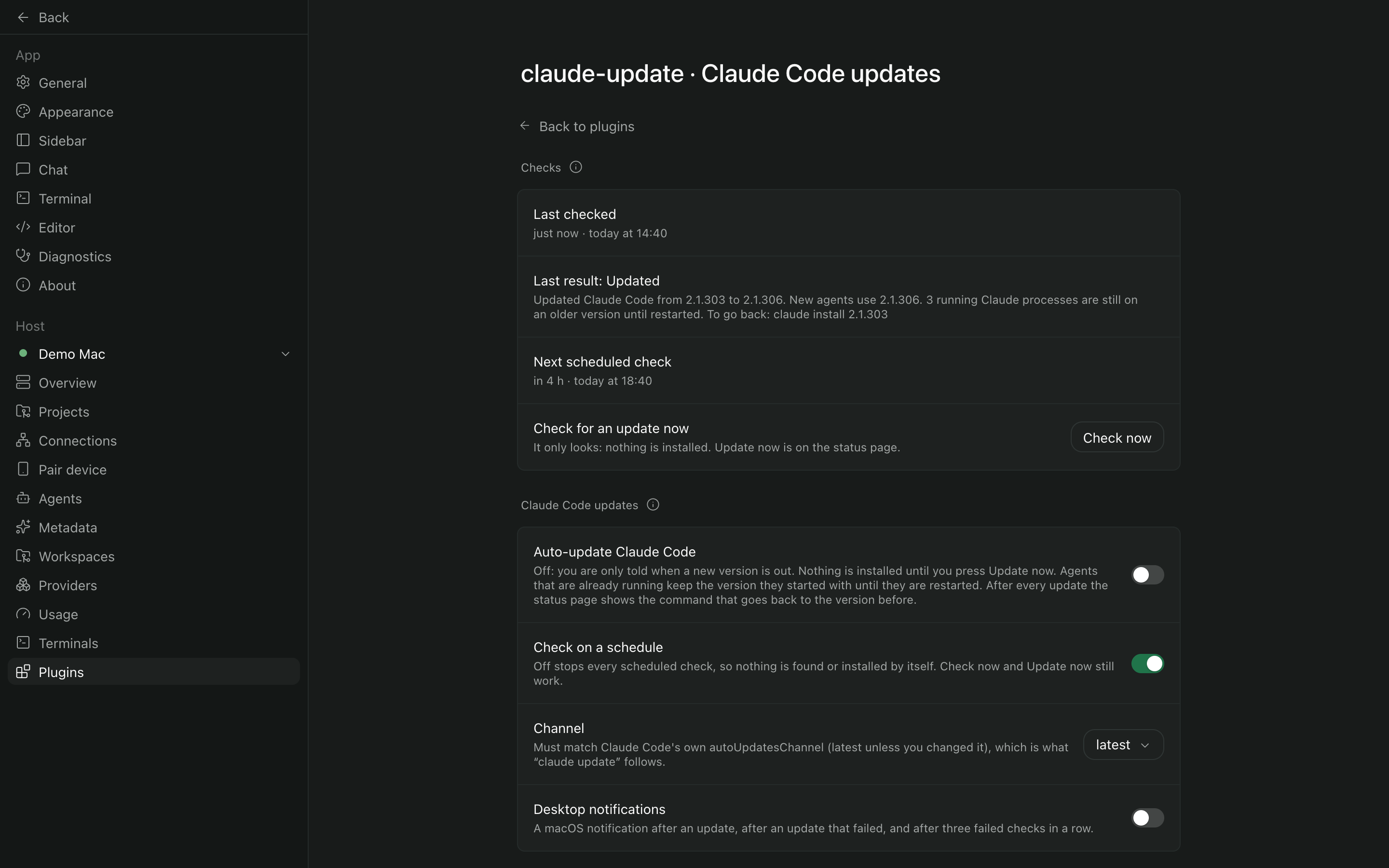
Keeps the Claude Code CLI up to date on the machine the Paseo daemon runs on, and shows which running agents are still on an old version.
Claude Code updates itself only from its interactive terminal interface. Paseo runs claude without
one, so on a machine that uses Claude mostly through Paseo the CLI falls behind, and new models that
need a newer CLI go missing. This plugin checks for a new version on a schedule and tells you, and
once you allow it, installs it with the CLI's own updater.
What you get
| A sidebar row | "Claude Code updates" opens the status page. Its title names something to act on: "Claude update ready", "Claude update failed", "Claude pin mismatch", "Claude channel issue". |
| A status page | When the last check was, how it ended, when the next one is, "Check now" (looks only) and "Update now" (installs). The auto-update switch, the installed and target versions, the release notes for the update, the command to go back, and the Claude Code processes still on an older version. |
| A settings screen | The same "Checks" lines and "Check now", the auto-update switch, the schedule, the channel, a version pin, the path to claude and desktop notifications. |
| Command Center items | Open the status page, check now, open the settings. |
Installing software
The plugin installs new Claude Code releases, and only in two cases: when you press "Update now", and on the schedule after you turn on "Auto-update Claude Code". That switch is off after installing the plugin, so a fresh install only tells you that an update is out and changes nothing.
Installs run Claude Code's own commands from Anthropic: claude update, and claude install <version> for a version pin or to go back. The plugin never downloads a binary itself and never
writes to the install. claude install rewrites installMethod, autoUpdates and
autoUpdatesProtectedForNative in ~/.claude.json. Running agents keep the version they started
with until they are restarted; the plugin restarts nothing.
What it reads, runs and stores
| Network | Two reads, nothing sent: the release channel's version pointer at downloads.claude.ai, and the Claude Code changelog on raw.githubusercontent.com for the release notes. |
| Programs | claude --version, claude update, claude install <version>; ps and lsof to list Claude Code processes and their versions; osascript for a macOS notification. Every one is started directly, without a shell. |
| Process environments | ps shows each process's environment. The plugin takes only PASEO_AGENT_ID from it, to match a process to its agent, and stores and logs nothing else. |
| Files read | ~/.claude/settings.json, for Claude Code's own update channel. Never written. |
| Files written | Its state, history, release notes and log under $PASEO_HOME/plugin-data/claude-update/. |
Requirements and limits
- Paseo 0.10.3 to 0.12, with plugins enabled.
- Claude Code installed with its native installer on the daemon host. Homebrew, WinGet and npm-based installs of Claude Code are not handled.
- Tested on macOS. The process list and desktop notifications are macOS only; Linux and Windows are untested.
claude updatefollows Claude Code's ownautoUpdatesChannel. To followstable, set it there as well as in the plugin; the plugin tells you when they differ and installs nothing.- Checks run only while the daemon runs and the plugin is enabled.