Tmux manager
List tmux sessions on your Paseo host, attach through a terminal, create new sessions, and close sessions after confirmation.

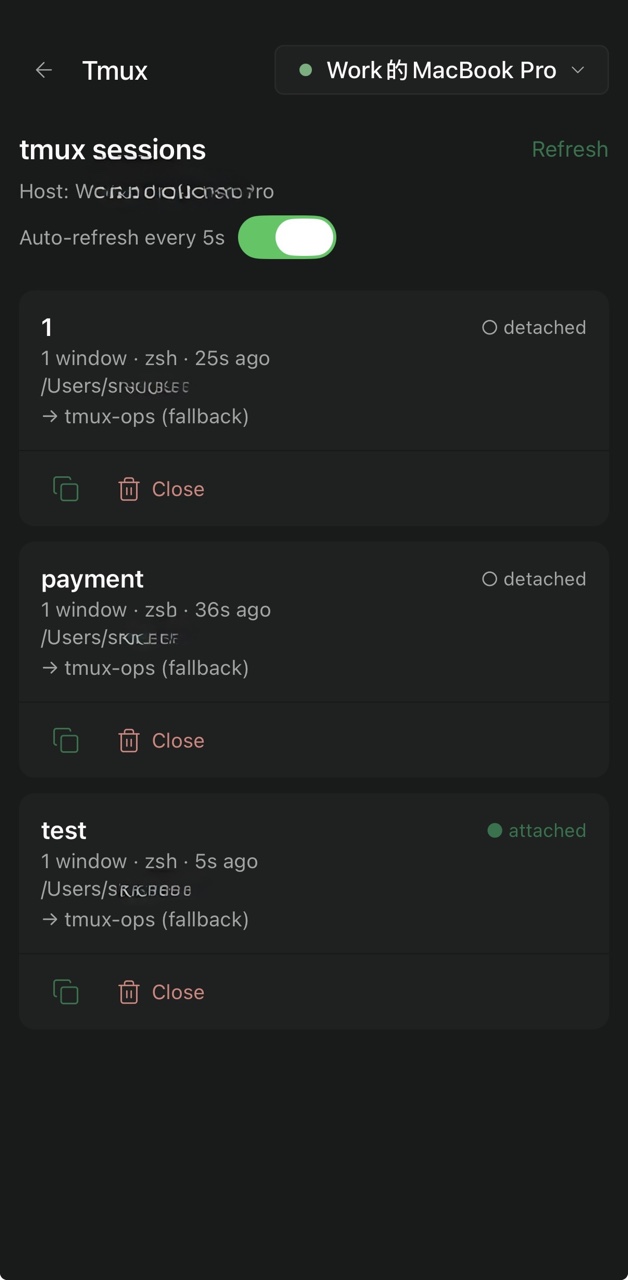
tmux-manager lists the tmux sessions running on a Paseo daemon host and lets you
attach to any of them from any Paseo client, including mobile. Tapping a session
opens a Paseo terminal that runs tmux attach-session, so the phone becomes
another client of a session that iTerm2, Kiro, or Codex are already using.
Closing the Paseo terminal detaches that client; the tmux session and everything running inside it keep going. Reopening and attaching again restores the live screen. The plugin can also create a new empty session from a name you type (and attaches to it at once), and can close a session on request; it never creates or kills sessions otherwise.
Each session is bound to a workspace by its working directory: an exact match to a workspace directory, otherwise the registered project that contains it, otherwise a single catch-all "tmux-ops" workspace. The binding decides which workspace the attach terminal opens in; it does not move or rename sessions.
Requires tmux on the daemon host and Paseo 0.15.0 or later. macOS and Linux
daemons. The daemon runs tmux list-sessions, tmux list-panes,
tmux new-session, and tmux attach-session; session names are validated before use and commands run
without a shell.