Kiro Usage
Show Kiro account credits in Paseo Usage

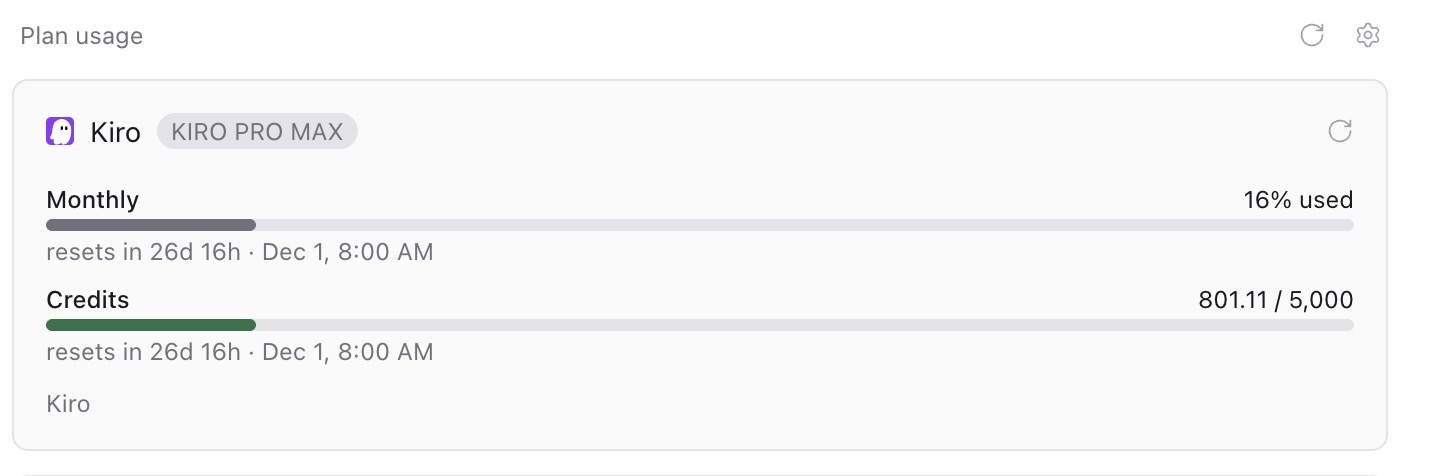
Kiro Usage shows your Kiro account’s monthly credit usage, remaining credits, reset date and available bonus credits in Paseo’s Usage view. These are account quotas, rather than an individual agent’s token count.
Requires Paseo 0.15 or later and an installed, signed-in Kiro CLI on the daemon’s host. The plugin finds kiro-cli through KIRO_CLI_PATH, the user’s local bin directory or PATH. Use separate KIRO_HOME directories for separate accounts. Open Usage to see the report; paseo usage ls --refresh requests a fresh report from the daemon.
A refresh starts the local CLI with the selected Kiro home and requests account usage through its V3 ACP interface. If that interface is unavailable, it falls back to the CLI’s V2 /usage command, which can create an empty Kiro history entry. Authentication and malformed usage responses are reported as errors. Reports use Paseo’s normal usage cache.
The CLI inherits the daemon’s environment and uses its existing Kiro authentication to contact Kiro. The plugin reads executable locations and account-home configuration, parses the CLI’s usage response and returns it to Paseo; it does not directly read credential files or send data to a separate service. Session lookup applies to the kiro provider. Sessions with a private KIRO_API_KEY different from the daemon’s key are omitted, and account grouping is based on the Kiro home directory.