
Playwright Pulse
A live dashboard in Paseo for a worktree's Playwright test run.

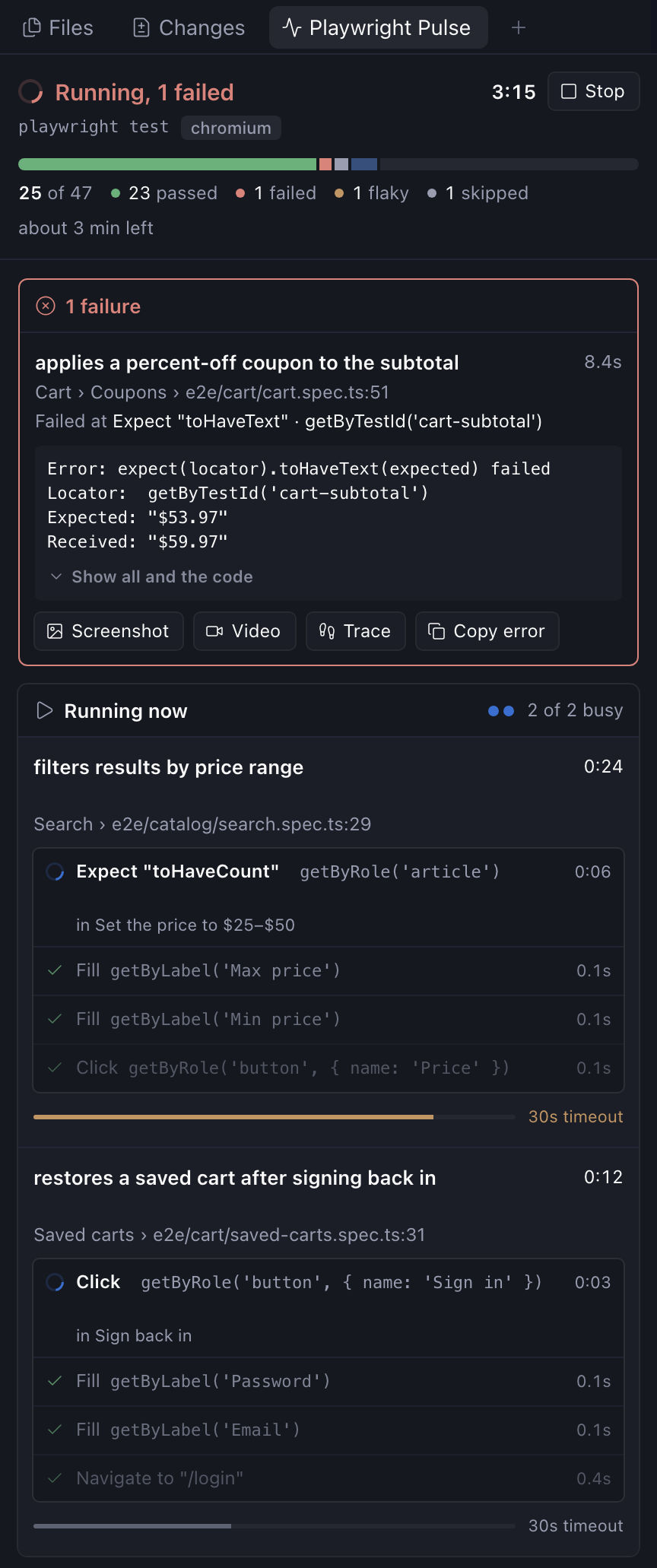
Playwright Pulse shows a worktree's Playwright test run live, inside Paseo. You see the test running now and its current step, how far through the run you are, and each failure with its error, screenshot, video and trace. Needs Paseo 0.11 or later.
While tests run, the workspace header shows a pill with the count so far. Press it to open the Pulse panel.
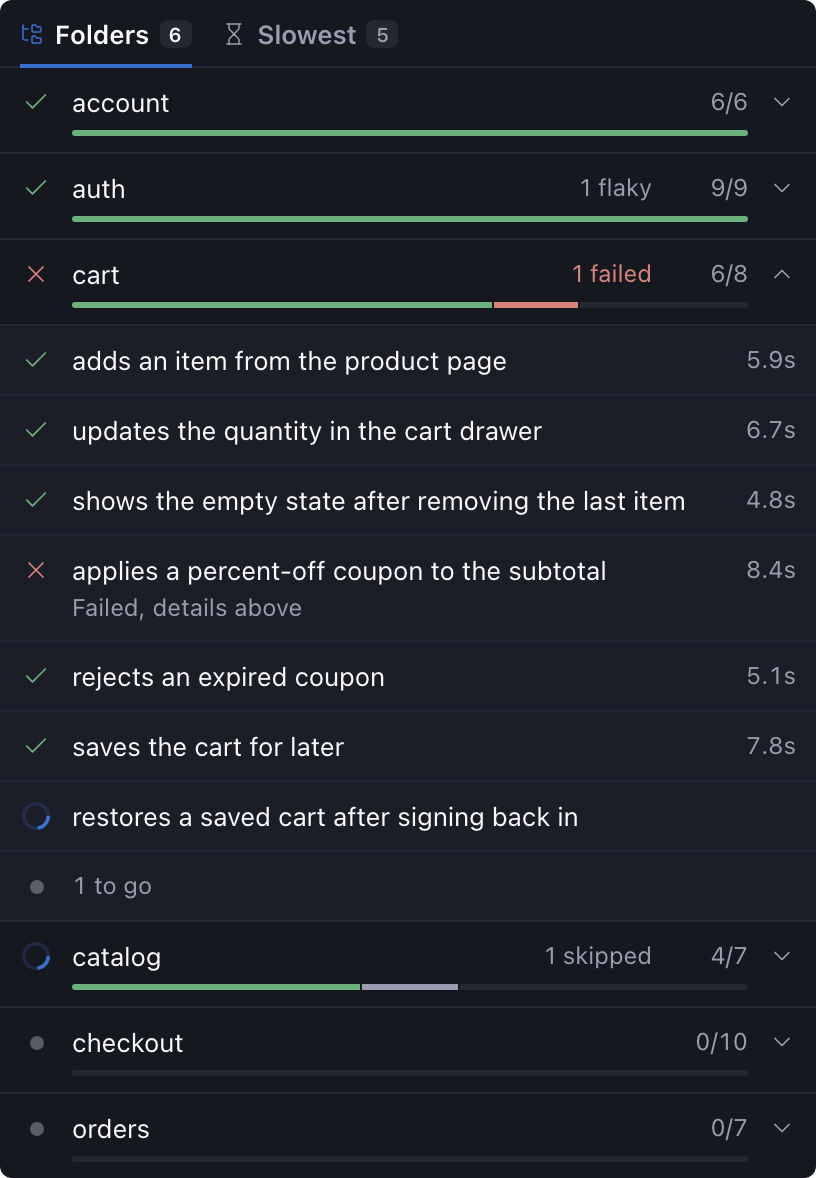
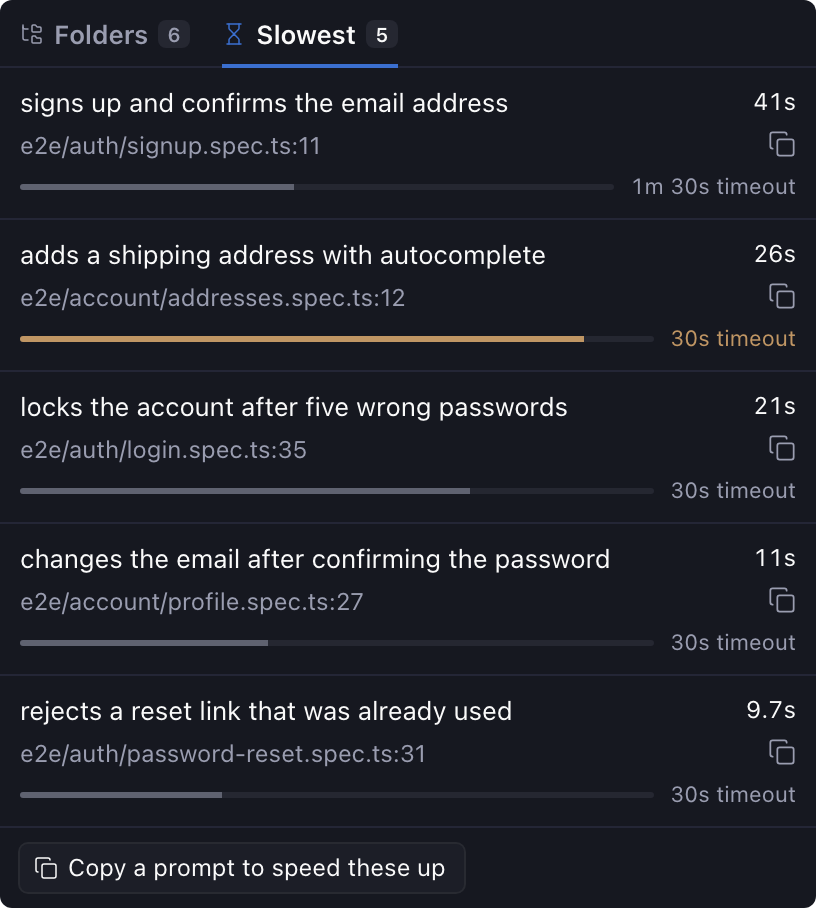
The panel gives each worker a row with its test's live step and how much of the test's timeout it has used. Its heading counts how many workers are busy. The rows keep a fixed size, so the panel doesn't jump while you read. Failures stay pinned at the top, one at a time, with the failing step and the code around it. Buttons preview the screenshot, open the video or the trace, or copy the error. A Stop button ends the run the way Ctrl+C would. Below that, tabs break the run down by folder and list the slowest tests, and an estimate shows the time left. From the slowest tests you can copy a test's file and line, or a prompt that asks an agent why they're slow.
Playwright reports to Pulse through a reporter that you add to playwright.config.ts. The plugin keeps the reporter file in ~/.local/share/playwright-pulse/ while it runs. Copy the config from the README's Setup section. The reporter saves each run under ~/.local/state/playwright-pulse/, outside the repo, so git never sees it. If the reporter can't save, it skips that save and your tests carry on. While Paseo is closed, your runs print as usual.