History
Inspect chat messages, tools, and raw session records from a composer pill in Paseo.

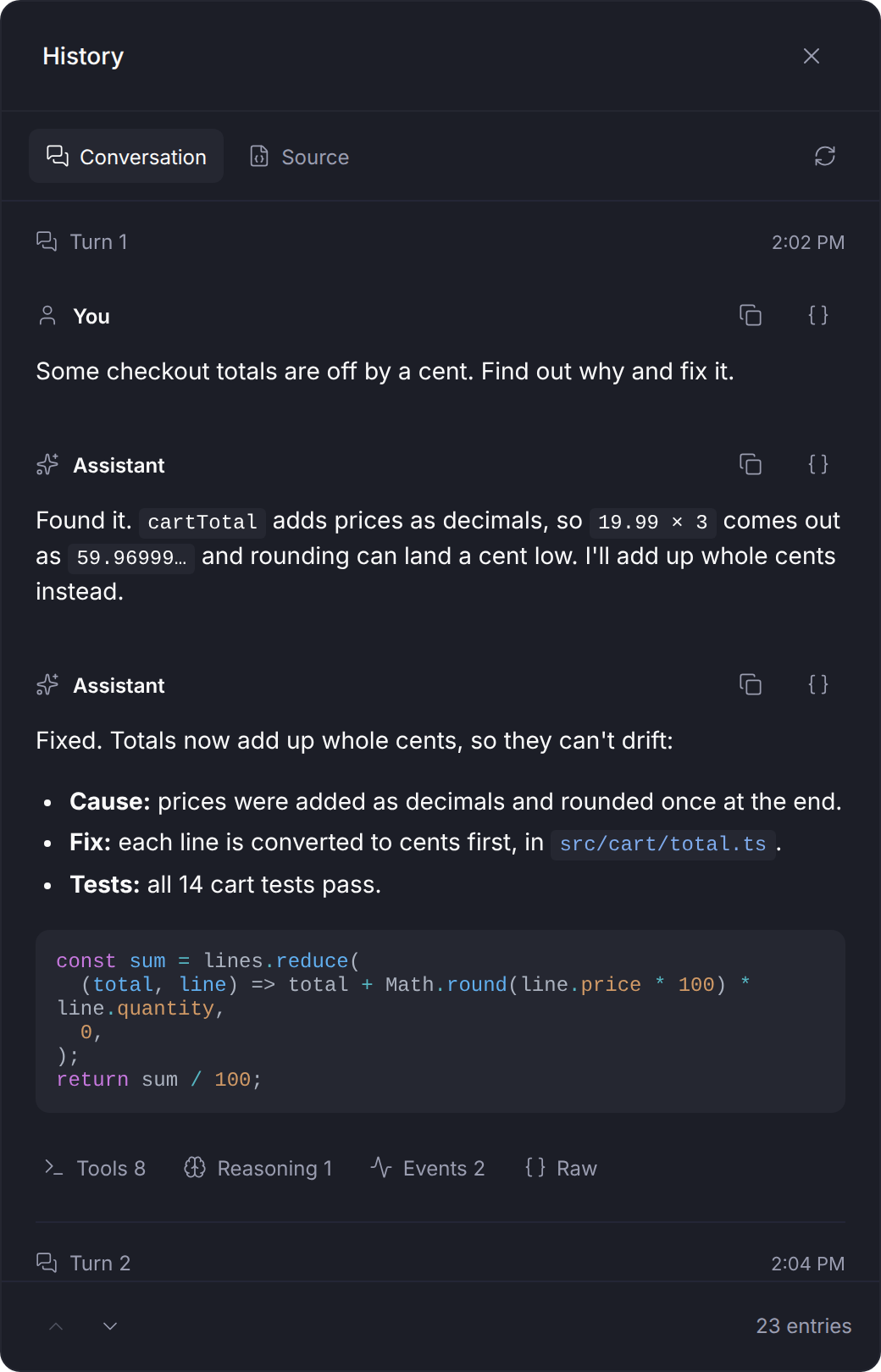
History adds a History pill to the message composer. It opens the session log that Codex, Claude Code, OMP or OpenCode saved for the chat, which can differ from what Paseo shows. Needs Paseo 0.13 or later.
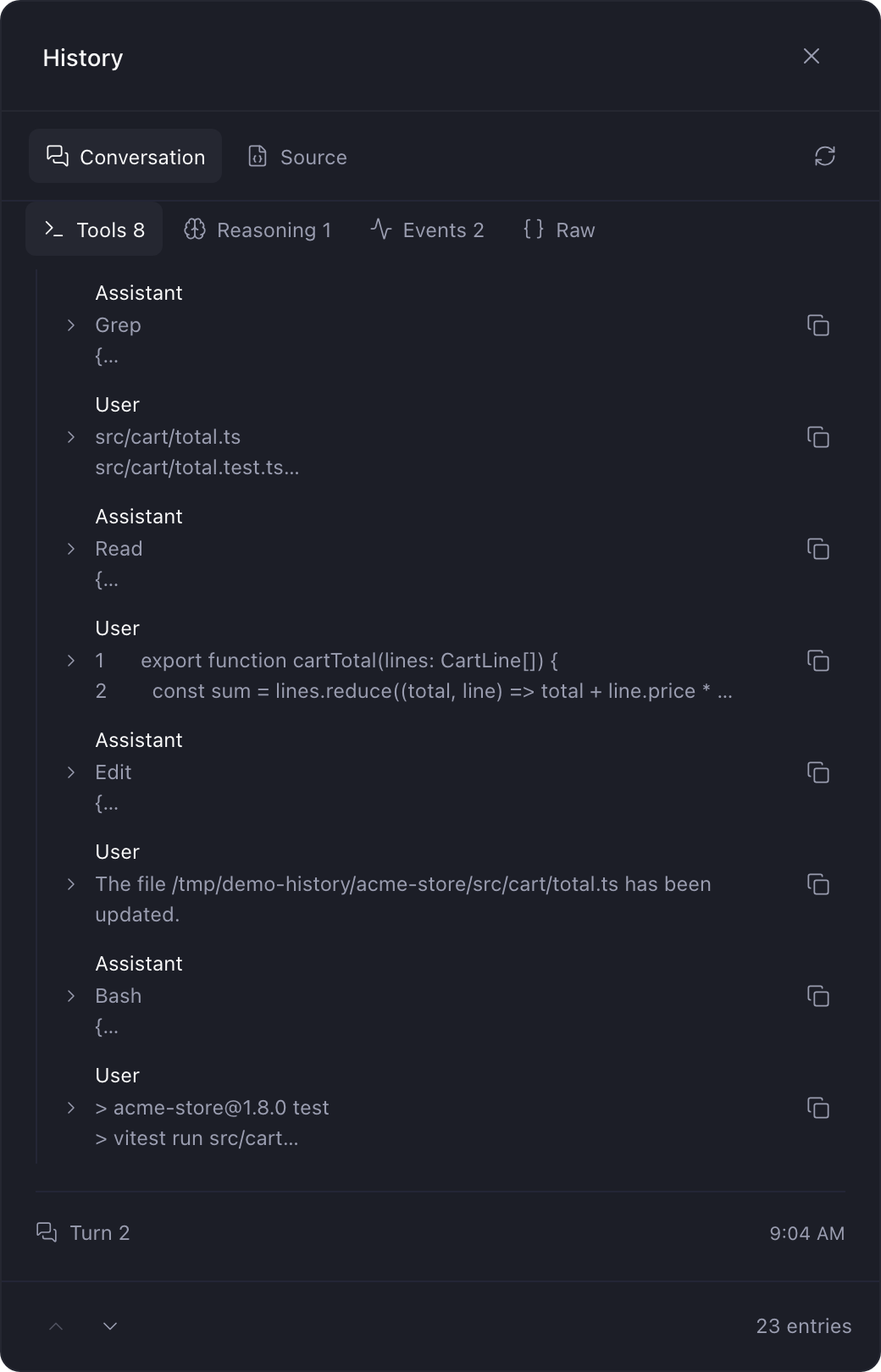
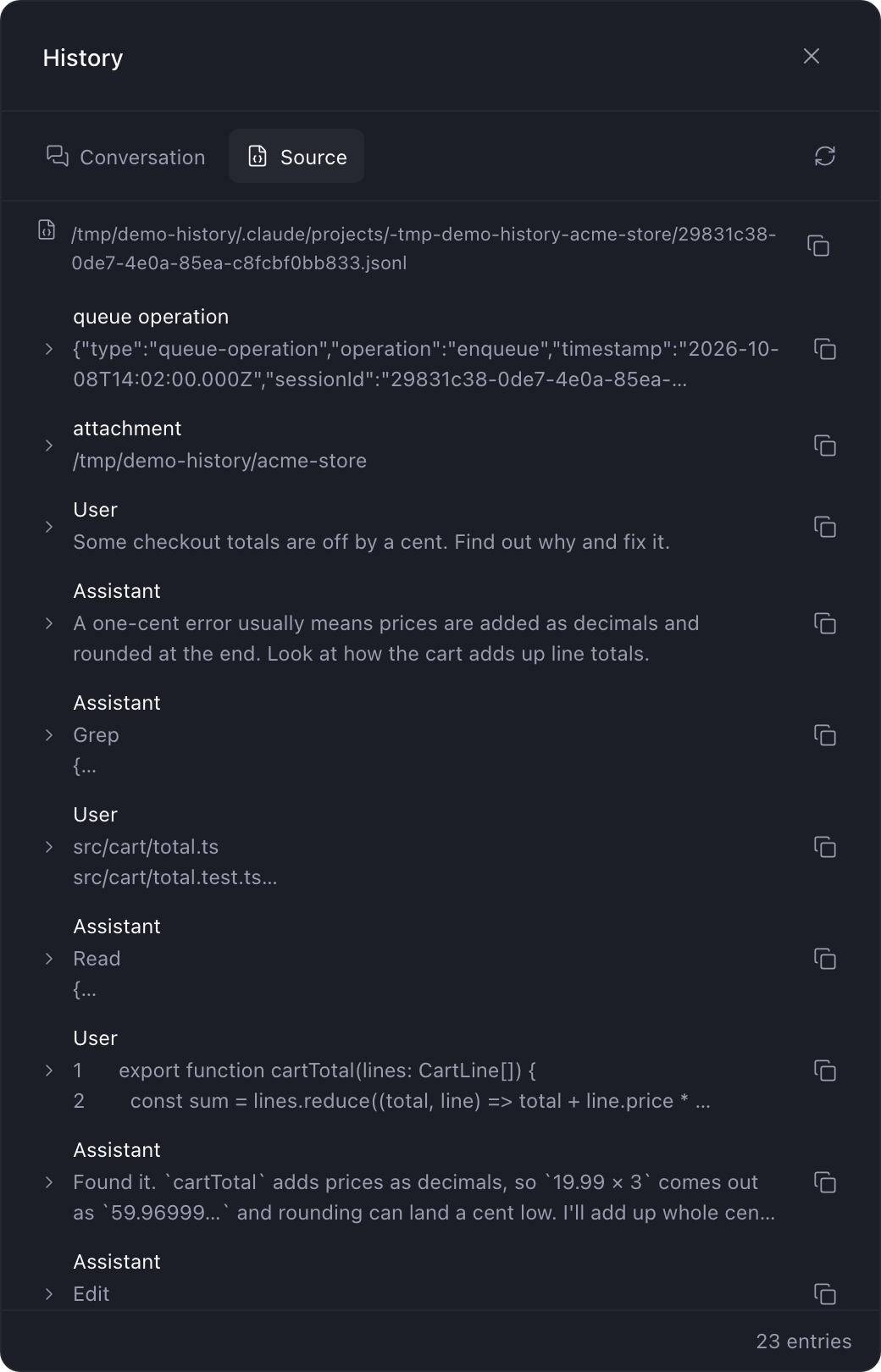
The Conversation view groups the log into turns and shows your messages and the agent's replies. Tags under each turn open its tool calls, reasoning, context and other events, and Raw shows every record in the turn. The Source view lists the original records and the log's file path. You can copy any message as Markdown, or copy its raw JSON.
The window reads the log from the start, one batch at a time. Press More for the next batch, or Refresh to read it again after the chat moves on. It doesn't update by itself, and there's no search.
The plugin reads these logs on the computer running the Paseo daemon and never changes them:
- Codex logs come from
CODEX_HOME,~/.codexby default, and include archived sessions. - Claude Code logs come from
CLAUDE_CONFIG_DIR,~/.claudeby default. - OMP logs come from the session file Paseo resumes the chat from, wherever OMP saved it.
- OpenCode history comes from running
opencode export --pure, soopencodemust be on the daemon'sPATH.
Custom providers that extend Codex, Claude Code, OMP or OpenCode in ~/.paseo/config.json work too. When a provider sets CODEX_HOME or CLAUDE_CONFIG_DIR in its env, the plugin reads that folder, so each Claude Code profile shows its own sessions.
Messages use Paseo's Markdown, so links and images in them work the same way they do in the chat, and an image with a web address loads from the web. The plugin makes no other network requests. Chats from other providers still get the pill, but the window only says their history isn't supported yet.