
Paseo Accounts
Add separate accounts and profiles to Paseo providers, with in-app sign-in and usage readings for Claude and ChatGPT.

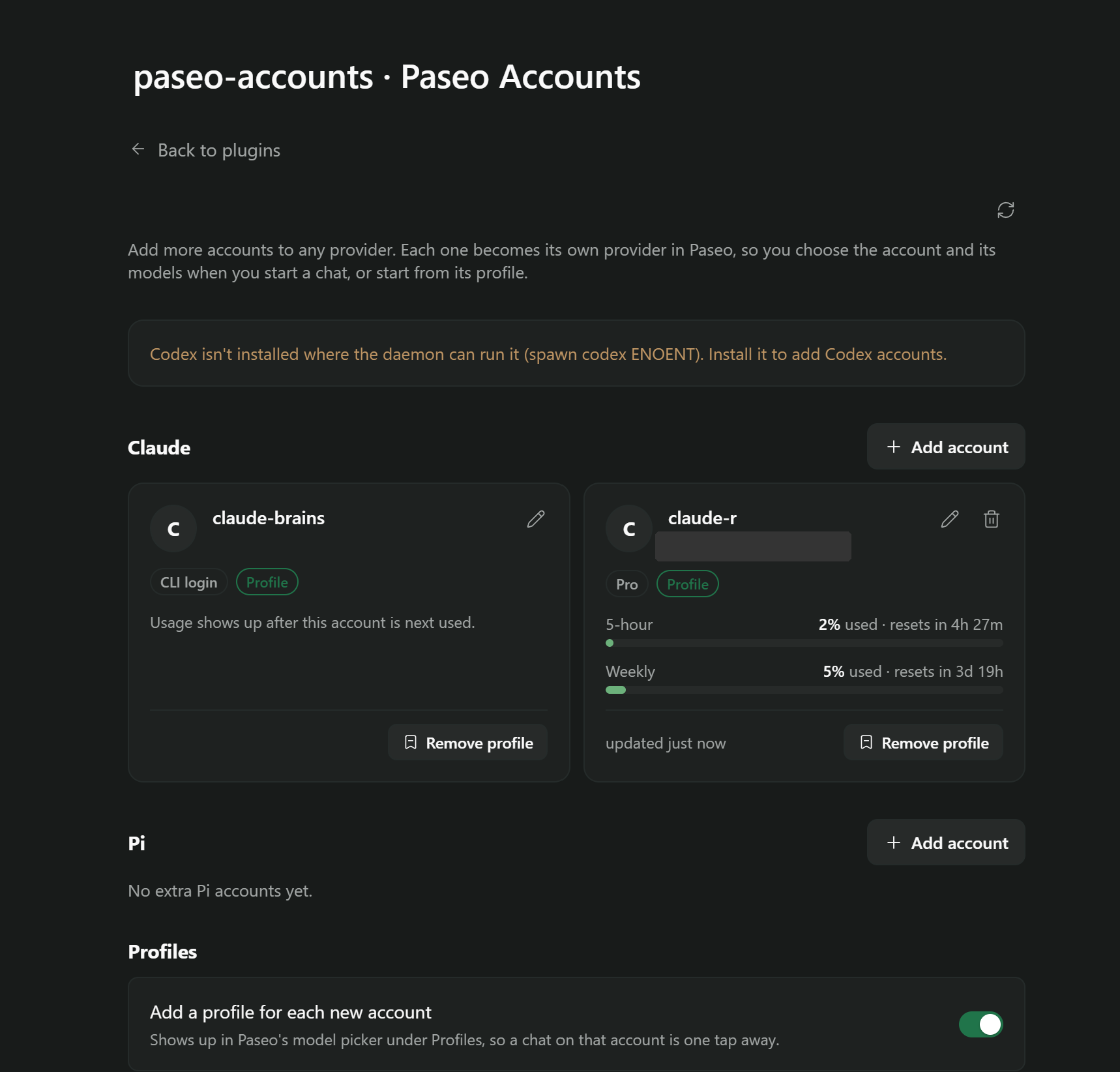
Paseo Accounts adds separate accounts to built-in Paseo providers. Each added account appears as its own provider in the model picker, with an optional profile for starting chats. Claude and ChatGPT (Codex) accounts have in-app sign-in and usage readings; other providers use the environment variables you supply. An agent stays on the account it started with, with no automatic account switching or failover.
Setup
Requires Paseo 0.9.1 or later. Claude and Codex accounts also require their existing CLIs on the daemon host. Open Settings → Plugins → Paseo Accounts, choose Add account under a provider, and finish sign-in. Browser callbacks require a browser on the daemon host's computer; code sign-in works from other devices. ChatGPT device-code login must be enabled in the account's security settings. For other providers, enter an account name and one KEY=value environment variable per line, such as an API key or configuration directory.
Choose the added provider or its profile when starting a chat. Profiles are created by default; the settings let you disable this or add and remove profiles individually. Each daemon host keeps its own accounts, so sign in separately on each host.
Data and permissions
The plugin runs the configured Claude and Codex commands to check availability, read account identity and usage, and handle sign-in and sign-out. Claude usage reads the account's OAuth token from its credential file or macOS keychain and sends it to Anthropic's usage endpoint. Explicit usage refresh can ask Claude Code to renew an expired sign-in. Codex account and usage requests go through its local app-server process. Usage and account labels, emails and plans are saved locally; account details and usage readings are displayed in connected Paseo clients. Agent requests continue to use the selected provider.
Added Claude and Codex accounts receive separate credential homes under the Paseo home. Non-account settings, skills, MCP configuration and conversation history are shared with the main CLI home through links and configuration synchronization. Codex thread metadata also shares the main database location. Shared Claude settings that specify an API key or apiKeyHelper apply to added accounts too. MCP servers using OAuth require sign-in for each Claude account. Environment variables for other providers are stored in Paseo's provider configuration.
Removing an added account deletes its provider and matching profiles, signs it out and removes its credential home. The confirmation warns that running agents on that account stop working; archive them first. Shared conversation history is retained, and the main CLI login cannot be removed through this plugin. Remove added accounts before uninstalling the plugin, so their provider entries and sign-ins are cleaned up.
Limits
Usage readings are subject to provider rate limits and caching; an idle Claude account can show its last reading until it is used or refreshed. Other providers have no sign-in or usage support in this plugin. The author reports that the version 2 provider rework has not yet been exercised against a live daemon, Linux support is expected and Windows is untested. This registry review is static and does not verify those runtime flows.