
PigMonitor
PigMonitor in Paseo: teams, workers and sessions, as piggery top shows them

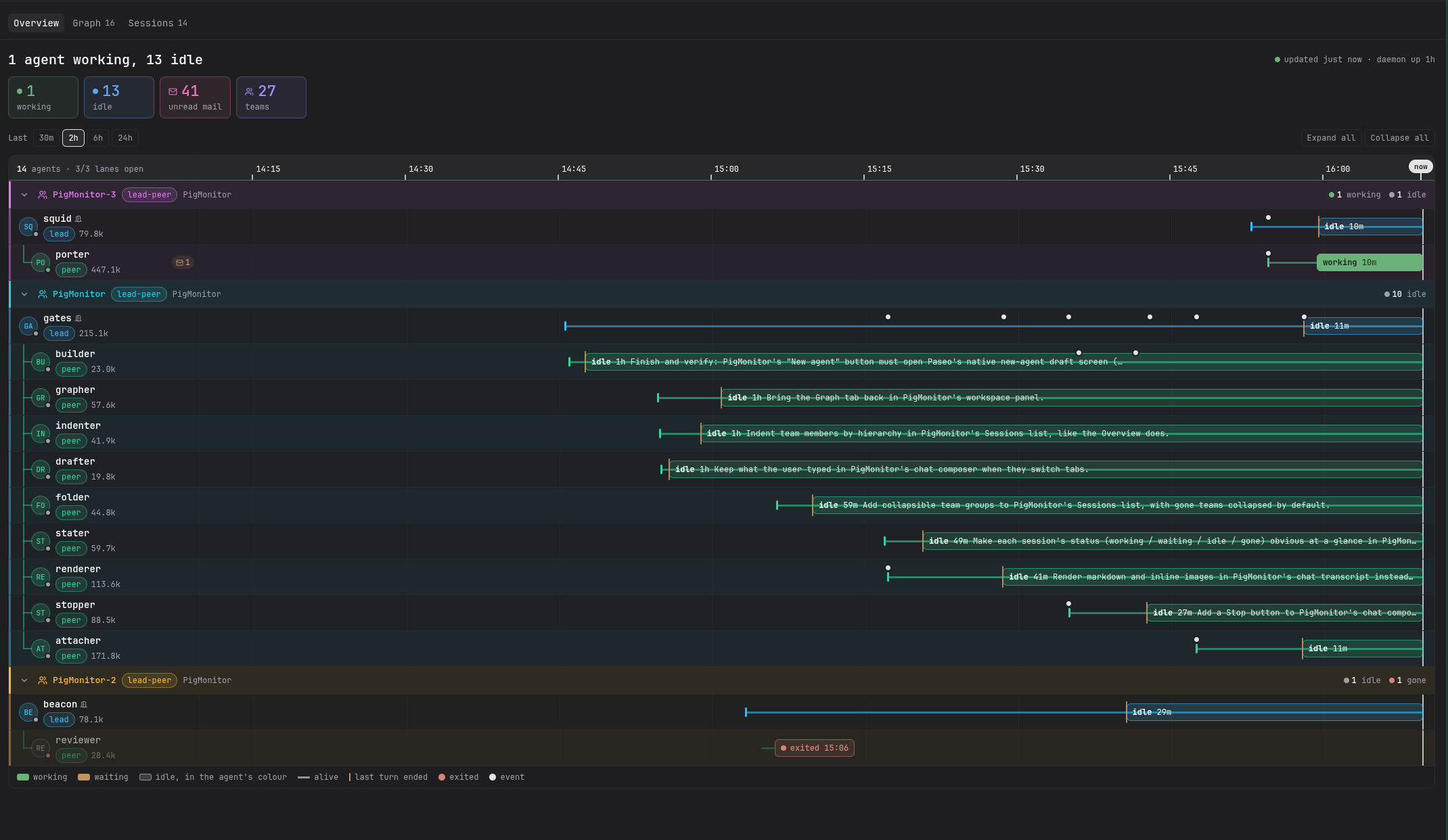
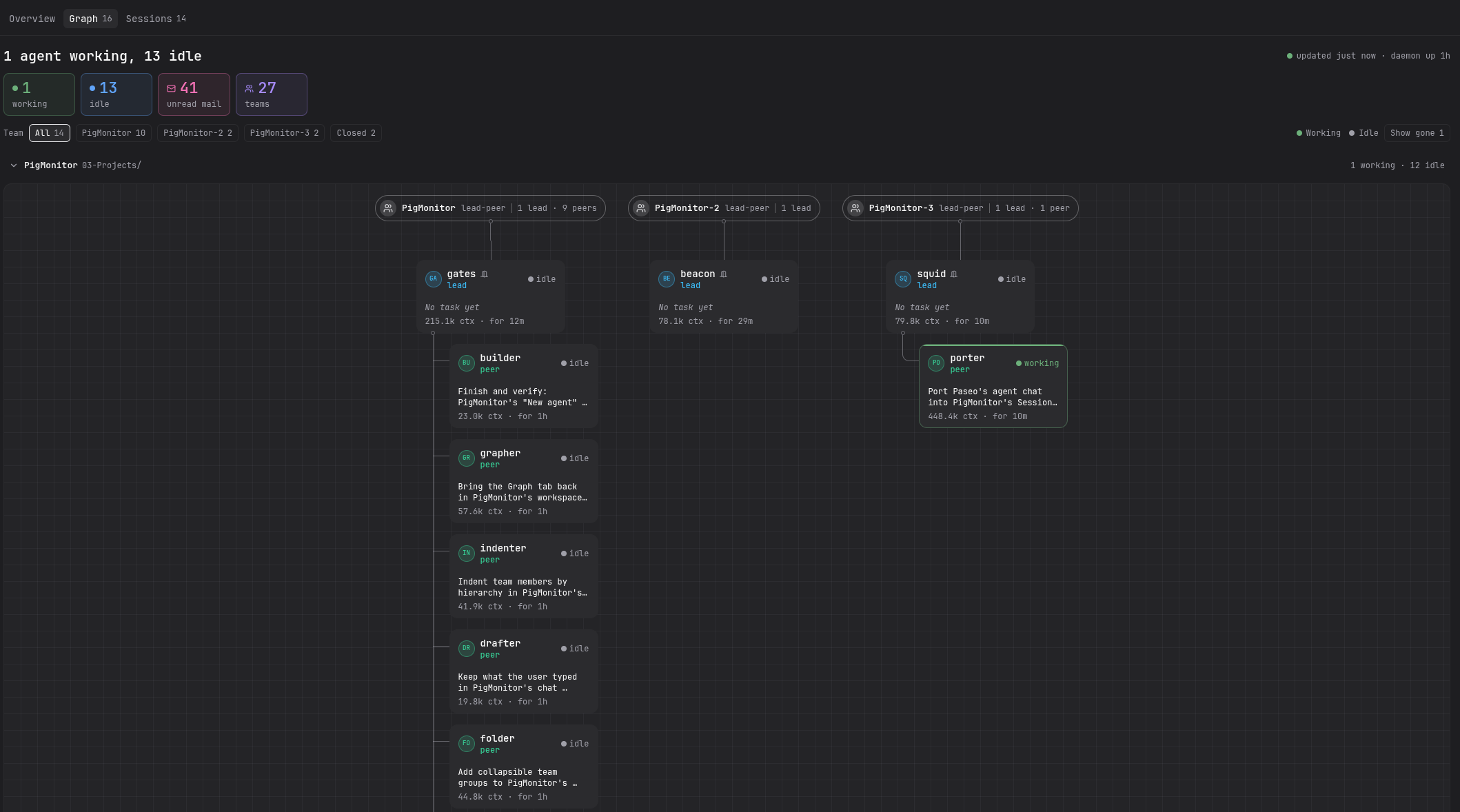
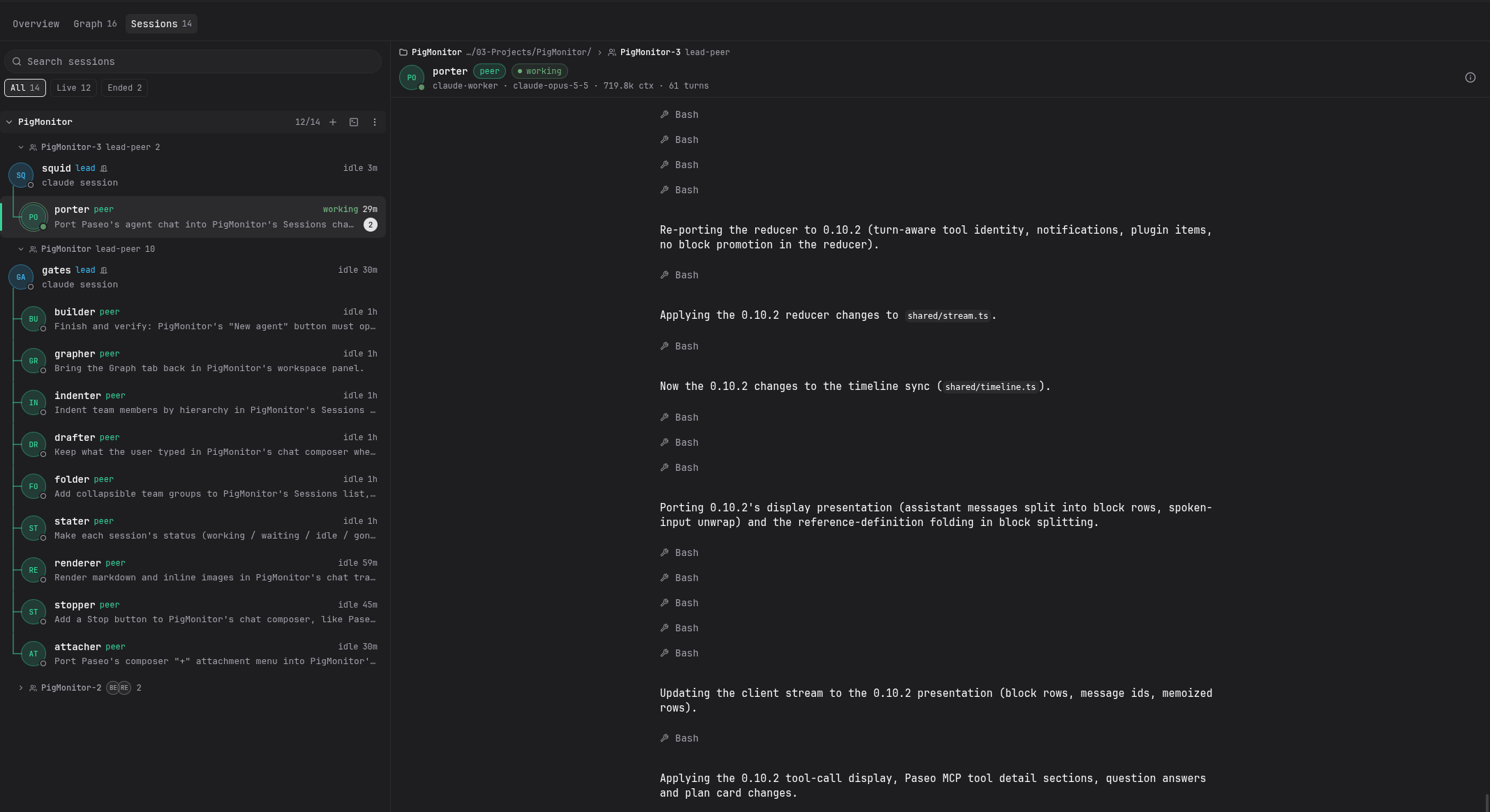
PigMonitor shows your piggery agent teams inside Paseo: who is working, who is waiting on you, what each agent did, and the mail between them.
The Overview tab is a timeline of every team and agent, coloured by state. The Graph tab draws each team as an org chart. The Sessions tab lets you read an agent's transcript and mail and write to it, with pasted images attached, stop its current turn, and resume an ended Claude session in Paseo. Any agent or team opens a detail dialog. The same views are available as a workspace panel scoped to that workspace's directory.
Setup: PigMonitor needs Paseo 0.11.0 or newer. piggery must be on the Paseo daemon's PATH, or set its full path in Settings → PigMonitor. The Sessions tab reads piggery's database at ~/.piggery/piggery.db (piggery's home), or the path set in the same settings screen. Node 22.5 or newer is needed for its SQLite reader.
Looking only reads: it runs piggery ps and piggery tail with --no-start, so it never starts a piggery daemon, and opens the database read-only. While Paseo runs, the plugin asks piggery ps every 5 s and keeps each agent's state changes for the timeline in ~/.paseo/plugin-data/pigmonitor/states.json (the last 7 days). Avatar pictures you upload in Settings are kept in ~/.paseo/plugin-data/pigmonitor/avatars. These buttons change agents through piggery, only where piggery allows it: Stop (piggery abort), and in a worker's menu Switch model or thinking (piggery model), Kill worker (piggery kill), Resume in its team (piggery resume) and Release held mail (piggery release). Kill, model and resume ask first. For a session open in Paseo, the chat's own Stop, Rewind and model, mode and thinking controls act on that Paseo agent, and Resume in Paseo imports an ended Claude session (paseo import). Sending mail registers the plugin as its own piggery person.