Better Sidechat
Universal AI sidechat for Paseo supporting Claude, Codex, Copilot, OpenCode, Kimi, and all Paseo providers — synced with host theme, language, thinking, and collapse settings.
$ paseo plugin add norman-else/better-sidechat

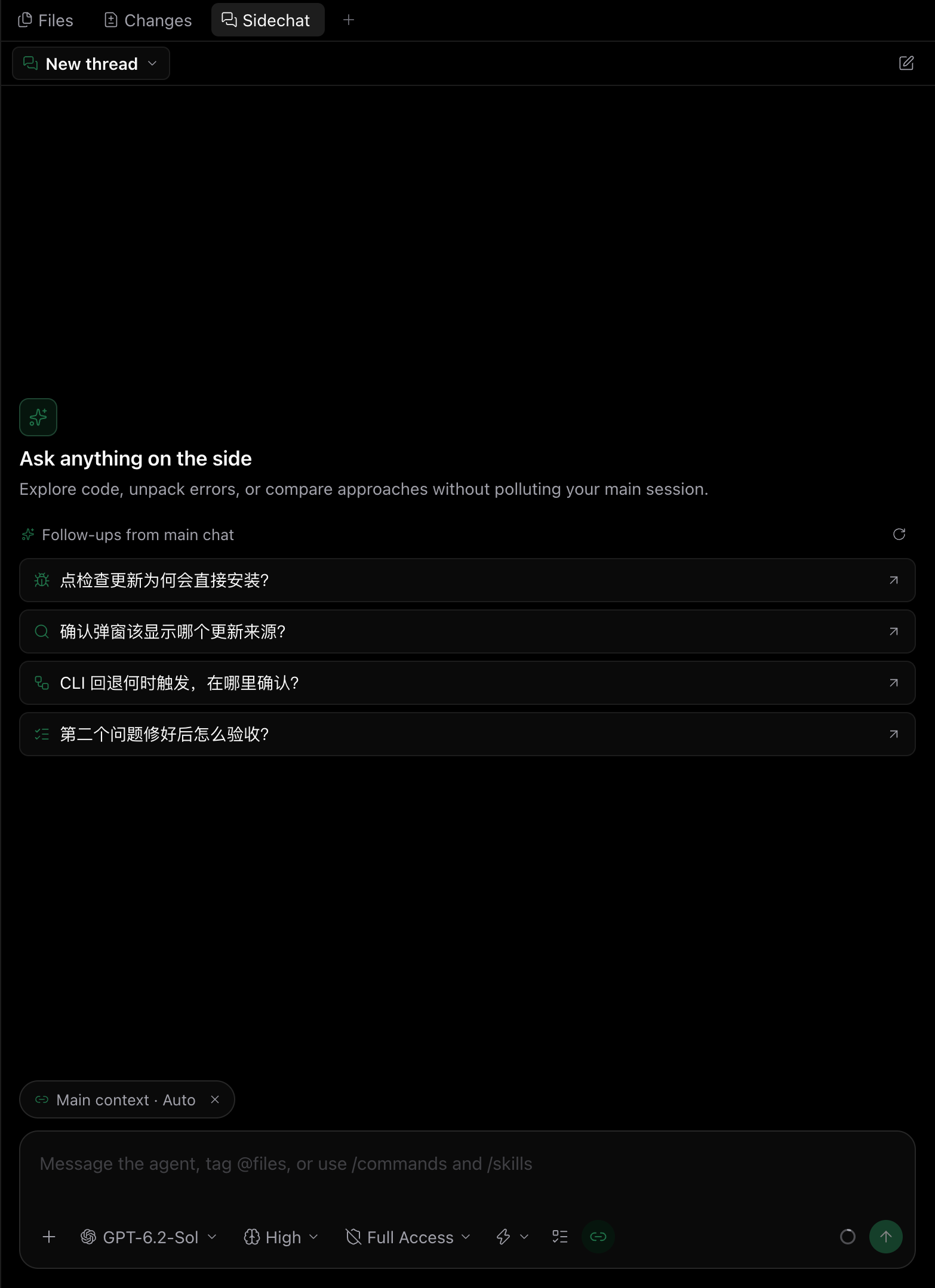
Ask any Paseo AI model side questions right beside your main coding session without interrupting or polluting your primary context.
Highlights
- Universal multi-provider sidechat: Supports every enabled Paseo provider and model — Claude, Codex, GitHub Copilot, OpenCode, Kimi, Antigravity, MiniMax, Cursor, and custom ACP/plugin providers — inheriting your active main session's model and thinking level automatically or switching across providers on the fly.
- Contextual follow-up suggestions & selection quoting: Automatically generates 4 follow-up prompts tailored to your active main session on a new thread, attaches a bounded digest of recent turns and touched files when enabled, and offers one-click quoting when you highlight text in the main chat or diff.
- One-click handoff back to main session: Insert sidechat conclusions into the main composer for review or send them straight to your main session.
- Automatic Paseo timeline plugin hosting & native alignment: Dynamically runs installed Paseo timeline plugins (such as
Gen-UI), aligns with Paseo's native bottom composer and+attachment sources, and follows your active Paseo language, theme, fonts,Always expand reasoning,Chat displaycollapse mode,Chat outline, andSend shortcutin real time.
Data Disclosure & Context Controls
- Cross-provider data transfer when main context is attached: When main-session context is turned on (default: first message of a new thread), Sidechat reads recent turns from the parent main session and sends the conversation digest and touched file names (plus any quoted text or attachments you add) in the prompt to your selected Sidechat provider — including when you switch Sidechat to a different provider than your main session. When AI follow-up starter suggestions are enabled on New thread, a recency-weighted digest of the main session is likewise sent to the selected suggestion model.
- How to inspect or turn it off before sending:
- Per-message / before sending: Click the
Xbutton on theMain context · Auto/Main context · Onpill above the composer, or click the link icon in the composer toolbar to switch toMain context · Off. Click the pill itself at any time to preview the exact digest before sending. - Change the default in Settings: In Better Sidechat plugin settings, set Attach main session context to Only when toggled manually, and set Follow-up suggestions model to Instant local extraction only (no AI call) if you do not want any main-session summary sent for starter prompts.
- Per-message / before sending: Click the