Claude & Codex Accounts
Claude & Codex Accounts for Paseo: move a chat to another Claude account mid-conversation, or let it move when an account hits its limit (opt-in).

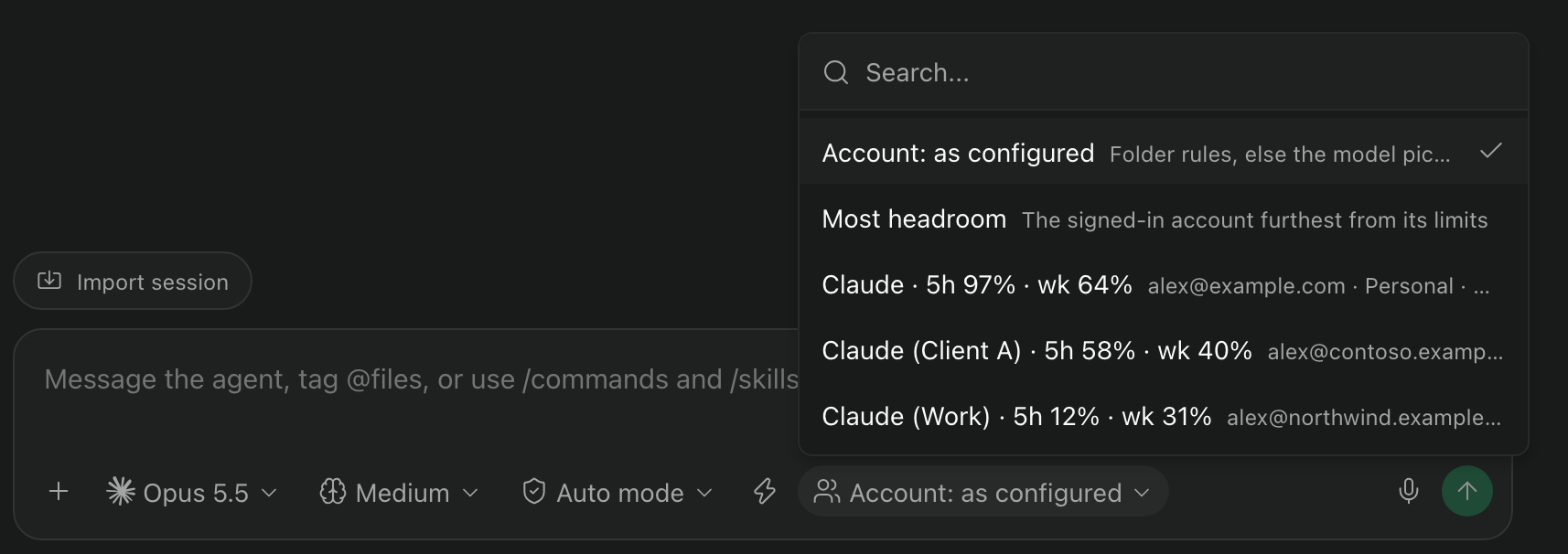
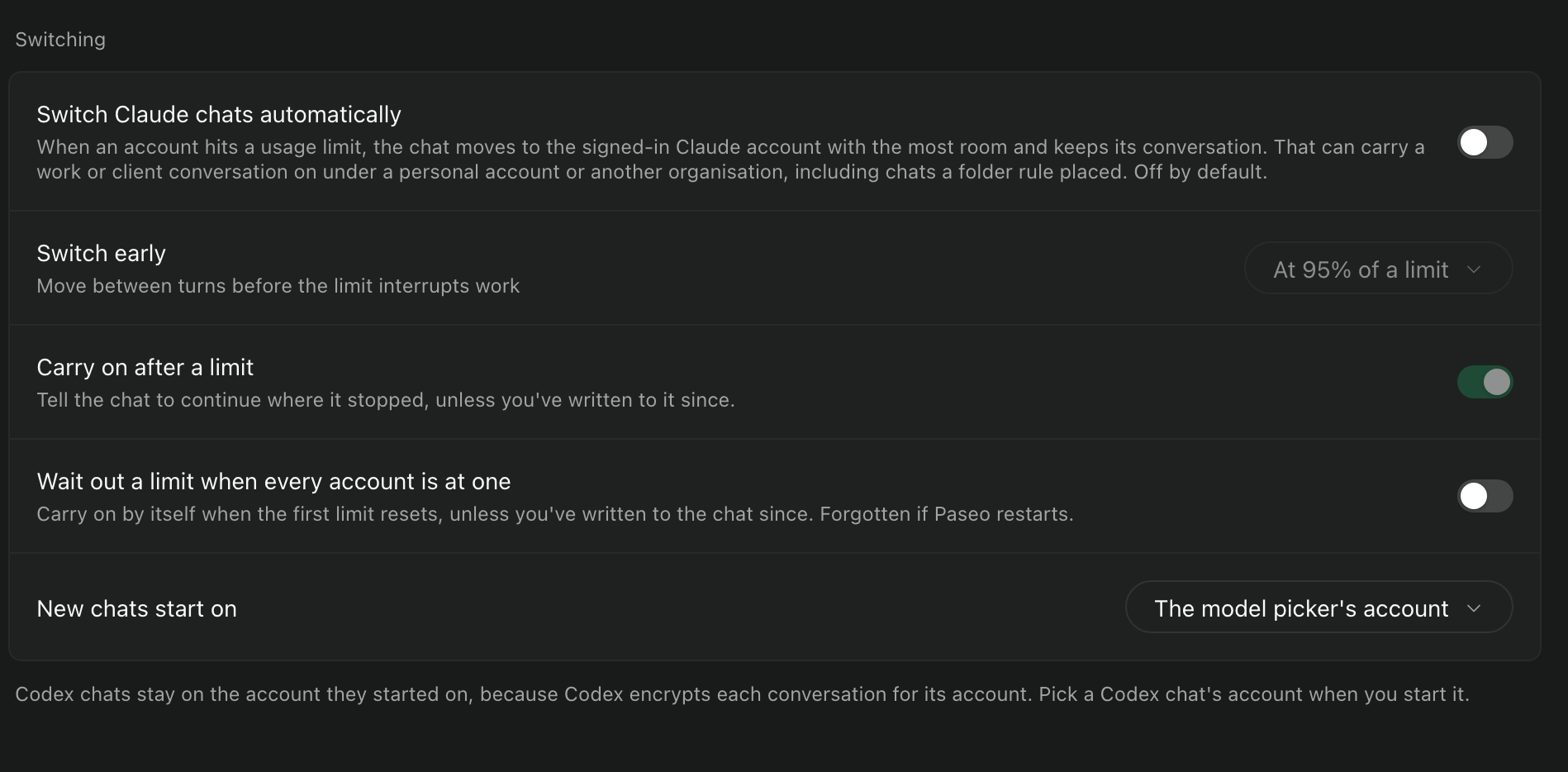
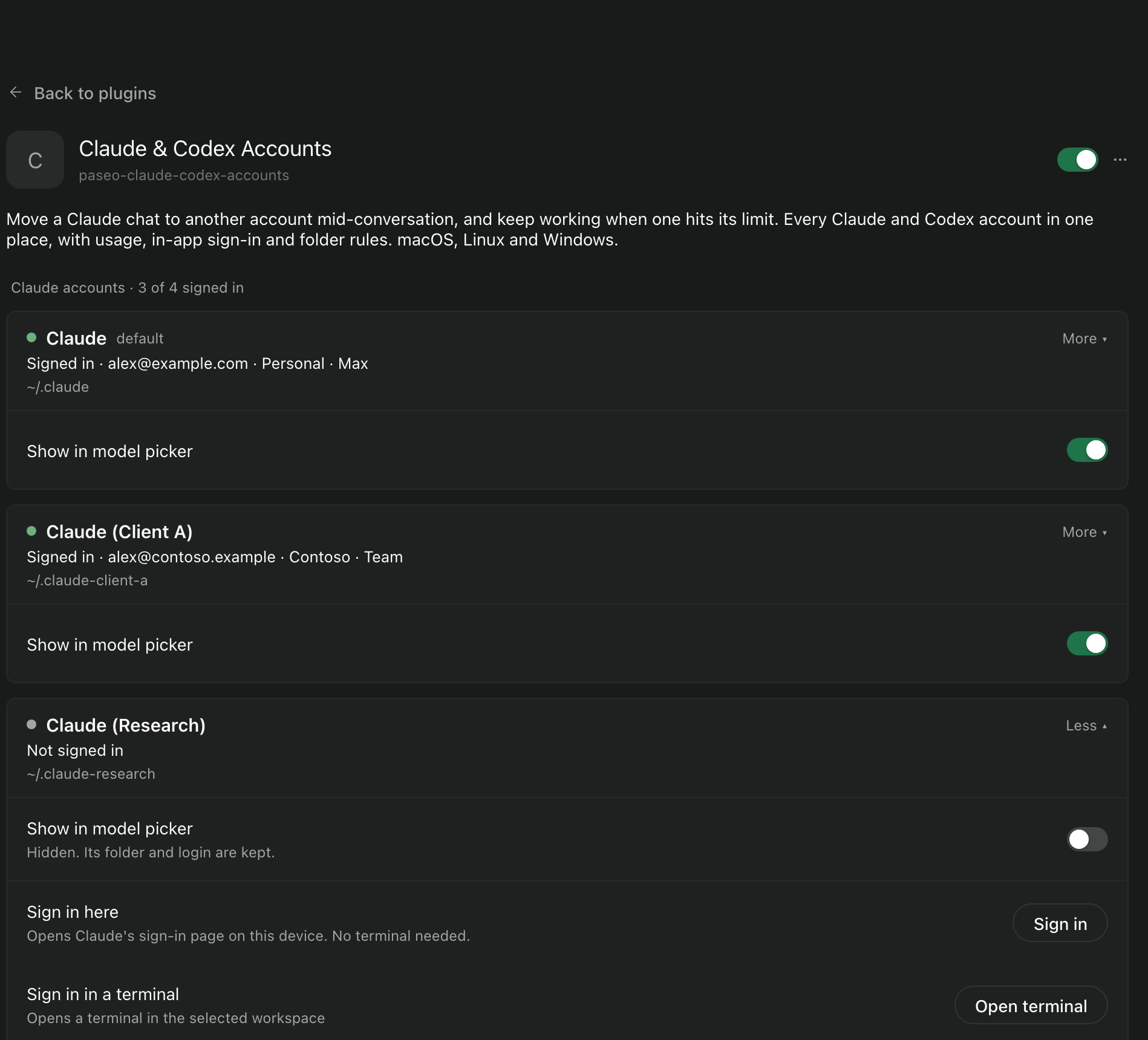
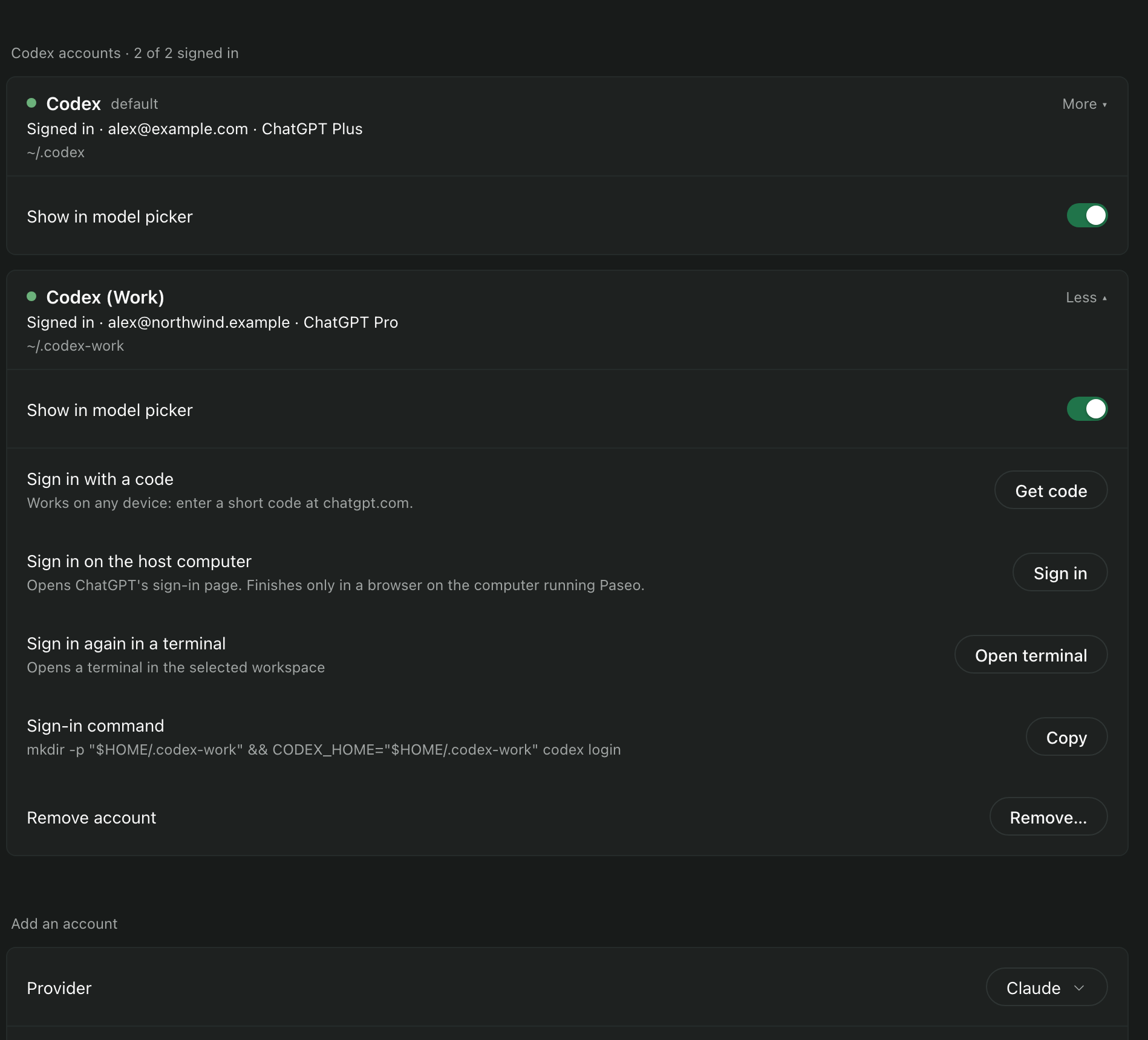
Claude & Codex Accounts lets you use several Claude and Codex accounts in Paseo, such as work, personal and a client's. You pick the account for each chat from the message box. A running Claude chat can move to another account and keep its conversation, and, if you turn on automatic switching, a chat that hits a usage limit can move to an account that still has room.
Moving a chat swaps only its login. The conversation, settings, MCP servers, skills and hooks stay the same. Claude Code reads its login from CLAUDE_SECURESTORAGE_CONFIG_DIR, so the plugin points that at the chosen account and reopens the chat from the same transcript. Codex encrypts each conversation for the account that started it, so a Codex chat can't change account. New Codex chats pick an account when they start.
Setup
Add accounts from the plugin's Accounts screen (Settings, then Plugins, a workspace's + menu, or the Command Center). Each account is an ordinary Paseo custom provider with its own folder, ~/.claude-<name> or ~/.codex-<name>, added through Paseo's config API. It also shows in the model picker as, for example, "Claude (Work)". Sign in from the screen on any device: Claude's page gives you a code to paste back, and Codex shows a device code. You can also sign in from a terminal, or set the folders up by hand as the README describes.
Choosing and switching
- Per chat: in a new chat, choose an account, "Most headroom" (the signed-in account furthest from its limits), or leave it as configured. In a running Claude chat, choosing another account moves it. If a turn is running, the move happens when the turn ends.
- Folder rules: map folders to accounts with
*and**wildcards. The most specific rule wins. - Automatic switching (off by default): when you turn it on, a Claude chat that hits a limit moves to the signed-in Claude account with the most room and keeps its conversation. This can carry a work or client conversation on under a personal account or another organisation, including chats a folder rule placed on a particular account. A limit is spotted from the CLI's message or from the account's usage reading. Each move adds a note to the chat. A chat moves automatically at most four times in ten minutes. With it off, a chat that hits a limit gets a note to choose another account.
- Early switching (with automatic switching on): between turns, a chat moves once its account passes 95% of a limit, to an account at least 10 points lower. You can set 80 or 90%, or only switch at the limit.
- Carrying on (with automatic switching on): after a move caused by a limit, it tells the chat to continue, unless you have written to it since.
- Waiting out a limit (optional; Claude chats also need automatic switching on): when every account is at its limit, it waits for the first reset.
- Codex: when a Codex account hits its limit, the plugin says which account to start a new chat on.
- Scripts and agents:
paseo run --label account=claude-workstarts a Claude chat on that account. An optional setting gives agentsaccounts_listandaccounts_switchtools.
Each extra account gets a card on Paseo's Usage page, and the account menu shows each account's email, plan, organisation (Claude) and usage.
What it reads and sends
- Status comes from each account's own files: the identity in Claude's
.claude.json, the identity claims in Codex'sauth.json, and whether a login exists. On macOS it checks that the Keychain item exists without reading the secret. - Usage uses Paseo's own Claude and Codex usage code, pointed at each account's folder. It reads that account's login and sends it only to that provider's usage API. The plugin's own readings, used for switching and the account menu, are cached and fetched at most once every 90 seconds per account.
- Sign-in runs the CLIs' own sign-in (
claude auth loginandcodex app-server). The plugin never shows, logs or stores a token. If a new sign-in puts a different person's login behind an account, it warns you.
Limits
- Codex chats can't change account.
- MCP servers that sign in with OAuth keep those logins per account, so a moved chat may need to sign in to them again.
- A moved chat's
/statusand Paseo's built-in usage card show the chat's original account. The plugin's Account control and usage cards show the real one. - Waiting for a reset is forgotten if Paseo restarts.
- Removing an account leaves its folder and login in place.