Agent HQ
Open Agent HQ in Paseo to view agent usage and merged GitHub pull requests.

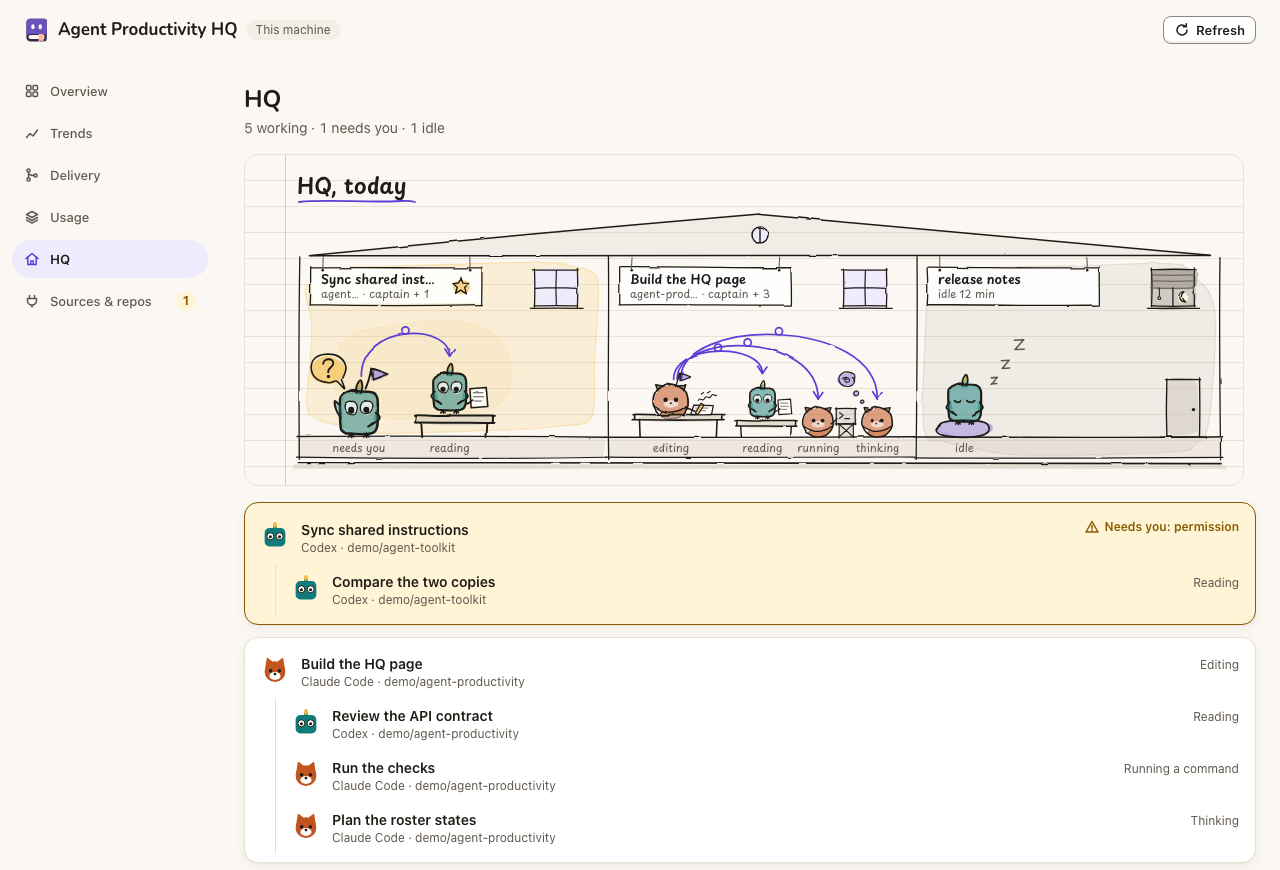
Open Agent Productivity HQ from Paseo to see live coding agents, review merged pull requests, and inspect local Codex and Claude Code usage.
The dashboard runs on the Paseo daemon's Apple Silicon Mac. Click Agent HQ in Paseo 0.16.1 or later to open it in your default browser on desktop or mobile. In Paseo web, select Open in browser when the dashboard is ready. The host needs the Tailscale CLI and permission to use HTTPS Serve. Connect from a device signed in as the daemon owner's Tailscale identity.
The launcher uses an installed compatible Node runtime. If it cannot find one, Install runtime downloads the official ARM64 archive from nodejs.org after you choose that action. The launcher verifies the pinned SHA-256 before installing a private copy.
The dashboard reads local provider transcripts and Paseo session metadata. It stores usage and session metadata on the daemon host. The launcher does not send prompts or tool results elsewhere. Optional dashboard integrations ask GitHub for tracked pull requests and the provider services for account usage. Optional Claude Code hooks show a preview and ask for confirmation before editing the user's Claude Code settings.
The screenshot uses invented sessions.