
Paseo Mesh
Paseo plugin for cross-host agent orchestration: list, read, create and message agents on other Paseo daemons.

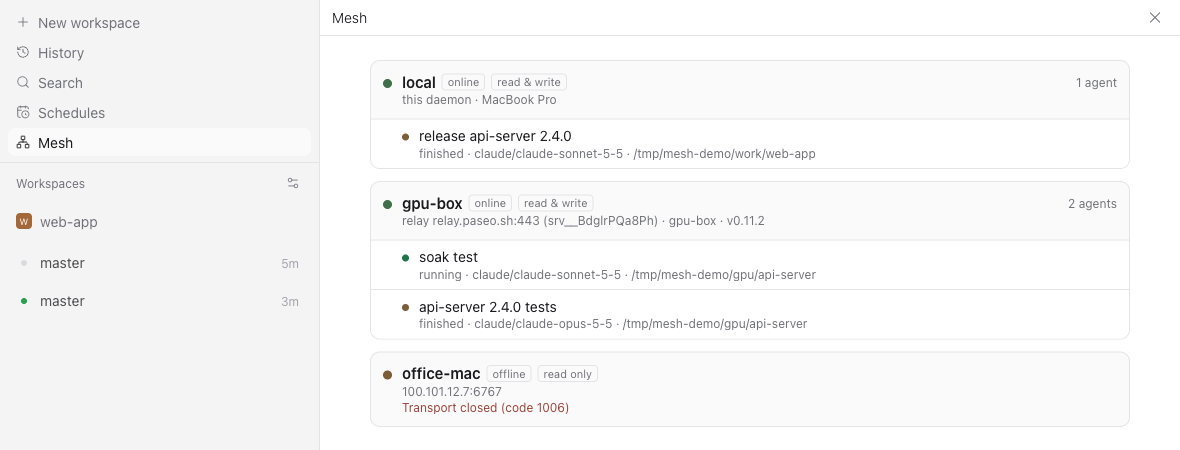
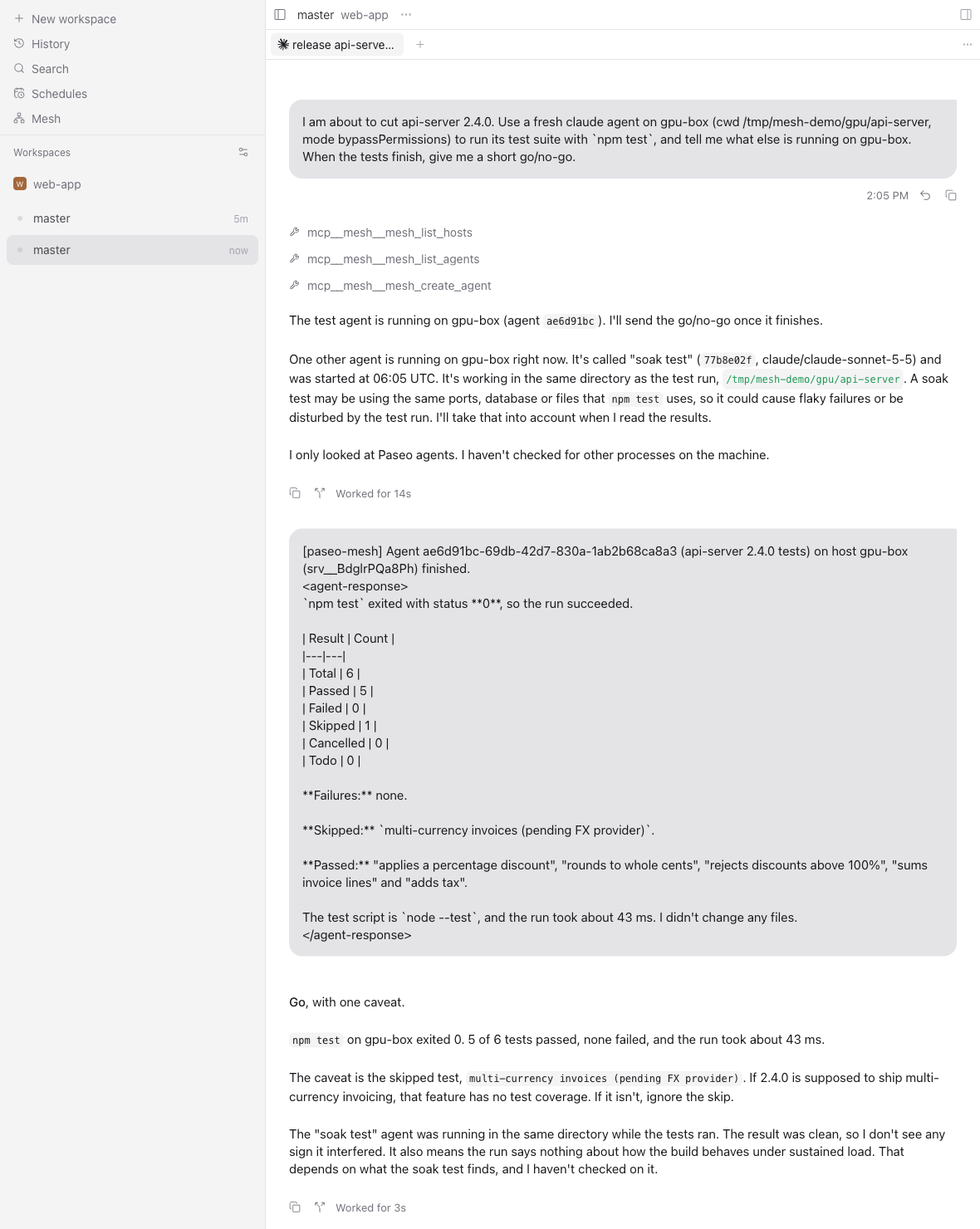
Paseo Mesh lets agents on this host see and drive agents on your other Paseo hosts. An agent can list the agents on another machine, read their timelines, start new agents there, send follow-ups, answer their permission requests, and get a message when they finish, error or need permission. Messages carry the sending agent and a reply address, so agents on two hosts that both run mesh can talk to each other.
How it works
New agents on this host get a mesh MCP server served by the plugin on 127.0.0.1. The plugin keeps a connection to every peer you configure, either through the Paseo relay with end-to-end encryption or directly over WebSocket. Peers are ordinary Paseo daemons and do not need this plugin.
Setup
Agents reach only the hosts in mesh's peer list. Under Settings, Plugins, mesh, Peers, turn on Keep peers in step with this app's hosts to sync that list with the app's Hosts while the desktop or web app is open, including on headless servers you reach from the app. You can also add peers by hand: a machine's pairing link from Settings, that host, Pair device (or paseo daemon pair on it), a host:port on Tailscale or a LAN with the daemon password, or an ssh://user@host address that uses the daemon user's SSH keys.
Each peer is read-only by default. Grant write access to let agents create and control agents there, and add allowed paths to keep them in specific directories. Open Mesh in the sidebar to see every host and its agents.
Requires Paseo 0.11.0 or newer on this host.
What it reads and stores
When app host sync is on, the plugin reads the app's stored host list, including relay keys and passwords, beyond the plugin API, and sends it to the mesh daemons. Offers and passwords are stored on this host in paseo-mesh/config.json under the Paseo home, readable only by the daemon user, and are never sent to the app. A pairing offer or password gives full control of that daemon; mesh enforces read and write access and allowed paths for its tools, but they are guardrails, not a sandbox.
Limits
Only agents created after installation get the tools. Files are not shared between hosts. Pi agents do not get the tools because Pi does not accept MCP servers.