
Codex Enterprise Usage
Codex Business and Enterprise credit budgets and feature limits in the Paseo sidebar

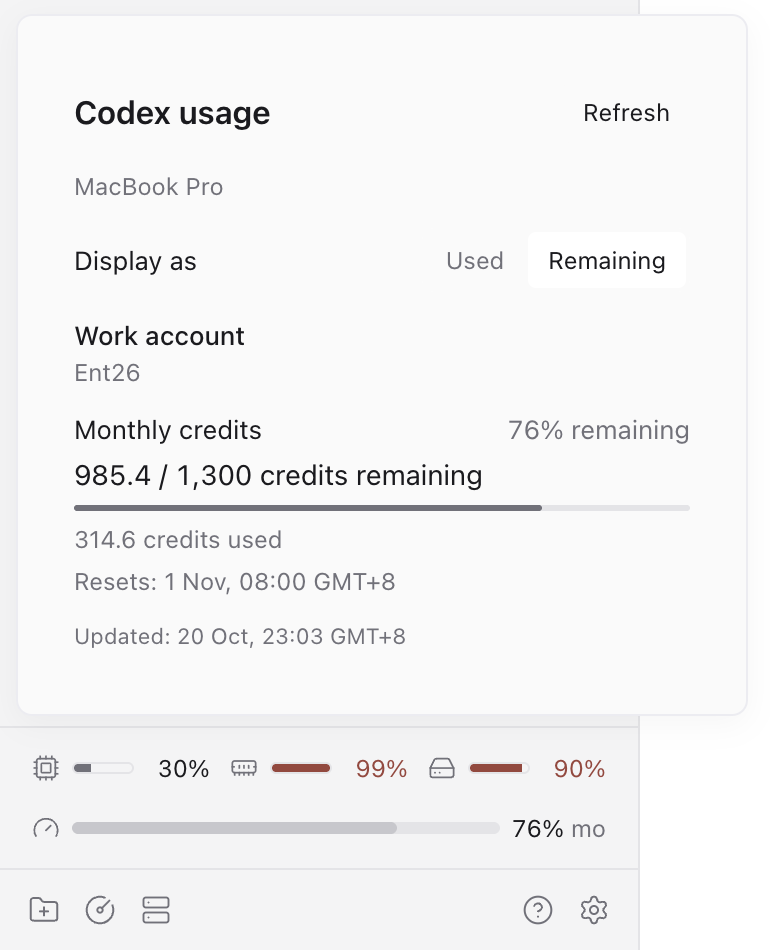
Codex Enterprise Usage shows Codex ChatGPT credit budgets and feature limits in the Paseo sidebar. Its compact line shows a progress bar, percentage and period. Click it to view credit amounts, feature-specific limits, reset times and refresh. Choose Used or Remaining in the detail view; the bar and percentage follow your choice. The preference is saved on the plugin's host and shared across connected clients.
It requires Paseo 0.11.2 or later and a Codex ChatGPT login on the daemon where the plugin is installed. The detail view names that host. The sidebar item can be hidden or reordered in Settings → Sidebar. It follows Paseo's current theme.
The daemon reads the configured Codex login and the default Codex login, and requests the ChatGPT usage API using the existing access token. Credentials stay on the daemon; the plugin never refreshes tokens or writes login files. It works independently of Paseo's built-in usage display. While the view is active, usage refreshes every minute. Failed refreshes keep the last successful values and mark them stale.
The parser includes Business/Enterprise spend-control budgets. Null balances are unknown, not zero. Credits retain their reported values without a currency conversion, and resets use the API's timestamps. Missing windows are omitted. The upstream live evidence is Business; a separate Enterprise account has not been verified.