
Workspace Spaces
Group projects and their coding sessions into numbered Spaces in Paseo’s sidebar.

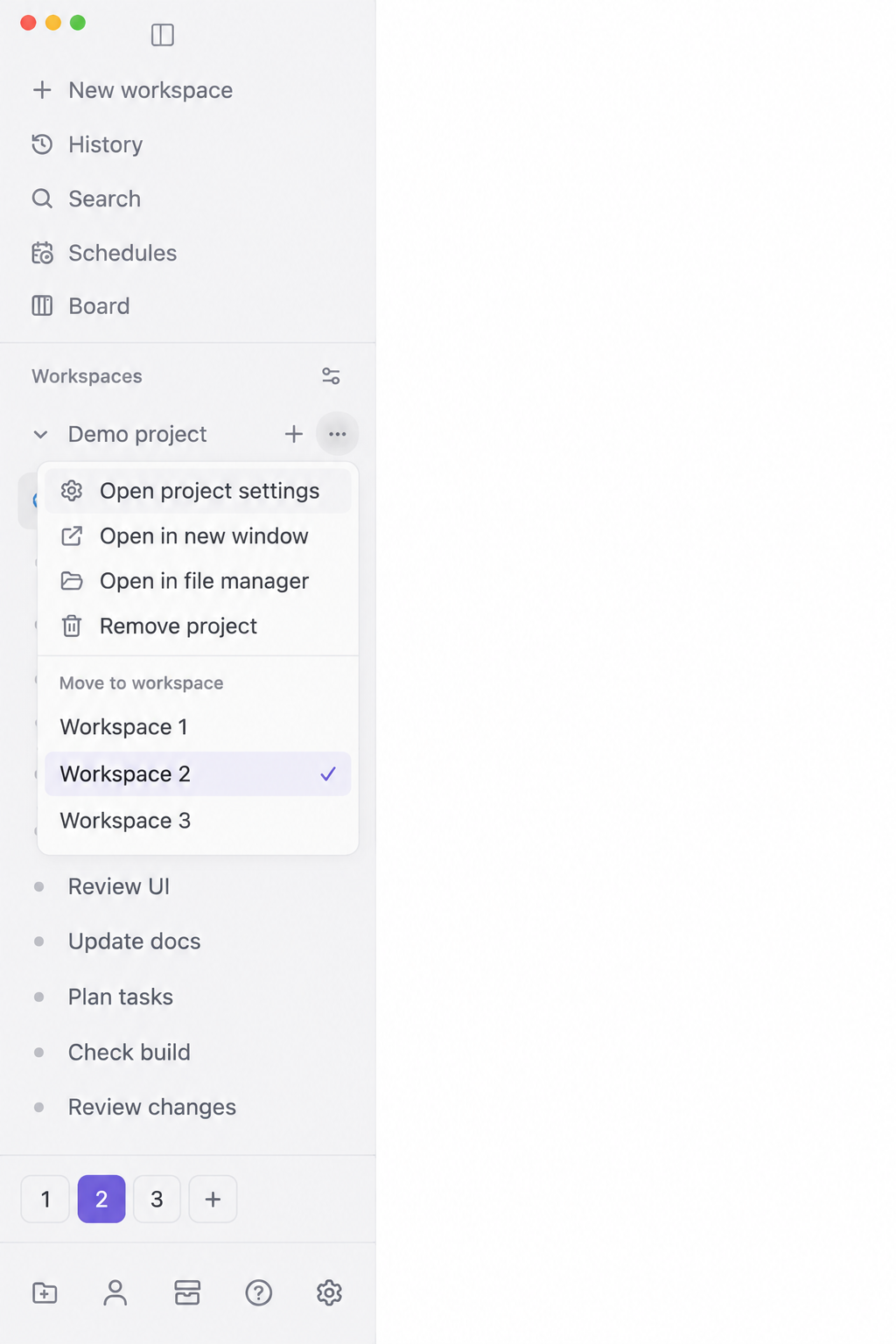
Workspace Spaces groups projects and their coding sessions into numbered Spaces. On the desktop app it adds tabs below the existing sidebar project list and a “Move to workspace” section in each project menu. Switching Spaces filters the sidebar while the current chat stays open and agents keep running.
Use + to create a Space, click a numbered tab or swipe horizontally over the project list to switch, and use the tab’s context menu to rename or remove it. Removing a Space moves its project memberships to a neighboring Space; it does not remove projects, worktrees or agents. The last Space is protected from removal.
No account or keys are needed. Install on one host per desktop, because the first active adapter owns the shared sidebar. The author targets Paseo 0.8.x and 0.9.0-beta.2. Desktop integration uses private app DOM identifiers, so app updates can affect it. Browser and native mobile clients use a standalone Spaces page instead. The preview image is the author’s privacy-edited illustration of the sidebar controls.
The daemon reads the project and workspace catalog, including names and project paths, and sends it to the connected client. Space names and memberships are saved in the plugin’s host settings with revision checks. The plugin has no external service, credential reads, subprocesses or runtime software installer. Disabling removes its desktop controls and reveals filtered rows; saved memberships persist. Removing the settings registration deletes its settings.
New project groups start in the first Space, and desktop selection resets to the first remaining Space on reload. Native sidebar filters, search, history and keyboard shortcuts keep their normal scope. Unrecognized project rows and unresolved pinned rows remain visible. Equivalent project view identities can share membership across connected hosts; the standalone page stores host-specific membership. Catalog or settings errors reveal groups rather than leaving them hidden.