Farol
A desk lamp for your Paseo agents on an ESP-Mosaico board. See them at a glance, answer and stop them, and start sessions by voice.
$ paseo plugin add gtoxlili/farol

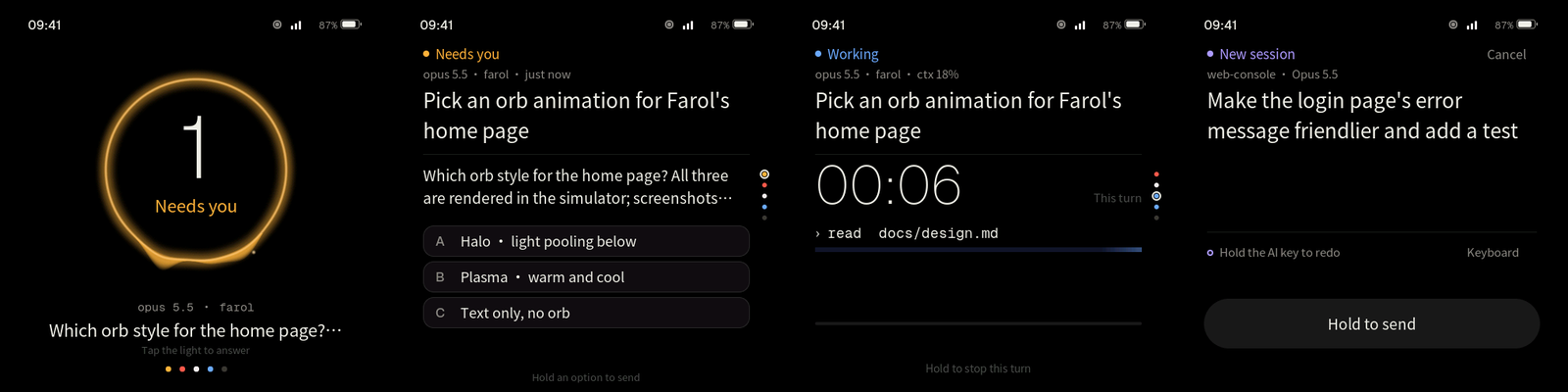
Farol is a desk lamp for your Paseo agents, on an ESP-Mosaico board. The light shows how your agents are doing. On the board you answer questions, permission requests and plans, stop a running turn, and start a new session by voice or keyboard. This plugin feeds the board and carries out what you do on it.
Connect a board
Install this plugin, then connect on the board. "Scan QR code" reads the pairing code under Settings › this host › Pair device and goes through Paseo's encrypted relay. "Direct connection" takes the host, port, SSL and daemon password. Requires Paseo 0.14 or later.
Settings
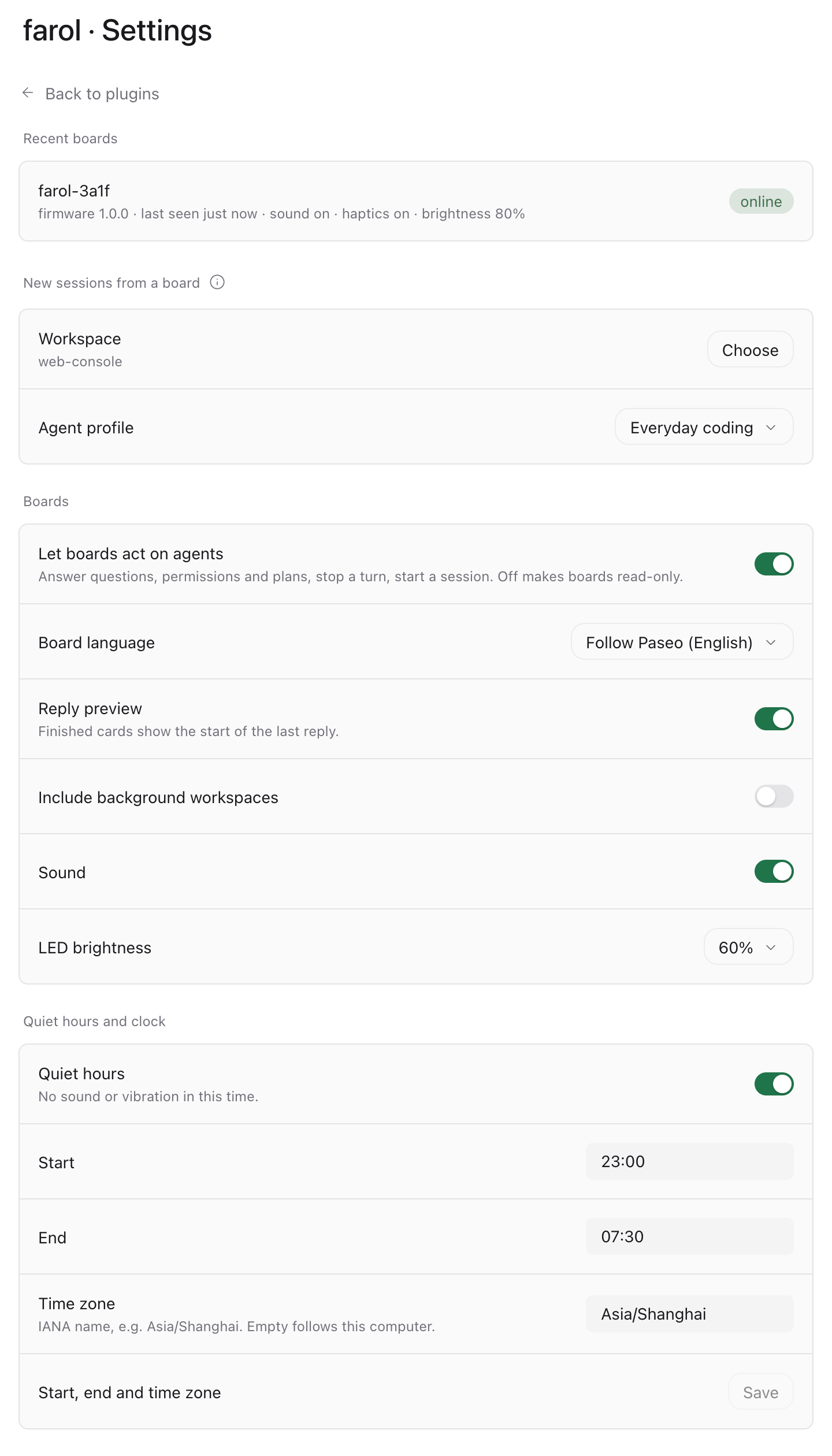
- New sessions from a board: the workspace and the agent profile they use. Boards can start sessions only when both are set. Dictation uses Paseo's own speech-to-text settings.
- Let boards act on agents. Off makes every board read-only.
- Board language: follow Paseo, Chinese or English.
- Reply preview on finished cards, and agents in background workspaces.
- Sound, LED brightness and quiet hours for every board. A board's own control centre changes only that board.
- Time zone of the board's clock. Empty follows this computer.
Good to know
- The board keeps the daemon password, and for the relay the pairing code. Each gives full control of this daemon. If you lose a board, change the daemon password.
- A board's stop runs
paseo stopon this computer and stops only the turn the board showed. Without thepaseoCLI on the daemon's PATH, boards cannot stop turns. - A board's answer counts only when Paseo applied it. If you answered elsewhere first, the board says so.
- Answers and stops from a board add a line to the agent's timeline. The line is for you. The model never sees it.
- Boards wait for news with a 20-second request. The daemon log lists each one as a slow request. That is expected.