
Tasks
Paseo plugin: Linear-style task tracker with projects, folders, subtasks, comments, agent preset delegation, comment steering, and CLI/MCP report-back.

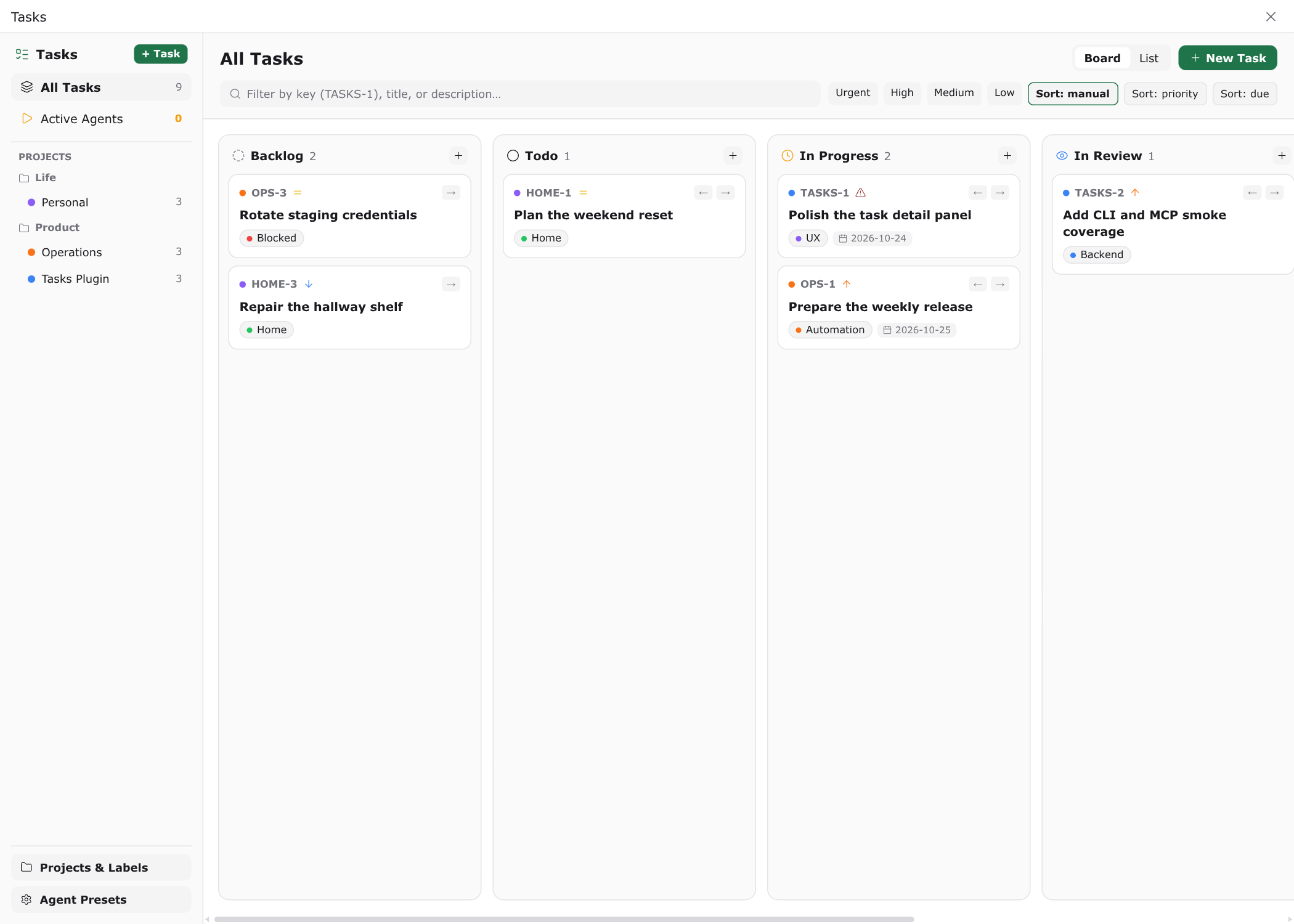
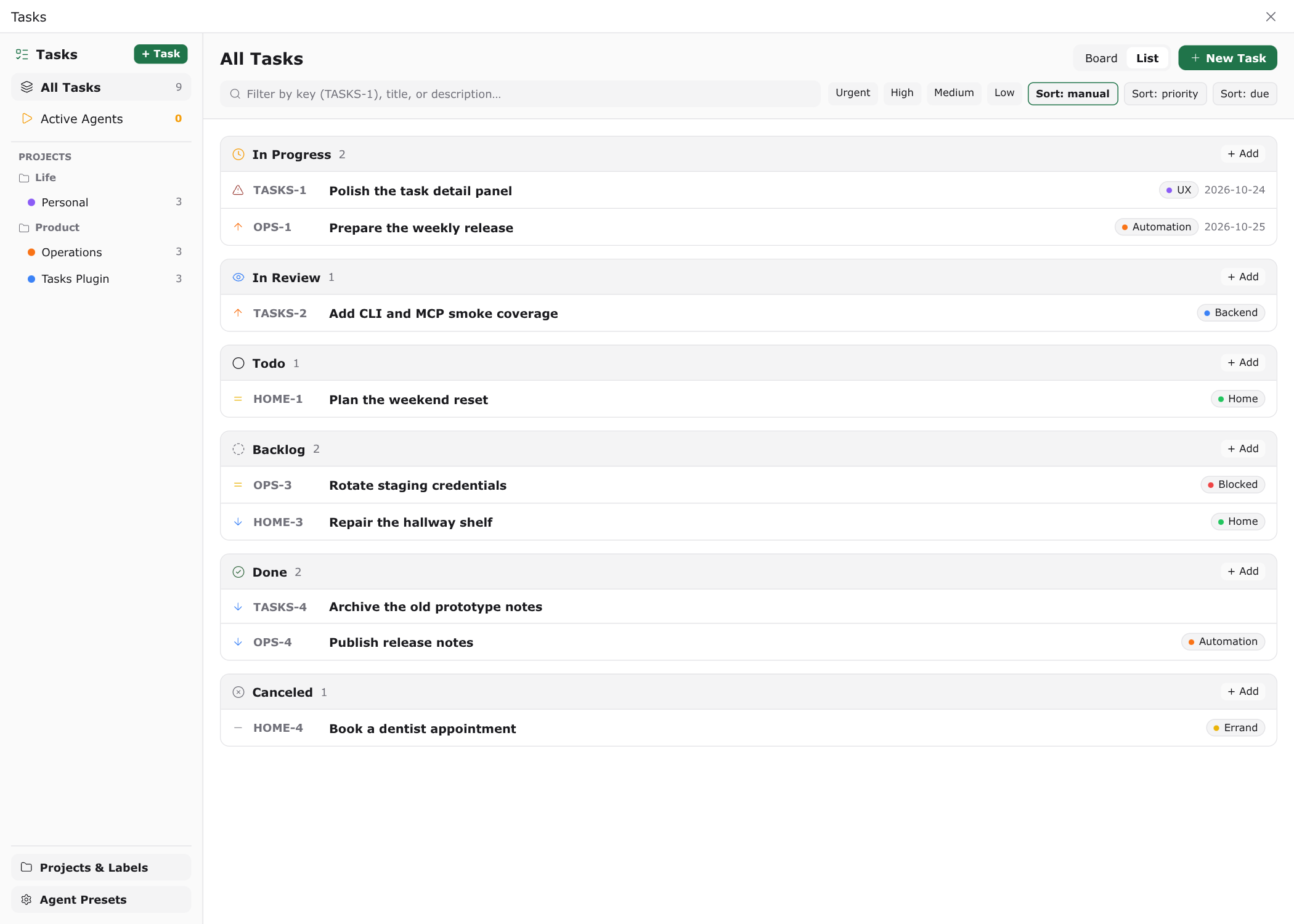
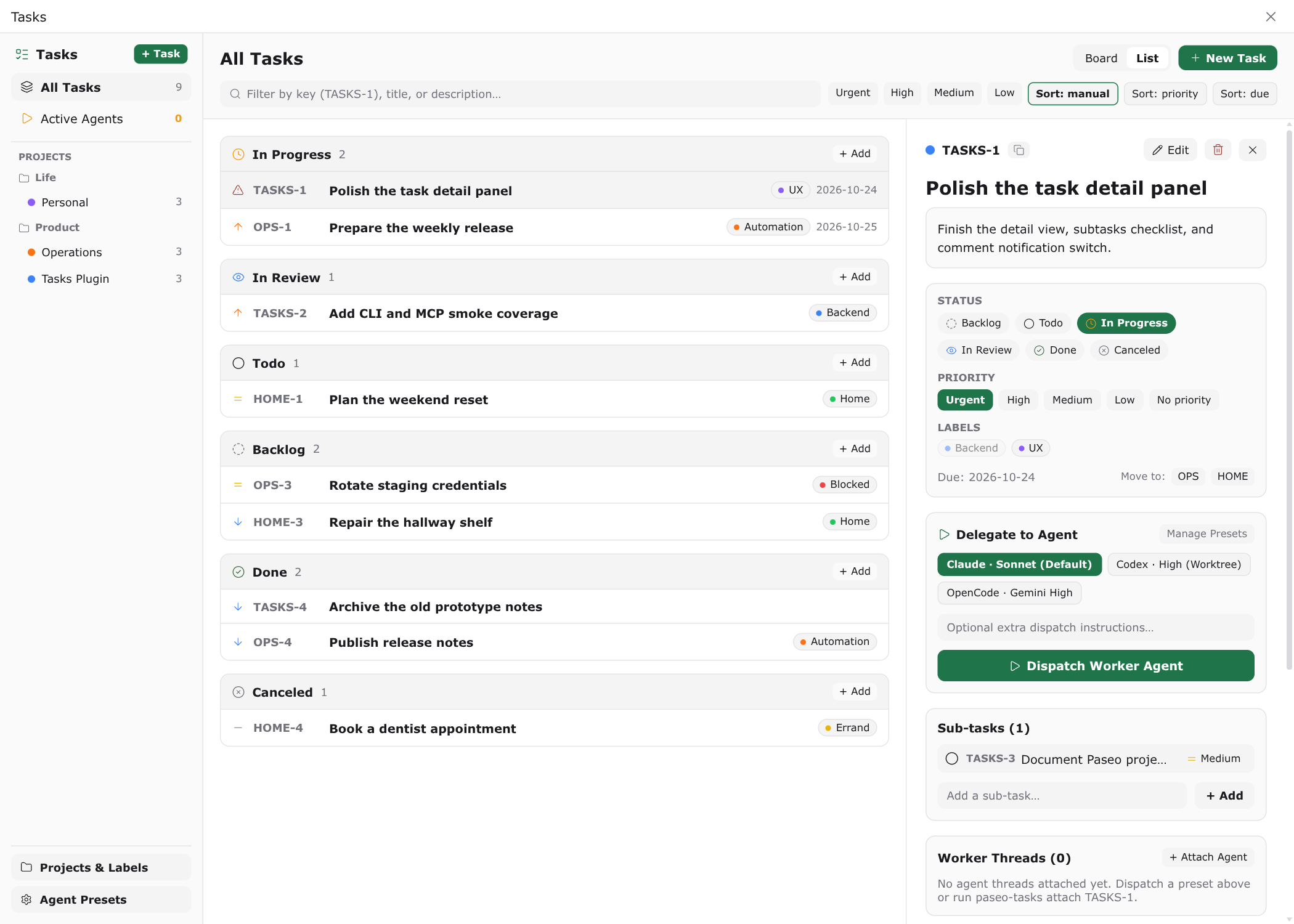
Tasks is a local task tracker inside Paseo: projects, folders, subtasks, labels, comments, and file attachments, shown as a kanban board and a grouped list. You can hand a task to a coding agent in one click, and the agent reports progress back to the same task.
The board is the working surface. Drag a card or use its inline arrows to change status, filter by project, label, priority, or text, and sort by manual position, priority, or due date. Opening a task shows its description, status, priority, labels, due date, sub-tasks, attachments, comments, and the agent sessions attached to it.
How delegation works
Each task can be dispatched to an agent using a reusable preset. A preset fixes the provider and model, a thinking level, an optional service tier, a permission mode, and where the agent runs: either in the task's linked Paseo project or in a fresh git worktree branched from it. Dispatch builds a seed prompt from the task, its sub-tasks, attachments, recent comments, and any extra instructions you type, then creates the agent and attaches it to the task.
Worker agents report through two channels that the plugin installs for them:
- A
paseo-taskscommand on theirPATH(also aliased asbb-tasksandbb), so they can list, create, update, comment on, and attach files to tasks from a shell. - A
tasksMCP server with the same operations as tools, for agents that prefer MCP over shell commands.
Both channels talk to the running daemon over a loopback HTTP bridge. When an agent writes ::task{key="ABC-12"} on its own line in a reply, Paseo replaces that line with a live task card that opens the task.
Comment steering closes the loop the other way. Writing a comment with Notify agent on sends it to the agent that last replied on the task, or to the most recently attached session, as new context for the work in progress.
Agent sessions are tracked through Paseo's lifecycle events. When a session starts, finishes a turn, fails, or closes, the task records the new state; a terminal state also leaves a comment on the task.
Setup
Requires Paseo 0.11.2 or later on the daemon and the app, and Node 24 or later on the daemon host, because the task store uses the built-in node:sqlite module.
Two settings control agent integration and are on by default. Inject paseo-tasks CLI and MCP server adds the command directory to an agent's PATH and registers the MCP server on new agents. Inject Tasks reporting instructions appends a short contract to the agent's system prompt describing how to comment, attach files, set status, and emit task cards. Board and list settings choose the default view and whether finished tasks appear on the board.
Dispatching into a new worktree needs a git-backed Paseo project. Runs that need no worktree work with any project. Pull request status on an attached session appears only when the GitHub CLI (gh) is installed on the daemon host and the workspace is a GitHub checkout.
Capabilities and data access
- Store: one SQLite database at
$PASEO_HOME/plugin-data/tasks/tasks.dbin WAL mode, with schema migrations applied on load. Task keys arePREFIX-NUMBERper project; moving a task to another project keeps its old key working as an alias. - Attachments: files up to 25 MB are stored under the plugin data directory and served back to the client; each attachment keeps its filename, size, and content type.
- Local bridge: the plugin serves a small HTTP endpoint on loopback with a random bearer token written to
$PASEO_HOME/plugin-data/tasks/bridge.jsonwith owner-only permissions. It also writes thepaseo-tasks,bb-tasks,bb, andtasks-mcp.mjshelper scripts into$PASEO_HOME/plugin-data/tasks/bin. The CLI and MCP server refuse to run when the bridge is absent, so there is no separate offline store. - Reads: the Paseo project list, project root paths, agent lifecycle events, and workspace creation. The plugin writes nothing to a workspace until you dispatch a task into a new worktree.
- Agents: when you dispatch a task or send a comment with Notify agent, the task text, sub-tasks, comments, and any attachment content the agent reads go to that agent's model provider and follow that provider's data policy.
- GitHub CLI: when
ghis available, the plugin runsgh pr viewin a workspace directory to show pull request state for sessions attached to a task. No other network requests are made.
Limits
The CLI and MCP server require the Paseo daemon to be running. Lists return at most 500 rows per page.