Office 3D
A community port of my-office for Paseo: your agents at their desks, in 3D.

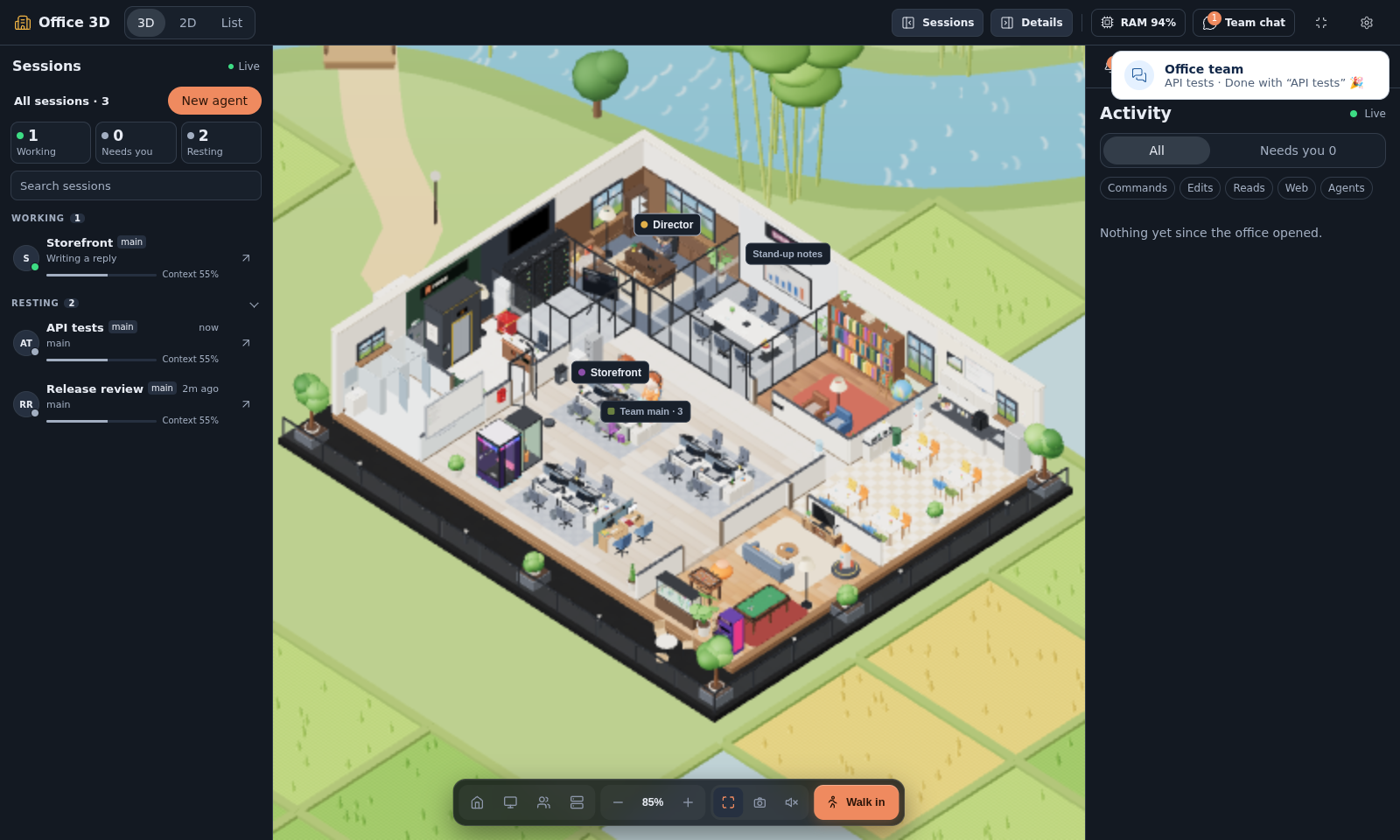
See your Paseo sessions as people at work in a shared office. Each workspace has a room, so you can spot an agent waiting for approval, walk over to its desk and open the conversation without leaving the floor.
Working in the office
Open Office 3D from the sidebar and choose Full screen. Sessions groups agents by status and shows their current activity. When a provider reports checklist progress, the row shows completed items. A bar labeled Context measures context-window usage.
Select a row to read the conversation, reply or answer a permission request. On desktop and web, the ↗ beside the row opens the agent’s Paseo workspace over the floor, including files, diffs and terminals. In Walk in, press E next to the agent for the same workspace. Minimize it to keep your place, or hide the Sessions and Details sidebars for a wider view.
Use Team chat to talk to the group or address one session. Use the Lobby board for work that an available agent can claim. With Agent tools and Wake agents enabled, idle agents pick up unassigned tasks. Completing a linked workspace task also checks it off in the lobby. The pantry Duty board schedules recurring assignments on the days you choose.
Setup and compatibility
Office 3D requires Paseo 0.16.0 or newer and plugins enabled on the host. Desktop and web support the 3D floor with WebGL 2. The store mobile app offers the 2D floor and List. Mobile builds with a script-capable frame can also show 3D.
The settings gear controls the floor plan, backdrop, lighting and sound. Under Appearance → Branding, the host can set a shared office name, logo and mark color. The 3D scene supports English, Vietnamese, Thai and Indonesian. The surrounding Office controls use English.
Archive idle sessions is off by default. Enable it under Office settings → Automation if you want an open 3D floor to archive a session when its worker goes home. Workers can go home after resting for at least 30 minutes at night or after evening drinks. The session must still be idle, with no pending approval or working subagent. Archiving removes it from the active list and keeps its conversation history.
Stand-up notes need a host folder. Jira and Sentry alerts need project settings and host credentials. Weather from a service needs a configured URL. Linux hosts can also show CPU, memory and processes.
Data access
Office reads session status, activity and provider-reported usage. It stores team chat, tasks and duty records on the Paseo host. An agent’s configured provider processes messages, assignments and tool results. A whole-group message can include up to six recent group or scene messages when Office asks an available agent to reply.
Configured issue trackers and weather services receive requests from the host. Clients fetch a custom logo from its configured URL. A session’s available actions depend on its provider and the host SDK.