
Usage Monitor

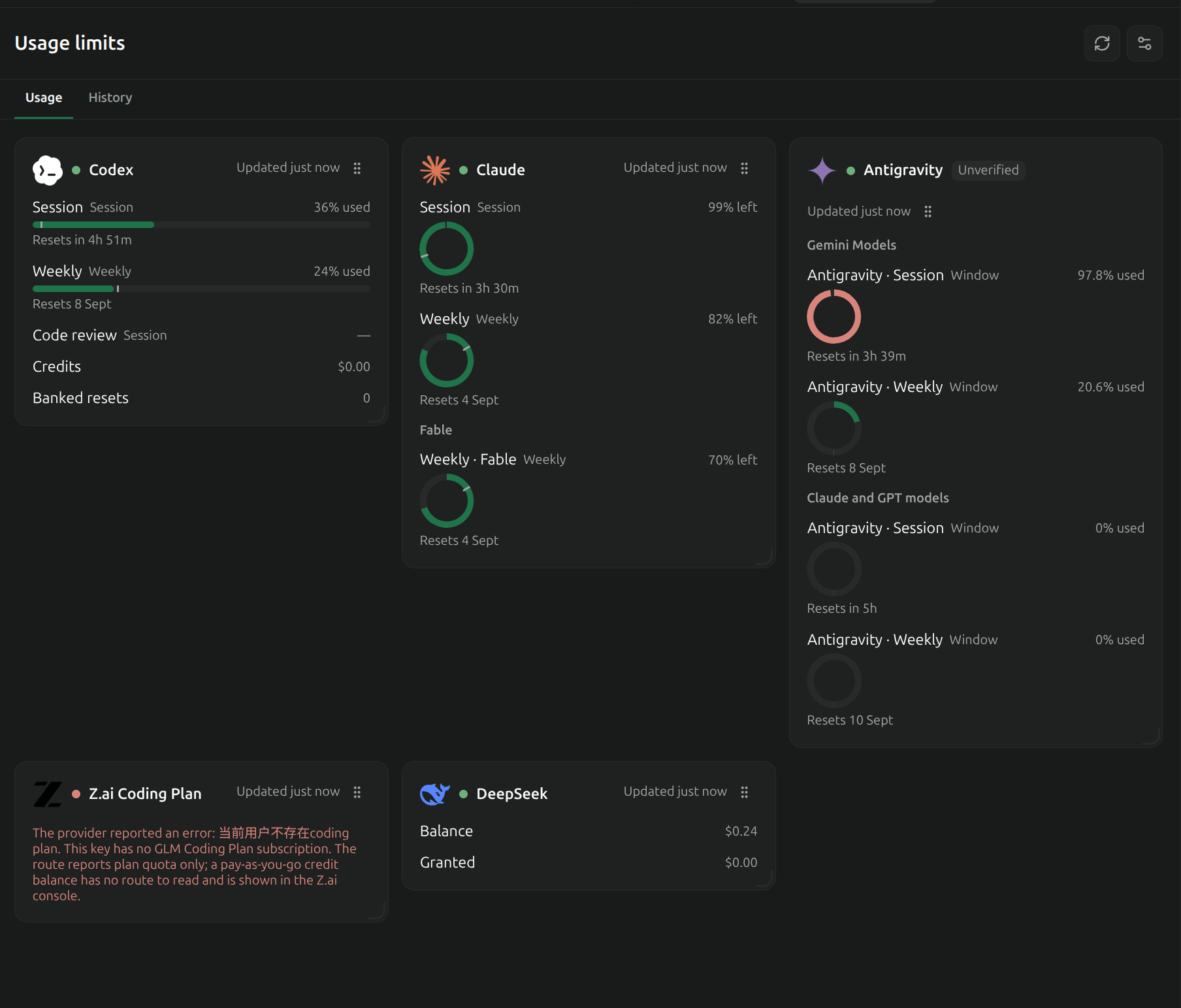
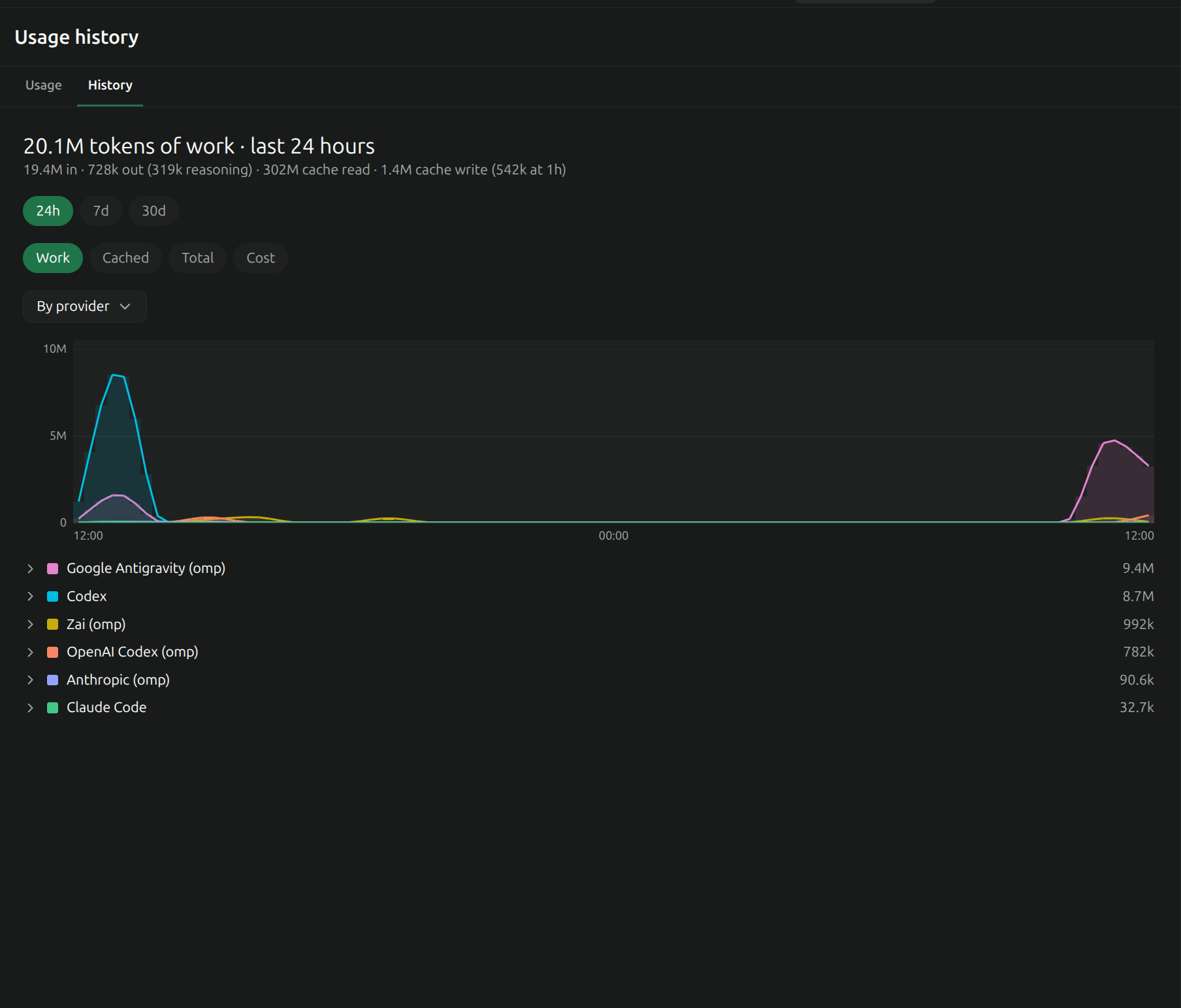
Usage Monitor shows provider quotas, remaining balances and token history inside Paseo. It adds usage and history screens, workspace/Explorer panels, configurable composer pills, and provider settings. History can be grouped by provider or model over 24 hours, 7 days or 30 days, with work, cached, total and cost metrics.
Setup
Requires Paseo 0.8.0 or newer as declared by the plugin. With no configuration file, it uses the existing Claude Code and Codex logins on the daemon host. Configure other providers in the plugin settings or in usage-limits.json under the Paseo home. A supplied configuration replaces the defaults. Presets support multiple credential sources; custom providers can use HTTP requests, local JSON files or an explicitly configured command that returns JSON.
Keys entered in settings are stored in a separate owner-only secrets file and are not returned to the app. Existing provider credentials can also come from environment variables, CLI JSON files, local SQLite stores or the system credential store. Expired credentials are reported rather than silently treated as current.
Access and actions
The daemon sends the configured credentials to the selected provider’s usage endpoint. Built-in presets contact their provider services; custom HTTP sources use the endpoint you configure. Antigravity support reads its existing credential-store login and can refresh it with Google, reading OAuth client information from the installed agy binary. It does not install agy. History reads local Claude, Codex, OMP and Pi session files and Antigravity conversation stores to calculate usage. Public model prices are fetched from LiteLLM’s GitHub table and cached locally; those requests do not include session contents or provider credentials.
The plugin writes its configuration, secrets, readings, history caches and limit-alert state under the Paseo home. Connected clients receive usage data and errors. Treat custom source configuration as trusted: command sources execute the configured program with the daemon’s environment, and request templates can place credentials in the configured headers, URL or body.
Optional actions have additional effects:
- Claude status-line hook: installs a local Node script and updates Claude Code’s settings after you select Install. It backs up settings, preserves and forwards the previous status-line command, and writes quota readings locally. Removing the hook restores the previous command when the hook still owns that setting.
- Refresh via terminal: starts the named agent CLI in a Paseo terminal when you press the action, so that CLI can refresh its own login.
- Banked Codex reset: displays available reset details and asks for confirmation before consuming a reset credit through the account’s backend.
- Limit alerts: save the refusal and last request. You can schedule a continuation or hand the request to a new agent on another provider. Automatic resume and handoff are off by default; enabling them allows these actions without another click. The selected agent provider handles the repeated request, and can be remote.
Limits
Several presets use private or undocumented provider endpoints, so availability and response formats can change. Errors, stale readings and unverified presets are displayed. History depends on the local logs available to the daemon, skips oversized transcripts, and estimated cost can differ from billing. Redaction is best effort. A scheduled continuation that became due while the daemon was down runs when its timer is rearmed after startup.